93 | P a g e
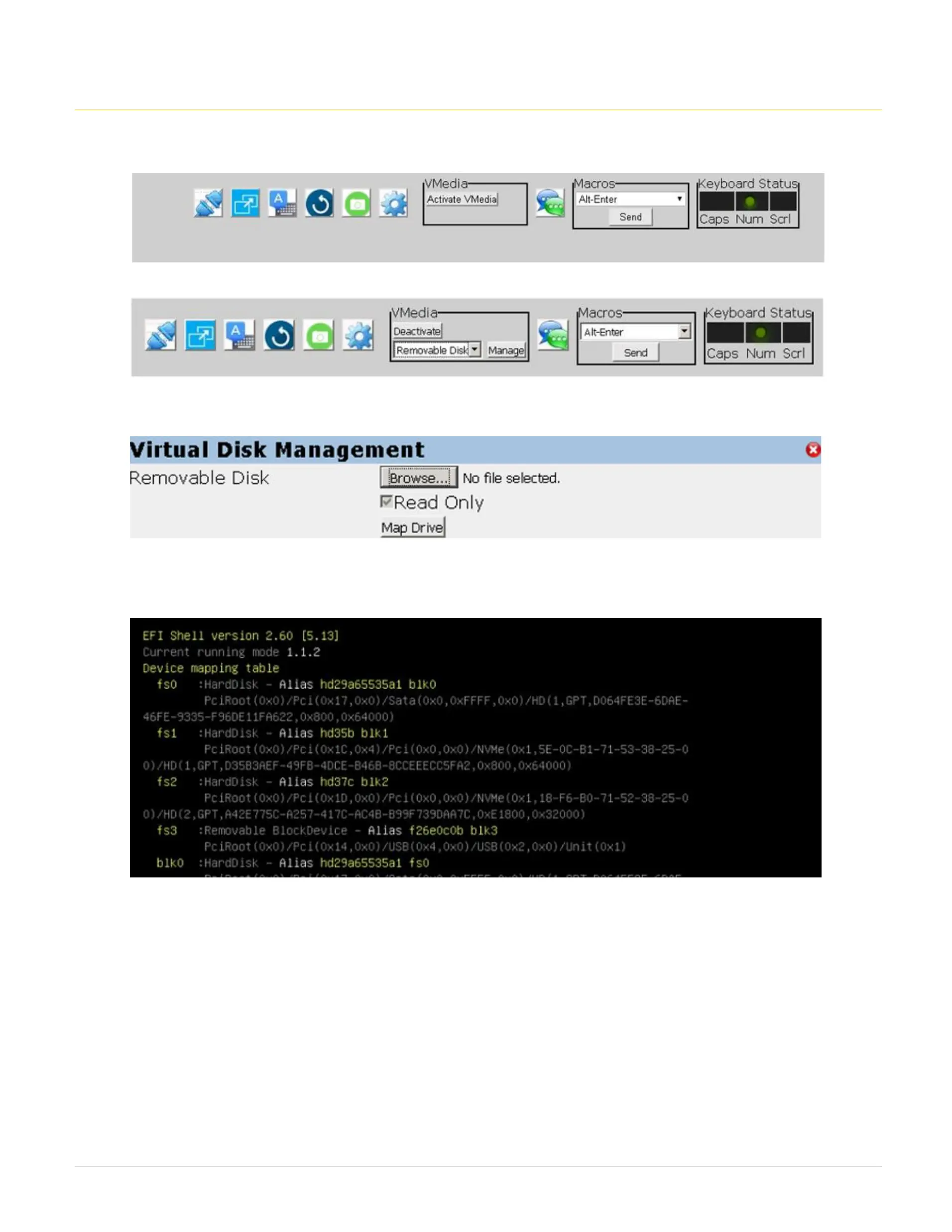
33. Importing profile from Vmedia:
1. From the Launch Menu, on the top right, click on Launch HTLM5vKVM Viewer
2. Click on Activate Vmedia
3. Select Removable Disk and click Manage
4. Click on browse to select the profile image: HF310-G4-F05-xxxx-xx.img
5. Click on Map Drive to mount the removable media.
6. Boot on the UEFI Shell.
7. Verify the disk letter for the Removable Media. In this example, it has fs3.



 To Next Page