EasyManua.ls Logo

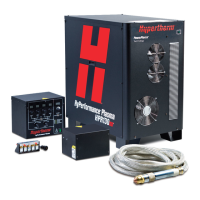
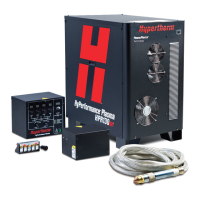
Hypertherm HPR130 - User Manual

Hypertherm HPR130
239 pages
Print Icon
To Next Page IconTo Next Page
Loading...
Manual gas
Instruction manual
804570 – Revision 6
HyPerformance
®
Plasma HPR130
®

Table of Contents

Other manuals for Hypertherm HPR130

Questions and Answers

  • M
    Mrs. Dawn Bates DDSAug 16, 2025
    What to do if Hypertherm Welding System has lost transfer?
    • D
      David RossAug 16, 2025
      If your Hypertherm Welding System experiences lost transfer, first ensure that the consumable parts are in good condition and that the cut-flow gas settings and pierce delay time are correct. Check if the arc loses contact with the plate during cutting, especially with hole or scrap cutting. Inspect the work lead for any damage or loose connections, and try connecting the work lead directly to the plate. You may also need to perform a chopper test.
  • K
    kramersteveAug 19, 2025
    What to do if Hypertherm HPR130 Welding System has lost current?
    • P
      Patrick BaileyAug 19, 2025
      If your Hypertherm Welding System is losing current, start by checking the condition of the consumable parts and verifying the cut-flow gas settings. Ensure the pierce delay time is correct. Also, check if the arc loses contact with the plate while cutting (especially when cutting holes or scrap). You may also need to perform a chopper test.
  • H
    Hayden WolfAug 22, 2025
    How to troubleshoot no pilot arc on Hypertherm HPR130 Welding System?
    • S
      Stephen GrantAug 22, 2025
      If your Hypertherm Welding System experiences a 'no pilot arc' issue, begin by ensuring that the consumable parts are in good condition. Then, verify that the preflow and cut-flow settings are correct. Perform gas leak tests and check for a spark across the spark gap. Inspect CON1 and the pilot arc relay for excessive wear. Perform a gas flow test, torch lead test, start circuit test, and chopper test.
  • T
    Tabitha ReyesAug 25, 2025
    What to do if Hypertherm HPR130 Welding System shows lost phase?
    • B
      Brent BoydAug 26, 2025
      If your Hypertherm Welding System is showing a 'lost phase' error, first verify the phase-to-phase voltage to the power supply. Disconnect the power, remove the cover on the contactor, and inspect the contacts for excessive wear. Check the power cord, contactor, and input to the chopper for loose connections. Inspect the phase loss fuses on the Power Distribution board and replace the board if the fuses are blown. A phase loss test may also be needed.
  • J
    Jeffrey PooleAug 27, 2025
    How to fix gas system error on Hypertherm HPR130 (Auto Gas Only)?
    • F
      Frank Ware MDAug 27, 2025
      If your Hypertherm Welding System displays a 'Gas system error Auto Gas Only', verify that cable number 5 (power supply-to-gas console control cable) is undamaged and properly connected to PCB3 and the rear of the gas console. Also, check that cable number 6 (power supply-to-gas console power cable) is undamaged and correctly connected inside the power supply and to the rear of the gas console. Confirm that D1 (+5 VDC) and D2 (+3.3 VDC) are illuminated on PCB2 inside the gas console, indicating power to PCB2. If power is present at PCB2 and PCB3, and both gas console cables are in good condition, then PCB2 or PCB3 may have failed, use the CAN tester to verify which board needs to be replaced.
  • A
    Anthony Bolton Jr.Aug 30, 2025
    Why does Hypertherm HPR130 show start lost error?
    • P
      Pamela JacksonAug 30, 2025
      If you're getting a 'Start lost' error with your Hypertherm Welding System, and a mechanical relay is used to provide the HPR with a start signal, the relay may be bouncing when activated, or the contacts could be faulty. Try replacing the relay. Inspect the interface cable for damage, faulty crimps, or poor electrical connections. If the interface cable is good and a relay isn't driving the start input, the CNC might be dropping the start signal before a steady-state arc is established.
  • W
    williammcdonaldSep 1, 2025
    What to do if Hypertherm Welding System displays hold timeout?
    • V
      Victor PowersSep 2, 2025
      If your Hypertherm Welding System is showing a 'Hold timeout' error, first check the interface cable for damage, as the hold wires may be short-circuiting inside. The CNC might be maintaining this input, possibly waiting for an IHS complete input from another torch. If the CNC interface cable is good and it's a 1-torch system, consider changing PCB3.
  • M
    Michael DuncanSep 5, 2025
    How to resolve low nitrogen gas pressure on Hypertherm Welding System?
    • P
      Paige BaldwinSep 5, 2025
      If your Hypertherm Welding System is showing 'Low nitrogen (N2) gas pressure', verify that the nitrogen supply is turned on. Inspect the gas supply pressure and the volume of gas remaining in the supply tanks. Also, verify that the gas regulator is set to 8.3 bar (120 psi).
  • D
    daniel17Sep 7, 2025
    How to resolve low plasma gas pressure on Hypertherm HPR130?
    • R
      ruben09Sep 7, 2025
      If your Hypertherm Welding System is showing 'Low plasma gas pressure', inspect the gas supply pressure and the volume of gas remaining in the supply tanks. Verify the gas regulator settings on the gas console with the parameters in the cut charts. Perform gas leak tests.
  • D
    Daniel TorresSep 10, 2025
    What does precharge time-out mean on Hypertherm HPR130 Welding System (Auto Gas Only)?
    • C
      Cynthia MedinaSep 12, 2025
      If your Hypertherm Welding System shows a 'Precharge time-out Auto Gas Only' warning, it indicates a possible gas restriction in the leads. Verify that there are no restrictions in the plasma and shield hoses.

Summary

Safety

Recognize Safety Information

Understanding safety symbols for potential hazards and injury prevention.

Follow Safety Instructions

Reading and adhering to all safety messages and labels.

Cutting Can Cause Fire or Explosion

Fire prevention and explosion prevention measures during cutting operations.

Electric Shock Can Kill

Hazards of touching live electrical parts and prevention methods.

Toxic Fumes Can Cause Injury or Death

Hazards of toxic fumes from cut materials and necessary precautions.

A Plasma Arc Can Cause Injury and Burns

Hazards of plasma arc exposure and protective measures.

Arc Rays Can Burn Eyes and Skin

Protecting eyes and skin from intense plasma arc rays.

Grounding Safety

Proper grounding of work cable, work table, and input power.

Compressed Gas Equipment Safety

Safe handling and maintenance of compressed gas equipment and cylinders.

Specifications

System Gas Requirements

Gas quality, pressure, and flow rate requirements for different processes.

Gas Quality and Pressure Requirements

Tables detailing gas types, grades, pressures, and flow rates.

Installation

Installation Requirements

Conformance to national/local codes and use of qualified personnel.

Recommended Grounding and Shielding Practices

Protecting the system against RFI and EMI noise.

Types of Grounding

Details the three grounding systems: safety, DC power, and RFI/EMI.

Steps to Take

Detailed instructions for connecting grounding cables and components.

Power Supply to CNC Interface Cable

Connecting the power supply to the CNC system.

Connect the Torch to the Torch Lead Assembly

Step-by-step guide to connect the torch to its lead assembly.

Connect the Torch to the Quick-Disconnect

Aligning and securing the torch body to the quick-disconnect.

Torch Mounting and Alignment

Procedures for mounting and aligning the torch for optimal cutting.

Power Requirements

Electrical power requirements and connection details.

Connect the Power

Instructions for making power cable connections safely.

Torch Coolant Requirements

Selecting and using the correct coolant mix for optimal performance.

Gas Requirements

Furnishing gases and regulators, and setting supply pressures.

Setting the Supply Regulators

Procedure for setting preflow and cutflow gas pressures.

Connect the Supply Gases

Connecting supply gases to the gas console and purging lines.

Operation

Daily Start-up

Prior to start-up checks for environment, clothing, and torch.

Check Torch

Daily inspection of torch consumables for wear or damage.

Manual Gas Console Operation

Using the gas console for selecting gases and setting parameters.

Consumable Selection

Recommended consumables for different materials and amperages.

Mild Steel

Consumable parts for mild steel cutting at various amperages.

Stainless Steel

Consumable parts for stainless steel cutting at various amperages.

Aluminum

Consumable parts for aluminum cutting at various amperages.

Install Consumables

Step-by-step guide for installing torch consumables.

Cut Charts

Settings for consumable parts, speeds, and gases for high-quality cuts.

Mild Steel Bevel Cutting

Cut charts for bevel cutting mild steel with O2 Plasma / Air Shield.

Stainless Steel Bevel Cutting

Cut charts for bevel cutting stainless steel with H35 Plasma / N2 Shield.

Maintenance

Sequence of Operation

Step-by-step process of system startup, purge, and operation states.

Error Codes

Introduction to error codes displayed on the gas console LED.

Error Code Troubleshooting

Detailed troubleshooting steps for various error codes.

Error Code Troubleshooting - 1 of 10

Troubleshooting steps for errors 000 through 027.

Error Code Troubleshooting - 2 of 10

Troubleshooting steps for errors 030 through 044.

Error Code Troubleshooting - 3 of 10

Troubleshooting steps for errors 045 through 048.

Error Code Troubleshooting - 4 of 10

Troubleshooting steps for errors 050 through 058.

Error Code Troubleshooting - 5 of 10

Troubleshooting steps for errors 060 through 067.

Error Code Troubleshooting - 6 of 10

Troubleshooting steps for errors 071 through 103.

Error Code Troubleshooting - 7 of 10

Troubleshooting steps for errors 104 through 116.

Error Code Troubleshooting - 8 of 10

Troubleshooting steps for errors 123 through 134.

Error Code Troubleshooting - 9 of 10

Troubleshooting steps for errors 138 through 143.

Error Code Troubleshooting - 10 of 10

Troubleshooting steps for errors 144 through 181.

Power Supply Coolant System Servicing

Procedures for draining and servicing the coolant system.

Draining the Coolant System

Step-by-step guide to drain the coolant from the system.

Coolant System Filter and Strainer

Filter replacement and pump strainer cleaning procedures.

Filter Replacement

Steps for replacing the coolant system filter element.

Coolant Flow Troubleshooting Chart

Flowchart to diagnose coolant flow issues.

Coolant Flow Tests

Procedures for testing coolant flow using meters and bucket tests.

Pump and Motor Troubleshooting

Troubleshooting steps for pump and motor issues.

Gas Leak Tests

Automatic leak test modes for identifying gas leaks.

Leak Test 1

Testing inlet valve closure and supply line leaks.

Leak Test 2

Testing for leaks between the gas console and off-valve.

Start-Circuit PCB1

Operation, schematic, and troubleshooting for the start circuit.

Start Circuit Troubleshooting

Steps to troubleshoot the start circuit.

Chopper Tests

Automatic tests for chopper and current sensors during power-up.

Preventive Maintenance

Importance of maintenance for consumable life and productivity.

Preventive Maintenance Protocol

Basic elements of Hypertherm HyPerformance plasma systems maintenance.

The Power Supply

Maintenance steps for the power supply, including cleaning and inspection.

Cooling System

Inspecting the coolant filter, checking for leaks, and verifying coolant type.

Torch Main Body

Inspecting water tube, current ring, threads, insulator, o-rings, and fittings.

System Grounding

Verifying individual component grounding to earth ground.

Preventive Maintenance Master Schedule

Schedule for daily, weekly, semi-annual, and annual maintenance tasks.

Preventive Maintenance Protocol Checklist

Checklist for performing preventive maintenance tasks.

Parts List

Appendix B Functional Description of Software

Appendix C Bevel Cutting

Torch Connections

Connecting the torch lead assembly to the quick-disconnect assembly.

Connect the Torch Lead Assembly to the Quick-Disconnect Assembly

Step-by-step guide for connecting torch leads and hoses.

Hypertherm HPR130 Specifications

General IconGeneral
Duty Cycle100% at 130 A
Input Power25.5 kVA @ 400 V
Weight309 lb (140 kg)
Dimensions (H x W x D)43.5 in x 23.5 in x 29.5 in (1105 mm x 597 mm x 749 mm)
Cutting Capacity (Mild Steel)38 mm
Output Current130 A
Gas TypesAir, Nitrogen, Oxygen
Cutting SpeedUp to 20 m/min
Cutting MethodPlasma

Related product manuals