© 2023 HyQuest Solutions 30
Configuration
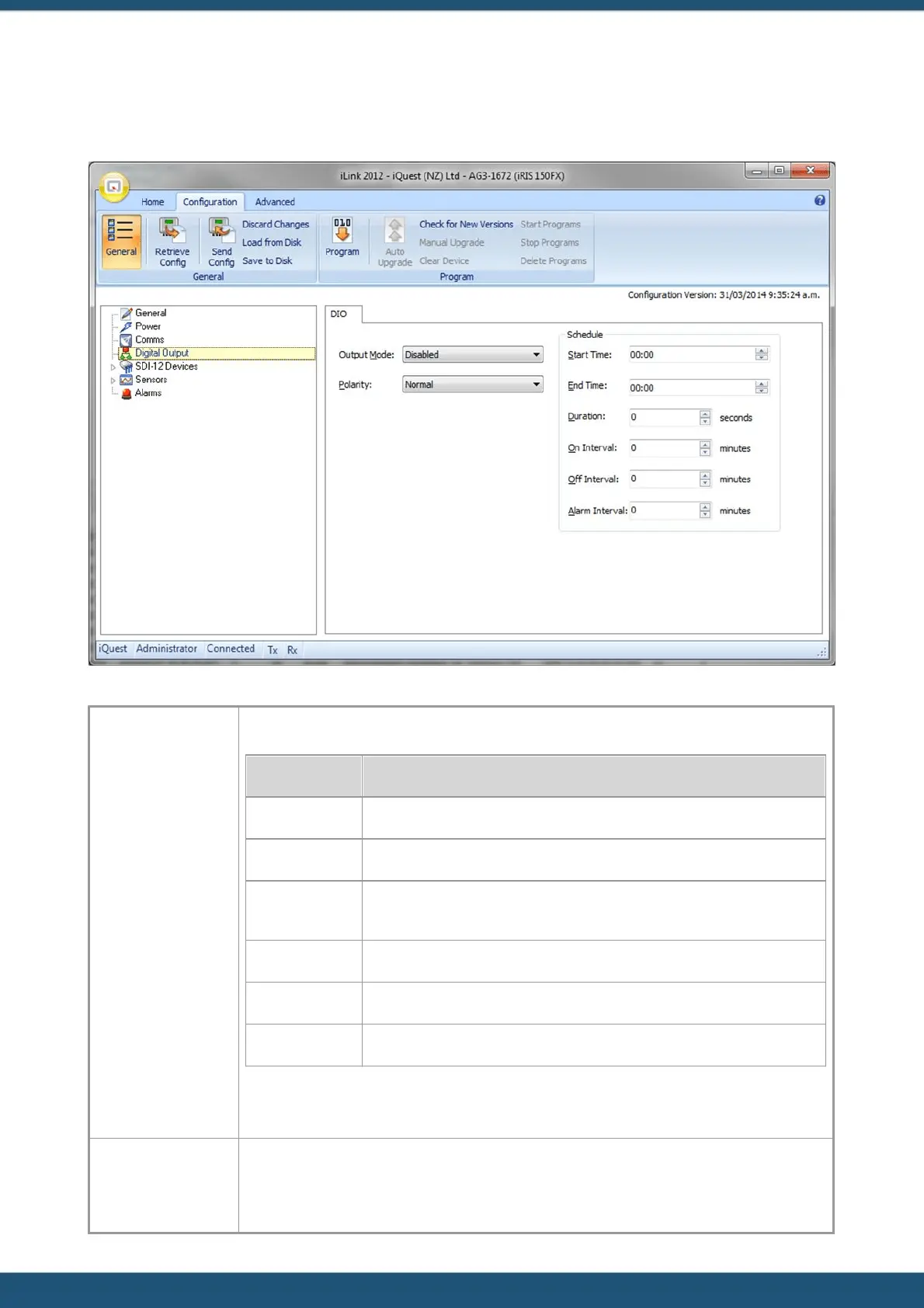
3.2.4 Digital Output
The Digital Output Config menu is used to configure the digital output.
Select the output mode from the list. Valid output modes are:
The output is forced off.
Follows the schedule as defined by the settings in alarm config options.
The relevant output(s) will be activated when a user is logged on to allow
sensor calibration or radio communication testing.
If any alarm is active, the digital output will be on.
Remote Control from HydroTel or via a custom script.
Active when a data packet is being transmitted in binary protocol mode.
Table 3 – Digital Output Modes
The polarity relates to the output’s electrical state with respect to its logical on/off state.
If the polarity setting is normal, the output will actively pull down to 0 V when the output
logical state is on and be high impedance (open-circuit) when the output is logically off.



 To Next Page