© 2023 HyQuest Solutions 31
Configuration
If the polarity setting is inverted, the output will be high impedance (open-circuit) when the
output logical state is on and be actively pulled down to 0 V when the output is logically off.
Enter the time at which the iRIS is allowed to start controlling the output if the mode is set to
Schedule.
This is the time at which the iRIS must stop controlling the output if the mode is set to
Schedule.
Enter the length of time in seconds that you want the iRIS to keep the output energised if the
mode is set to Schedule.
Enter the length of time in minutes between the successive operations of the output if the
mode is set to Schedule.
Enter the length of time in minutes between the successive operations of the output if there
are one or more active alarms in the iRIS.
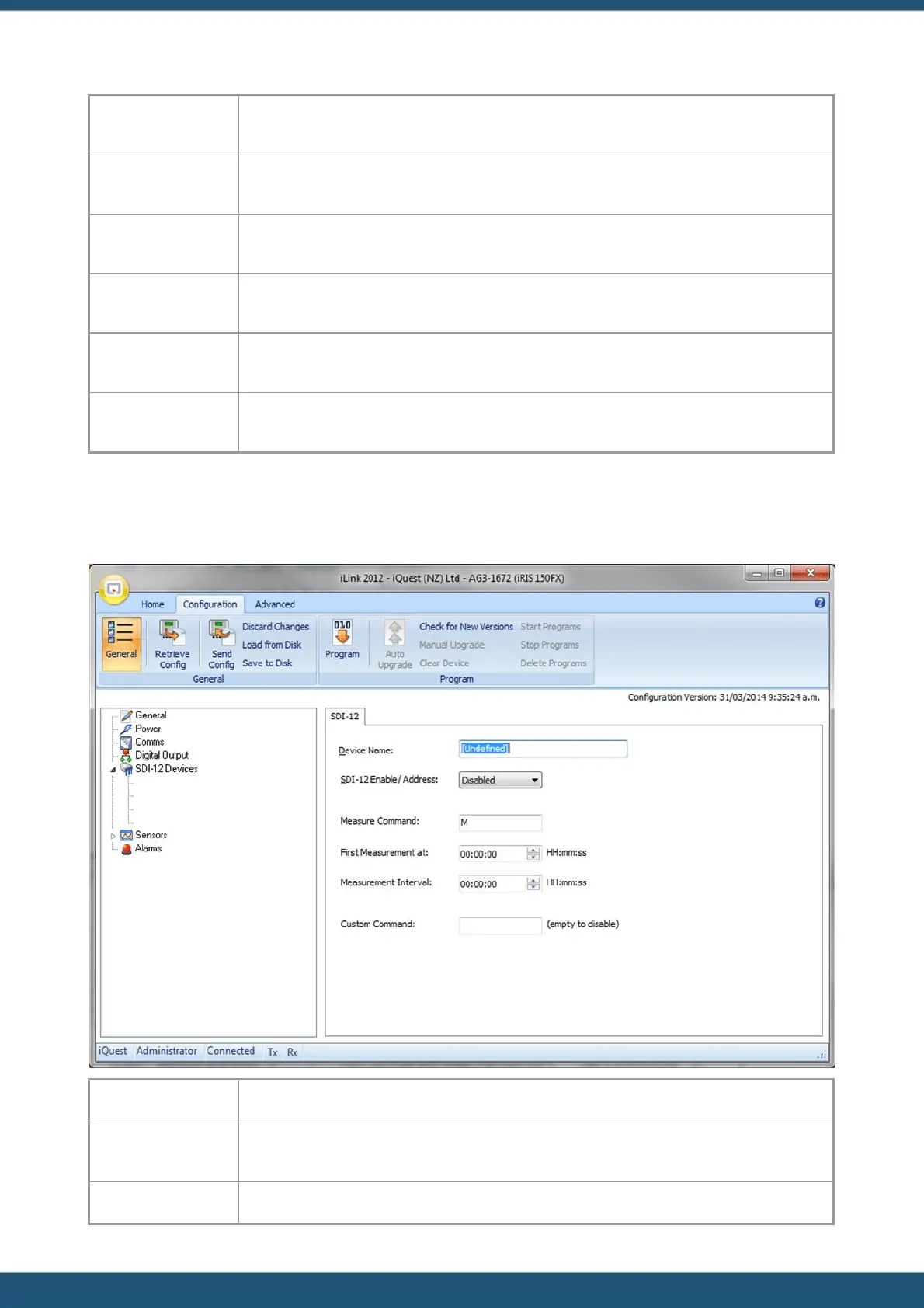
3.2.5 SDI-12 Devices
This menu option will only appear when one or more sensors have a source set to SDI-12.
Enter the SDI-12 device name.
This option allows you to either disable the SDI-12 sensor or set the address of the SDI-12
sensor source.
Here you enter the SDI-12 Measure Command.



 To Next Page