© 2023 HyQuest Solutions 26
Configuration
3
Configuration
The iRIS configuration is done by iLink 2012 or HydroTel. A limited terminal tool is available via the RS232 port for local
SDI-12 diagonistics.
This description assumes a computer running the Microsoft® Windows® operating system is being used and all examples
relate to the configuration tool in iLink 2012.
§
Terminal Connection
§
Configuration Menus
§
Terminal Menus
§
Using iLink 2012’s Sensor Configuration Tool
§
Upgrading Firmware/Software
3.1 Terminal Connection
The iRIS RS232 port is a DTE (Data Terminal Equipment) configured port and is identical in pin-out and signal allocation to
that of an IBM compatible PC’s RS232 port. Therefore the cable required is the same as that for computer-to-computer
communication.
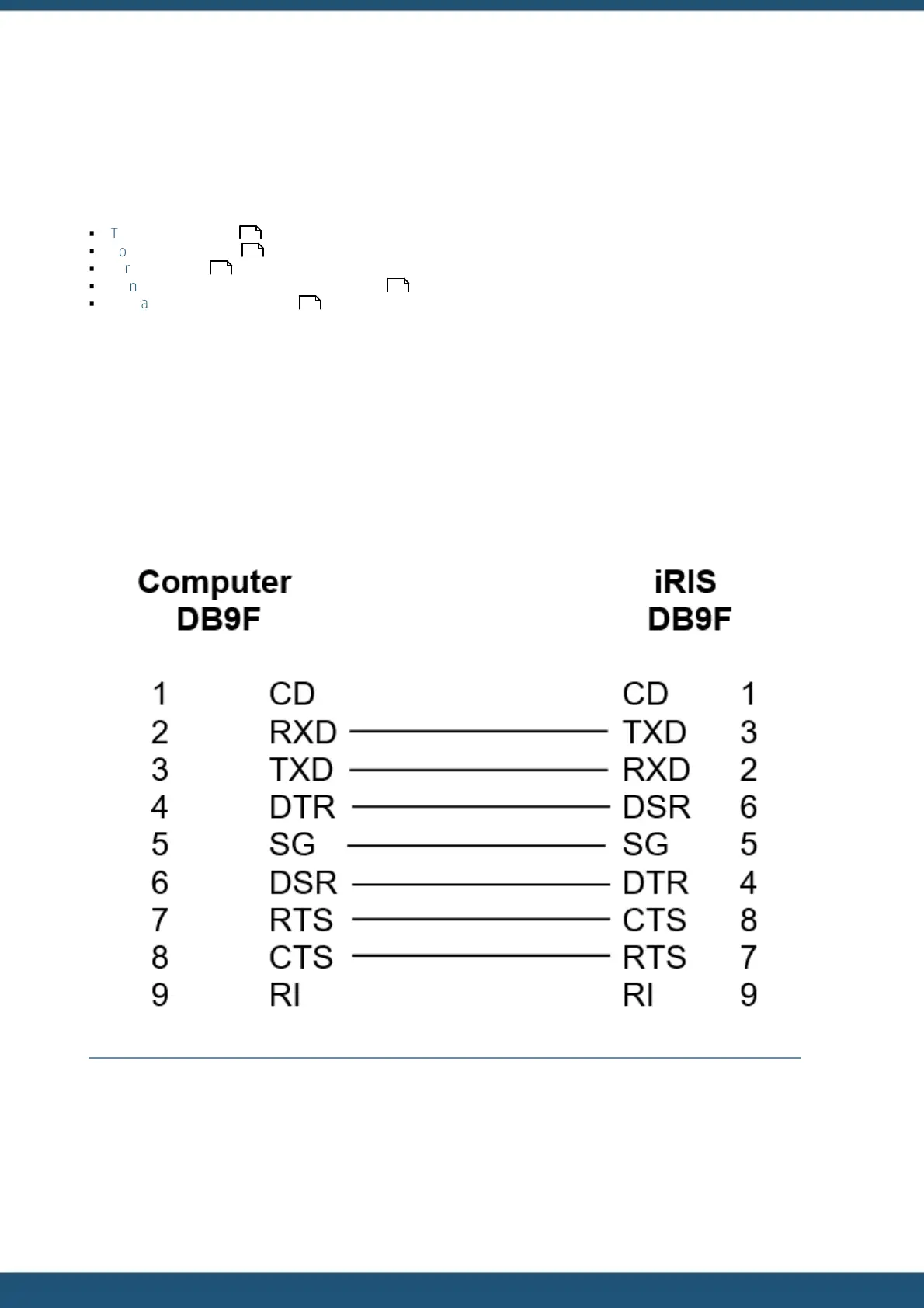
To access the iRIS configuration terminal session, connect a full null-modem cable (as shown below) between a
communication port (e.g. COM1) on your computer and the RS232 port of the iRIS. The null modem cable configuration
has the three main signal pairs crossed over. These pairs are TXD/RXD, RTS/CTS and DTR/DSR.
Figure 4 – RS232 Cable Pin Designations
The iRIS 150FX RS232 serial port is set by default to a speed of 115200 bps.
26
27
37
39
42



 To Next Page