© 2023 HyQuest Solutions 48
Operation
4.3.2 Status Icons
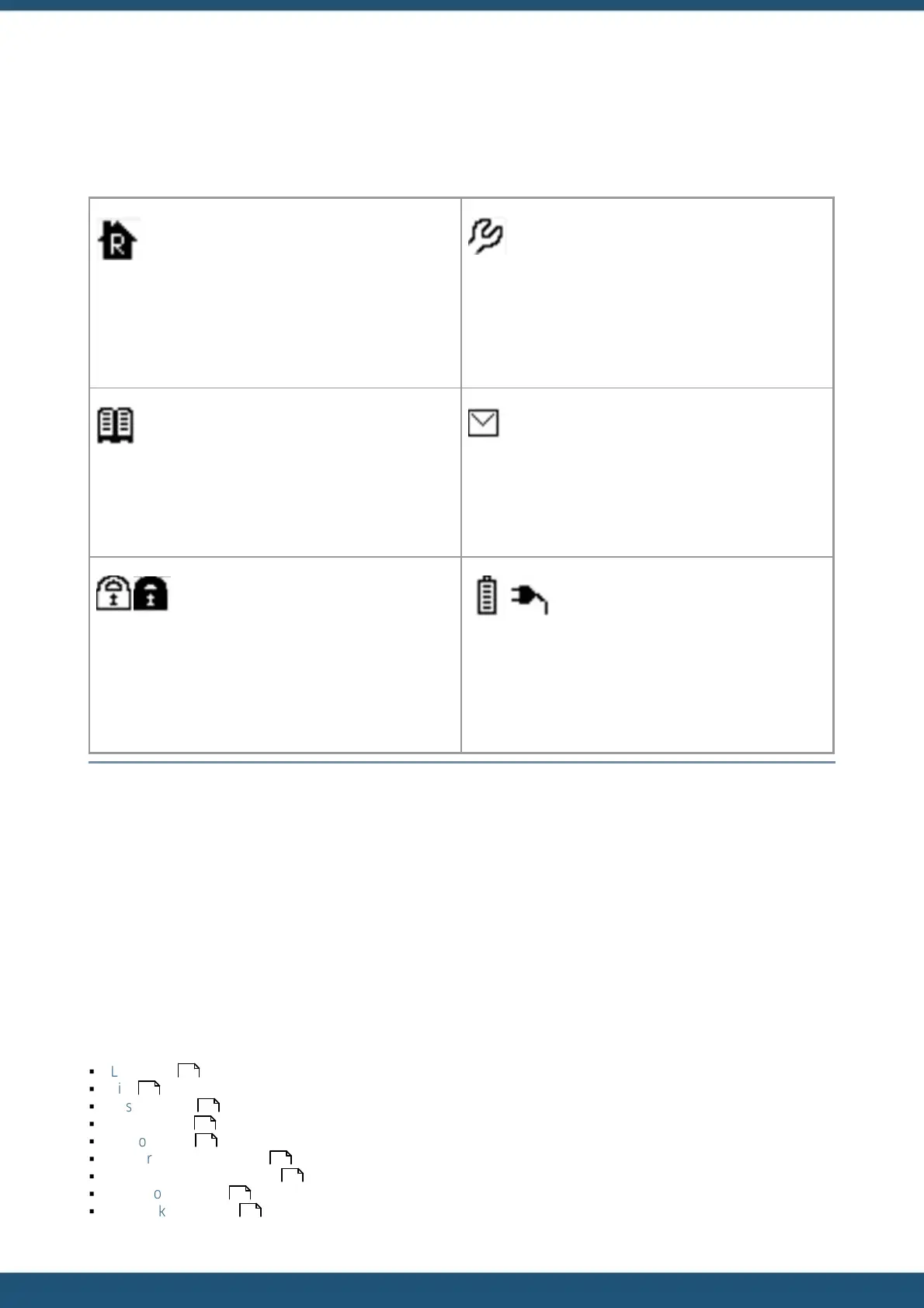
At the top of the LCD is a row of status icons.
Indicates current RS232 port mode.
RS232 port in normal mode.
RS232 Only Telemetry mode
Indicates active RS232 or IP terminal connection.
Indicates the SDI-12 terminal mode is active.
SDI-12 terminal not active
Flashes when an unsolicited call-in is pending or in
progress. This can be the result of an alarm activation or a
user request for a test call-in.
Indicates current access level.
Secure (PIN is set to zero)
Indicates current power source. The battery icon appears
when the iRIS is operating from its internal backup
battery.
A power plug icon appears when on external supply.
Table 6 – LCD Status Icons
4.3.3 Keypad
The keypad is used to navigate through the LCD screens. It is also used to reset the totalisers (not available if the unit is
operating in Secure mode).
4.3.4 Display Menu Structure
Scroll through the screens by pressing the + key on the keyboard. The display loops back to the beginning when the
keypad is pressed on the last screen. The screens appear in the order in which they are presented here. The – key will
scroll backwards through the screens.
This chapter contains the following subsections:
§
Log In/Out
§
Title
§
System Status
§
I/O Summary
§
Sensor Status
§
Sensor Calibration Screen
§
Totals Screens (DI1 and DI2)
§
Reset Totals Screen
§
Call-Back Test Screen
49
49
50
50
50
51
51
52
52



 To Next Page