© 2023 HyQuest Solutions 40
Configuration
3.4.1 iRIS Sensor Configuration Example
This example shows how to set up a simple iRIS sensor configuration to measure water level from an SDI-12 sensor and
also log internal battery voltage. This example is valid for all models
1. Connect to the iRIS 150FX using iLink 2012.
2. Invoke the iRIS 150FX configuration form by clicking the ‘GENERAL’ button under the Configuration section in the
main tool bar.
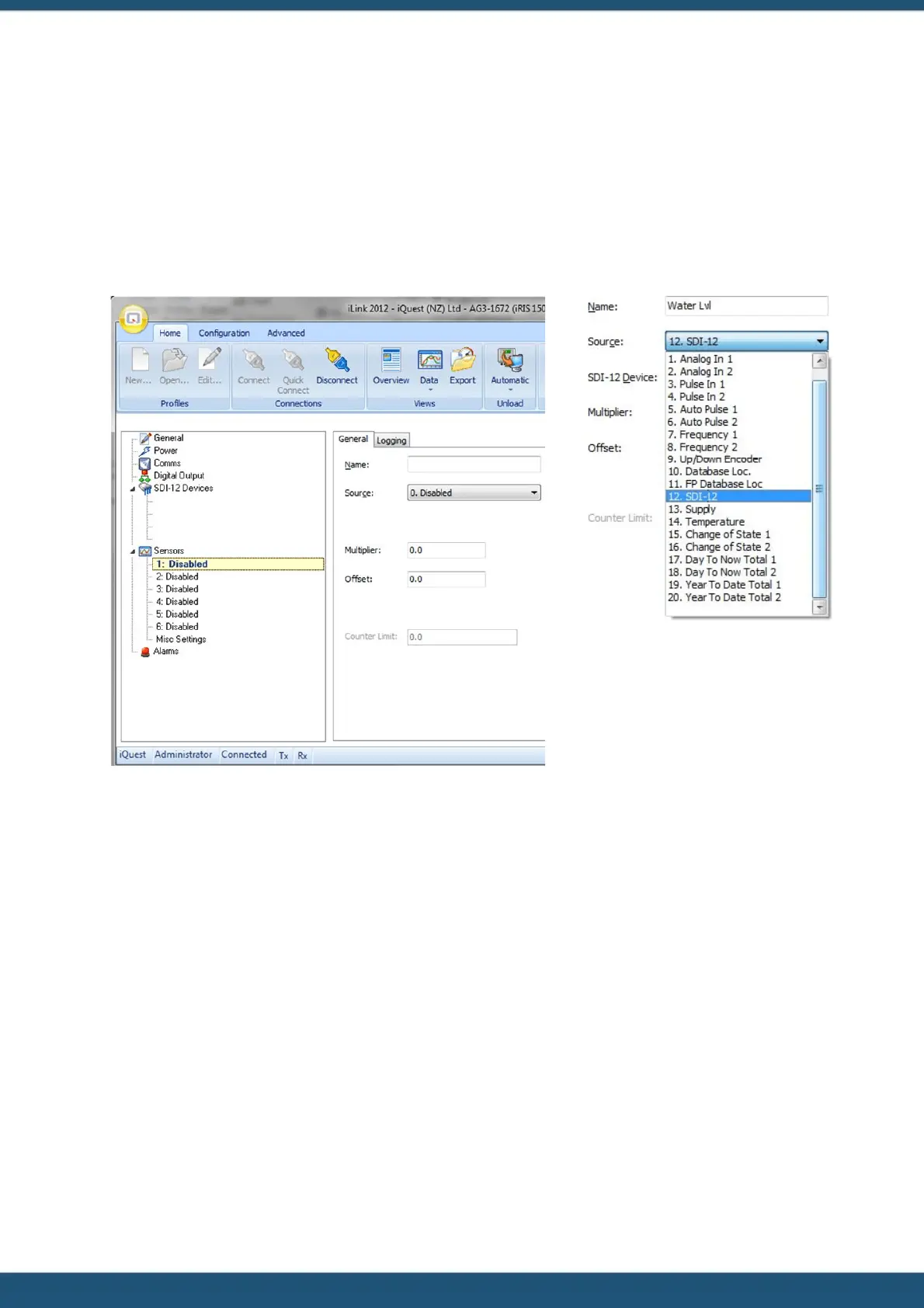
or by selecting the menu item CONFIGURATION > GENERAL. Selecting the ‘Sensors’ node will bring up the iRIS Sensor
Configuration form as shown here.
3. Next, set up the water level sensor. Enter the sensor name “Water Lvl” (max 10 characters).
4. Now set the sensor source from the drop down list. Select source 12, SDI-12. Then enter the correct SDI-12 instrument
address and variable. In our example the instrument has an address of zero (0) and we require the first value
(variable 1).
5. Enter the multiplier to scale the value. For SDI-12 instruments, the multiplier is typically 1 as the instrument itself
provides an actual value in engineering units. Enter an offset if required and known at this point. More often, this is
set on site to calibrate the measurement to a known reference of datum. In this case the offset can be set by using the
LCD calibration screen.
6. The General configuration should now look like this.



 To Next Page