© 2023 HyQuest Solutions 41
Configuration
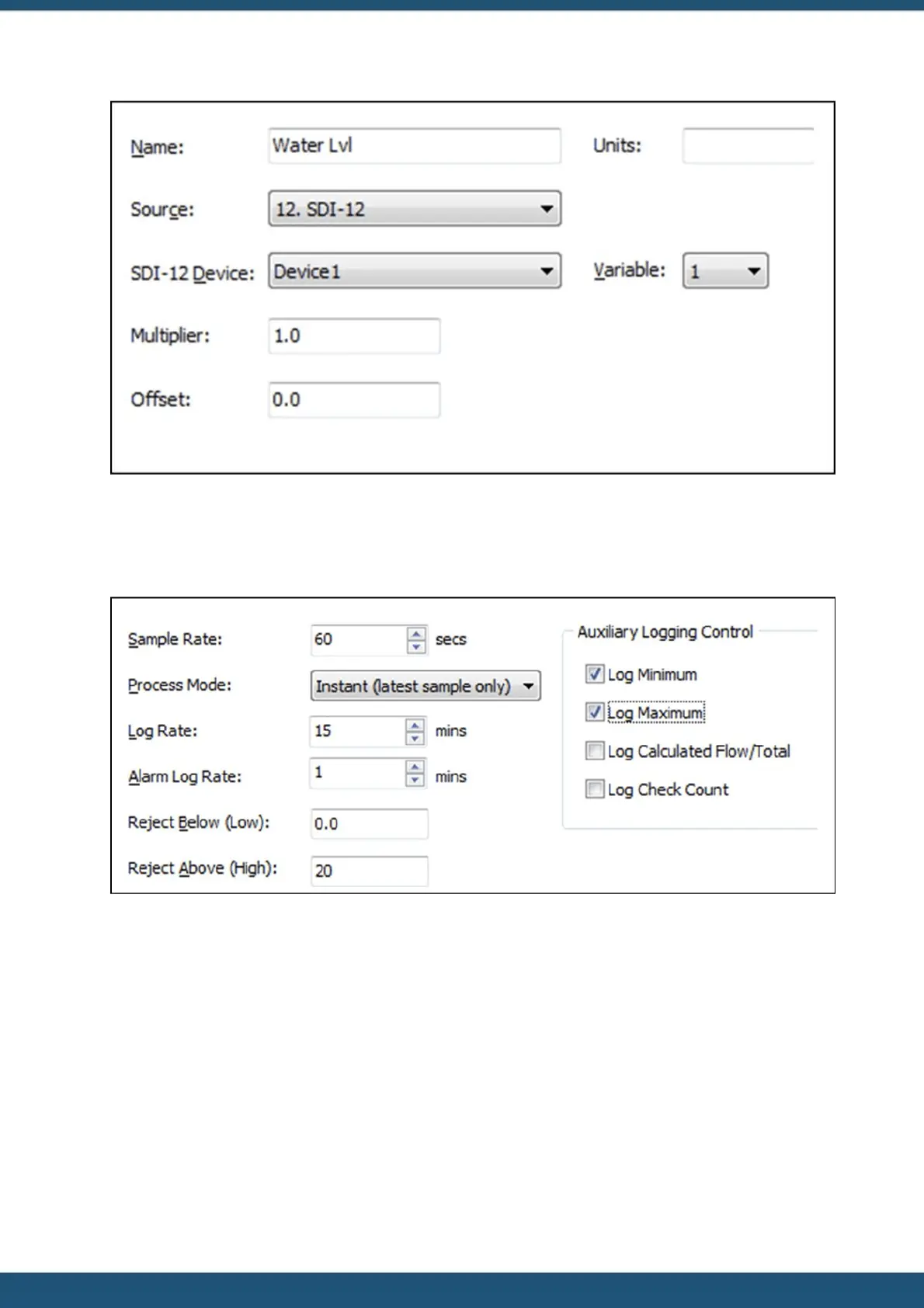
7. Now select the “LOGGING” tab and set up the logging parameters. In this example we are measuring averaged water
level in metres. The logging rate is 15 minutes. Our hypothetical sensor generates an error value of 999.99 if it
develops a fault or is unable to take a measurement. Rather than have this cause a spike in our data, we are choosing
to reject values above our expected maximum of 20 metres. We also want to capture the minimum or maximum
values over the period, so we enable the logging of these as well.
8. The Logging configuration should look like this.
9. Next select the “ALARMS” node. We are going to set a low level alarm at 3.5 metres and a high level alarms at 17
metres. Both alarms will have a reset differential of 0.1 metres making the reset levels 3.6 metres and 16.9 metres
respectively. The alarms are set to be immediately acting, so no duration delay is required.
10. The Alarm configuration should look like this.



 To Next Page