Attention: To avoid breaking the DIMM retaining clips or damaging the DIMM connectors, open
and close the clips gently.
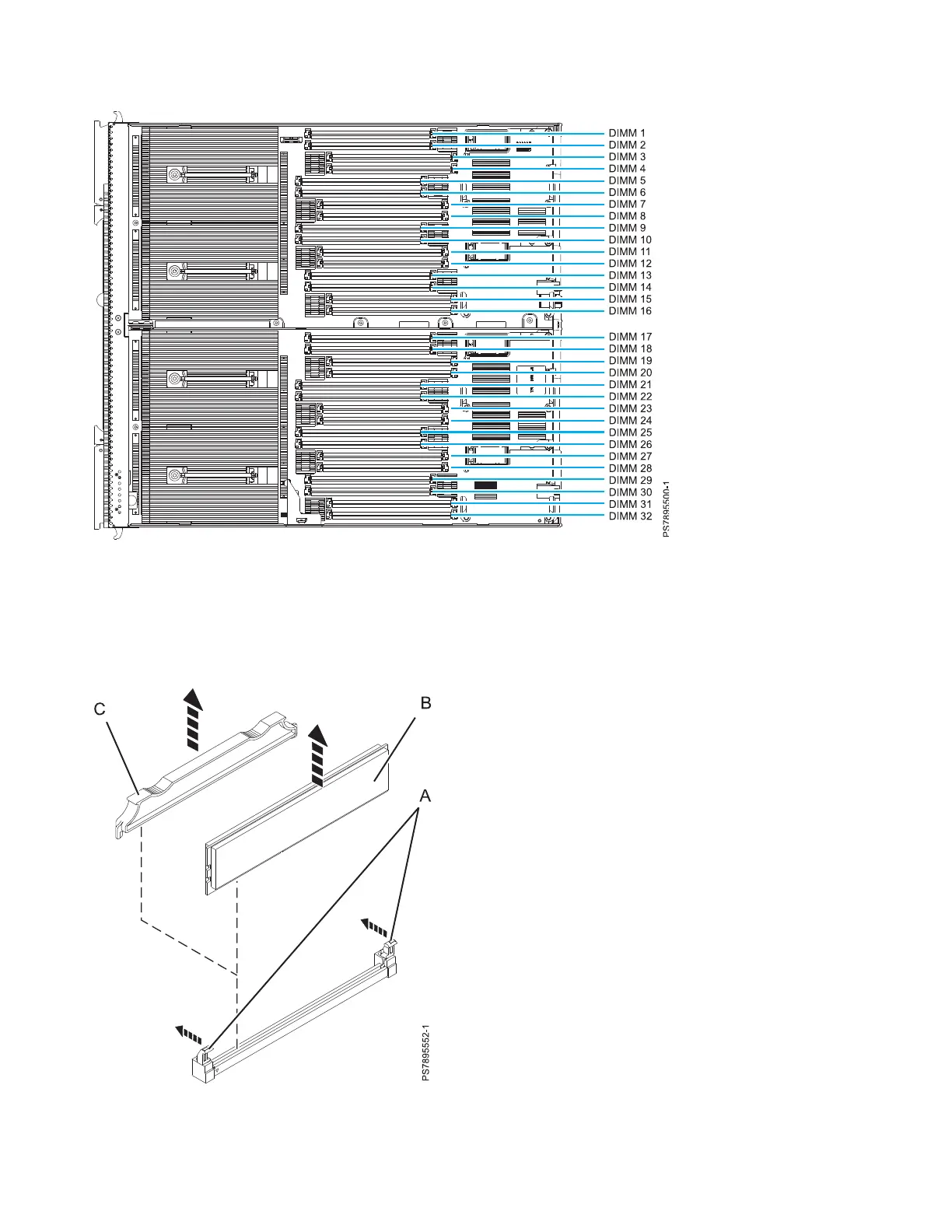
6. Carefully open the retaining clips (A) on each end of the DIMM connector by pressing them in the
direction of the arrows. Remove the DIMM (B).
Figure 35. DIMM connectors for the IBM Flex System p460 Compute Node
Figure 36. Removing a DIMM
70 Power Systems: IBM Flex System p260 and p460 Compute Nodes Installation and Service Guide











 To Next Page