36
9
TROUBLESHOOTING
1
2
3
4
5
6
7
8
9
10
11
12
13
14
15
16
17
18
19
If your transceiver seems to be malfunctioning, please check the following points before sending it to a service center.
PROBLEM POSSIBLE CAUSE SOLUTION REF.
No power comes on. • The battery is exhausted. • Recharge the battery pack. pp. 29–31
• Bad connection for the battery pack. • Reattach the battery to the transceiver. p. 7
No sound comes from the • The Squelch level is too deep. • Set the squelch to the threshold point. p. 9
speaker. • The Volume level is too low. • Set [VOL] to a suitable level.
Transmitting impossible. • A WX channel or the NAVI band is selected. • Set to COM band in frequency mode. p. 8
• The battery is exhausted. • Recharge the battery pack. pp. 29–31
The operating frequency or • The lock function is activated. • Hold down [
] for 2 seconds to turn the Lock p. 9
memory channel can not
function OFF.
be changed.
Scan does not start. • All memory channels in the selected bank are • Set the “TAG” settings of desired channels. p. 20
not programmed as “TAG” channels.
• The Squelch is open. • Set the squelch level tighter. p. 9
• There is not more than 2 memorized channels • Program 2 or more memory channels. pp. 13, 14
No beep sounds. • Beep tones are turned OFF. •
Turn ON the
beep tone.
➥
IC-A14:
Push [FUNC], then push [BEEP](8).
p. 22
➥
IC-A14S:
Turn the beep tone ON in set mode.
pp. 22
, 25
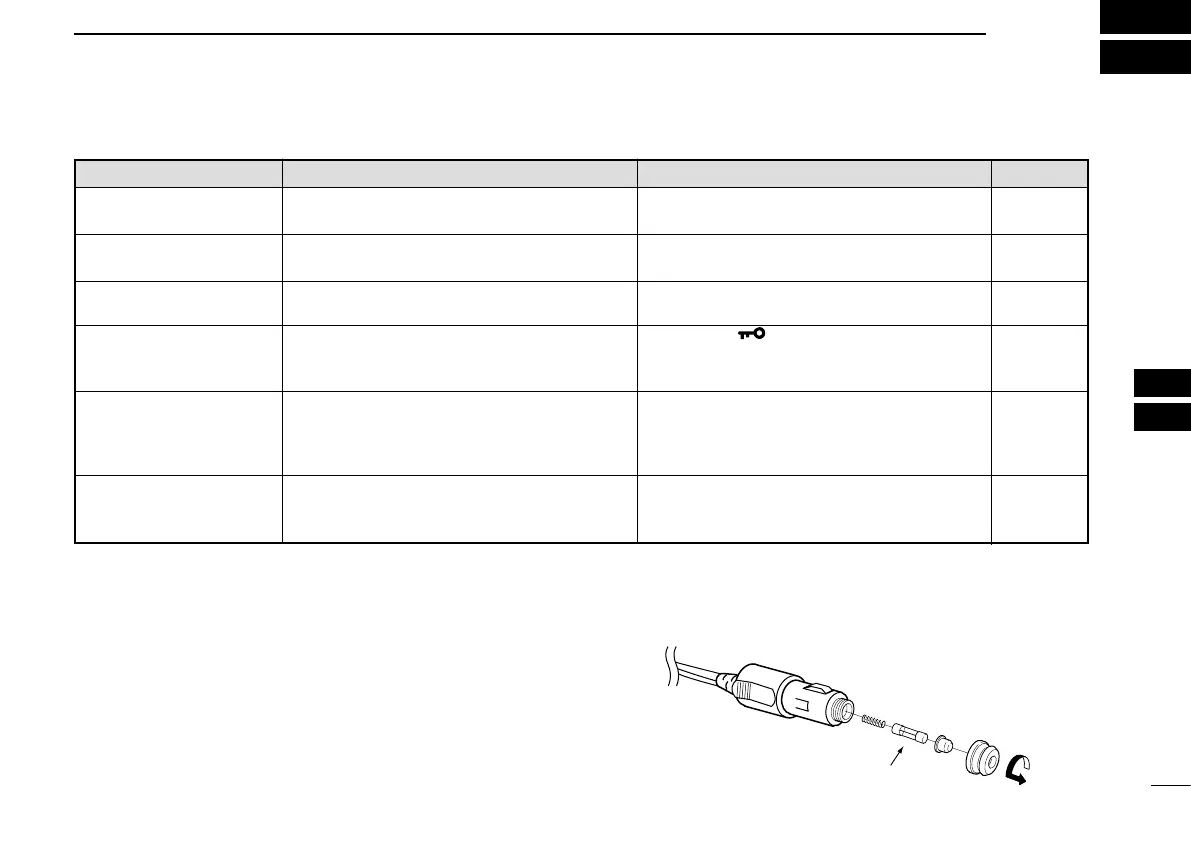
D CP-22 fuse replacement
If the fuse blows, or the receiver stops functioning while using
the optional CP-22
cigarette lighter cable, find the source
of the problem and repair it. Replace any blown fuse with a
new rated one (FGB 8 A) as shown to the right.
Fuse 8 A


 To Next Page