EasyManua.ls Logo

Icom ID-31A - User Manual

Icom ID-31A
80 pages
Print Icon
To Next Page IconTo Next Page
Loading...
This device complies with Part 15 of the FCC Rules. Operation is
subject to the following two conditions: (1) this device may not cause
harmful interference, and (2) this device must accept any interference
received, including interference that may cause undesired operation.
WARNING: MODIFICATION OF THIS DEVICE TO RECEIVE CEL-
LULAR RADIOTELEPHONE SERVICE SIGNALS IS PROHIBITED
UNDER FCC RULES AND FEDERAL LAW.
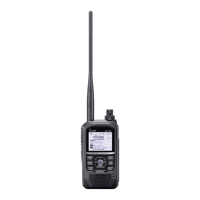
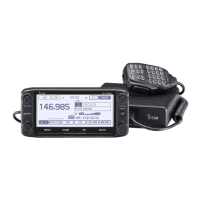
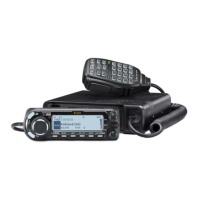
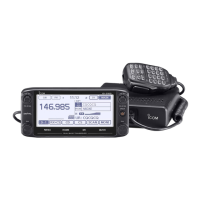
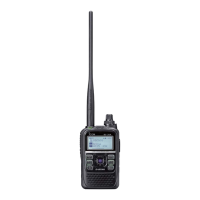
INSTRUCTION MANUAL
New2001
ID-31A
UHF TRANSCEIVER
ID-31E
UHF TRANSCEIVER
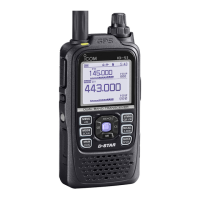
The photo shows the
ID-31E version.

Table of Contents

Other manuals for Icom ID-31A

Questions and Answers

  • A
    Adam SmithSep 10, 2025
    Why won't a program scan start on my Icom ID-31A Transceiver?
    • B
      Barbara Robbins MDSep 10, 2025
      If a program scan does not start on your Icom Transceiver: * The memory mode, Call channel mode, or DR mode may be selected. Push [V/MHz] to select the VFO mode. * The same frequency may have been programmed in the scan edge channels, “?A” and “?B.” Program different frequencies in the scan edge channels.
  • A
    amberbradySep 9, 2025
    What to do if the repeater does not reply to my call on Icom ID-31A Transceiver?
    • D
      david48Sep 9, 2025
      If the repeater does not transmit a reply after your call on the Icom Transceiver, the repeater setting might be wrong. Set the correct repeater, and correct the repeater frequency, frequency offset, or duplex setting. You could also try to access another repeater.
  • V
    Veronica BarkerSep 8, 2025
    Why is transmitting impossible on my Icom ID-31A?
    • B
      Belinda BrownSep 8, 2025
      If transmitting is impossible on your Icom Transceiver, a frequency outside of the 430 MHz amateur bands may be set. Ensure the frequency is within the 430 MHz amateur bands. Also, the PTT Lock function may be activated; set the PTT Lock function to OFF in the FUNCTION Menu.
  • S
    Suzanne GravesAug 23, 2025
    How to fix Icom Transceiver that does not turn on?
    • A
      Andrea MccoyAug 23, 2025
      If your Icom Transceiver does not turn on, the battery might be exhausted, so charge or replace the batteries. Also, check the battery polarity and ensure it's correct. Clean the battery terminals and check for loose connections.
  • U
    uwatsonSep 5, 2025
    What to do if Icom ID-31A Transceiver received call sign will not set to the operating call sign?
    • N
      Neil TurnerSep 6, 2025
      If the received call sign will not set to the operating call sign, the call sign has not been correctly received. Try it again, after the transceiver has again received its call sign.
  • K
    Kelly HansenSep 4, 2025
    What to do if Icom Transceiver repeater replies ‘UR?’ and its call sign after your call?
    • R
      Rachel MonroeSep 4, 2025
      If the repeater replies ‘UR?’ and its call sign after your call, wait for a while, and try it again.
  • D
    Dr. James FowlerSep 3, 2025
    Why the Icom ID-31A repeater does not accept your gateway call?
    • J
      John MillerSep 3, 2025
      If the repeater does not accept your gateway call, your call sign might not be registered to the D-STAR system. Ask your desired repeater’s administrator about call sign registration.
  • P
    Paul SchmidtSep 2, 2025
    How to make DR mode appear on Icom Transceiver?
    • C
      catherine64Sep 2, 2025
      If the DR mode does not appear even when holding down the button, the repeater list may have been cleared. Reprogram the repeater list using the CS-31 cloning software or reprogram the repeater list with the transceiver.
  • L
    lbrownSep 1, 2025
    Why Icom ID-31A Transceiver position data cannot be received?
    • M
      malonenicholasSep 1, 2025
      If position data cannot be received, check if “OFF” or “Manual” is selected in the GPS Set item in the Menu screen. Select either “Internal GPS” or “External GPS” in the GPS Set item in the Menu screen.
  • R
    Rebecca AguilarAug 30, 2025
    What to do if Icom Transceiver repeater replies ‘RPT?’ and its call sign after your call?
    • J
      Jessica WilliamsAug 30, 2025
      If the repeater replies ‘RPT?’ and its call sign after your call, the call sign of the called repeater is wrong. Correctly set the called repeater call sign.

Summary

Precautions

Accessory Attachment

Using a microSD Card

Panel Description

Front, Top, and Side Panels Overview

Identifies and describes the function of each button, connector, and indicator on the transceiver's panels.

Battery Charging

Battery Safety Cautions

Highlights hazards of misuse, shorting terminals, unapproved packs, and handling damaged batteries.

Charging Cautions and Recommendations

Warns about charging in extreme temperatures, wet batteries, and charging beyond specified time.

Regular Charging Procedure

Details regular battery charging, including turning off the transceiver and battery icon indicators.

External DC Power Operation

Instructions for operating the transceiver using external DC power sources via optional cables.

Basic Operation

Powering the Transceiver ON;OFF

How to turn the transceiver on/off, including display options for opening messages and voltage.

Setting the Squelch Level

Guides on adjusting squelch level for optimal reception by muting noise.

Mode Selection: VFO and Memory

How to select VFO mode for frequency setting and Memory mode for stored channels.

D-STAR Repeater (DR) Mode

Explains DR mode for D-STAR operation, including selecting repeaters and UR call signs.

Receiving Signals

Guide to receiving signals, covering power, volume, frequency, and squelch settings.

Transmitting Signals

Instructions for transmitting, including frequency setting, PTT usage, and microphone technique.

Scan Function Operation

Utilizes the scan function to automatically search for signals and skip frequencies.

Memory Channel Programming

Detailed steps for programming memory channels with frequencies, modes, and other data.

Repeater Operation Guide

Explains repeater operation, including setting frequencies, duplex direction, and using memory channels for repeater info.

Menu Screen Operation

Navigating Menu Items

Explains the Menu screen's zoomed structure and how to navigate between items and levels.

Menu Items: GPS Set Options

Configures GPS receiver selection, power save, position format, units, and alarm areas.

Resetting

Partial Reset Procedure

Initializes operating conditions without clearing memory, call signs, or repeater lists.

Full System Reset

Resets the CPU for malfunctions, clearing all programming and restoring defaults.

Troubleshooting

Specifications

Options

VOX Function Overview

Explains the VOX function for hands-free operation and required accessories.

Turning VOX Function ON;OFF

Steps to enable/disable the VOX function and adjust microphone gain.

Icom ID-31A Specifications

General IconGeneral
DisplayLCD
GPSYes
D-STARYes
Operating Temperature Range-10°C to +60°C
Antenna Impedance50 Ohms
TypeHandheld
Frequency Range144-148 MHz / 430-450 MHz
ModulationFM, D-STAR
Voltage7.4 V

Related product manuals