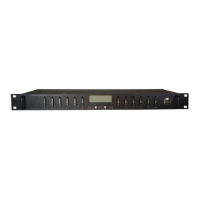
Distribution Series 3 Dual Bus
855-314-002_Rev2.0_Instruction Manual
All DC inputs and outputs of ICT’s DC distribution panels are
isolated from chassis ground (floating). DC input and output
returns can remain isolated from ground (DC-I) or can be
grounded (DC-C), as per site grounding requirements and/or
local or national electrical codes. Ensure that all relevant electrical
code standards are followed.
Connect an 8 AWG ground bonding wire from the chassis ground stud to a
nearby common grounding point.
Figure 2. Typical Rear View
2.6 Sensor and Alarm Connections
1. Connect the two form-C relay Bus Alarm outputs to an external
monitoring system if needed, by stripping and terminating 16–28
AWG alarm wiring in the alarm 3-pin connector plugs and installing
in the back panel. Each Bus Alarm output will trigger for any breaker
open, or other alarm related to any channel on that bus (factory
default). If required, using the Graphical User Interface (GUI), some
alarm conditions may be muted so that they will not trigger the form-
C alarm output.
Table 2. Bus Alarm Connector
Alarm Output common (0.5 A 65 VDC max)
Alarm Output normally closed for alarm condition
Alarm Output normally open for alarm condition
2. Connect up to five dry contact type site sensors (such as
door/window sensors, smoke alarm, water detectors, etc.) by
Bus B Input
(100 amps max)
Bus B Outputs
Channel 6–1
Bus A/B RTN Connectors
(common)
Bus A Outputs
Channel 6–1
Bus A Input
(100 amps max)



 To Next Page
 Loading...