4.12 Help
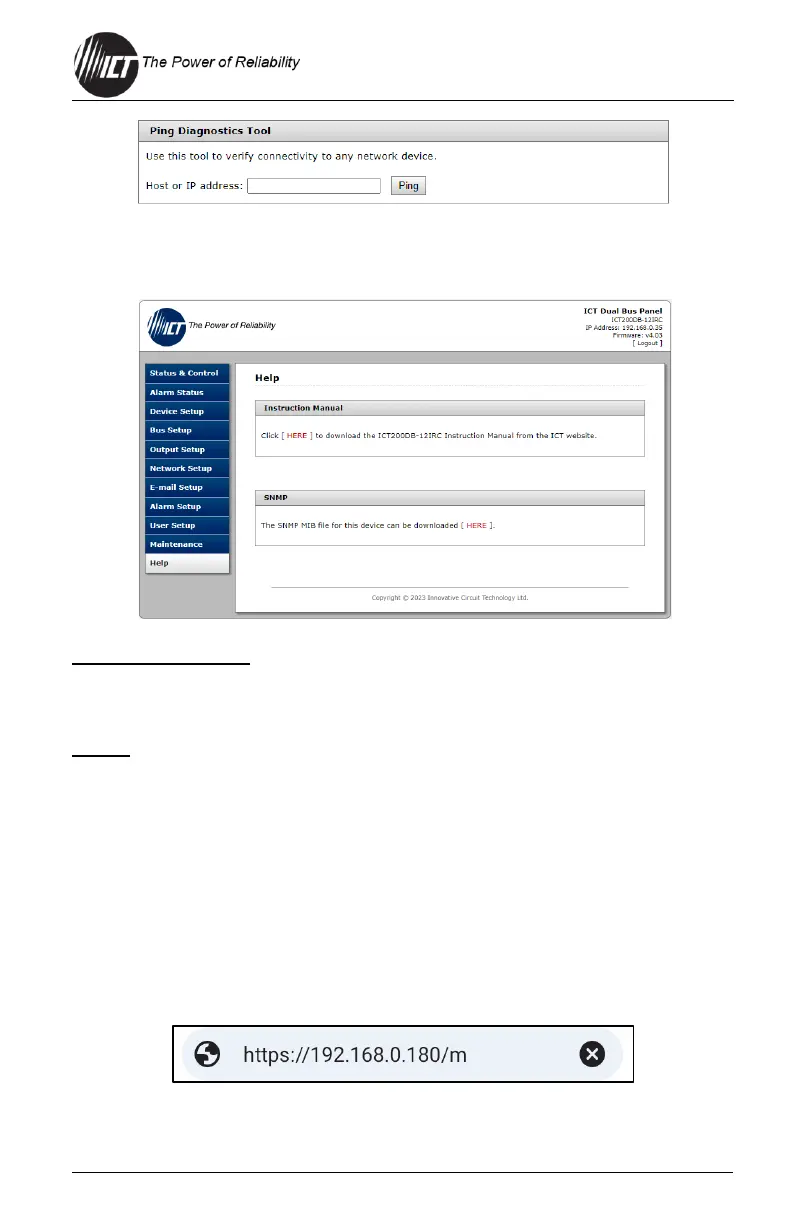
This tab has helpful links to ICT’s website.
Instruction Manual
Click the "HERE" button to download the ICT Distribution Series 3 Dual Bus
Instruction Manual from ICT website.
SNMP
Click the "HERE" button to download the SNMP MIB file.
5.0 OPERATION: MOBILE VERSION
Use the mobile version of the "Status & Control" page to monitor and control
the unit with a smartphone web browser.
5.1 Log In/Log Out
1. Connect to the Distribution Series 3 by entering the IP address of
the unit in the address field of the mobile browser, followed by "/m"
(e.g., https://192.168.0.180/m) shown below.
For improved security, the user should normally use a HTTPS
(secure) connection when accessing the unit over the Internet with


 To Next Page
 Loading...