breaker status, and alarm inputs, recorded once per minute for the last
30 days. The default is Disabled.
Updating the firmware will delete the current log file. Download
the log before updating the firmware.
NOTE: Save Settings to enable any changes made.
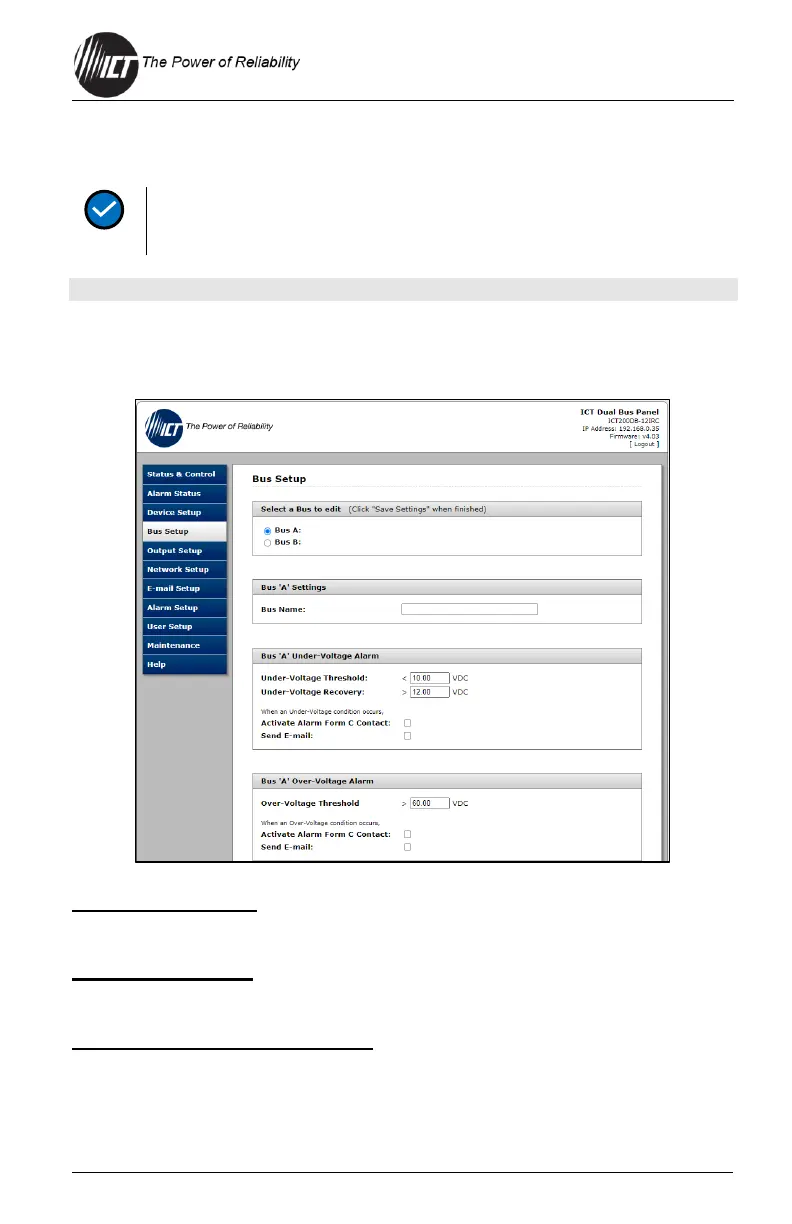
4.5 Bus Setup
Use this tab to configure each bus.
Select a Bus to edit
Select "Bus A" or "Bus B" to call up the settings for that bus.
Bus "A/B" Settings
Bus Name: Set a descriptive name for the selected bus if desired.
Bus "A/B" Under-Voltage Alarm
Under-Voltage Threshold: Set the voltage that will trigger an
undervoltage alarm on this bus. Bus voltage dropping below this level
will immediately trigger a bus undervoltage alarm. The default setting is
10 VDC.


 To Next Page
 Loading...