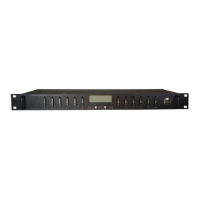
Distribution Series 3 Dual Bus
855-314-002_Rev2.0_Instruction Manual
Cell address formats for some common North American mobile phone
providers:
AT&T cellnumber@txt.att.net
Verizon cellnumber@vtext.com
T-Mobile cellnumber@tmomail.net
Virgin Mobile cellnumber@vmobl.com
Bell Mobility cellnumber@txt.bell.ca
Rogers cellnumber@pcs.rogers.com
Telus cellnumber@msg.telus.com
Virgin Mobile (Can) cellnumber@vmobile.ca
Verify formatting with the mobile provider.
6.6 How do I upgrade the firmware?
See Section 4.11 in the user manual.
Updating the firmware will delete the current log file. Download
the log before updating the firmware.
6.7 How can I access the MIB file?
The MIB file can be downloaded from the ICT website: https://ict-
power.com/resources/tools-utilities/. It can also be downloaded from within
the GUI. There are links in the SNMP section of the Network Setup tab (see
Section 4.7 and on the Help tab (see Section 4.12).
6.8 What type and maximum rating of breakers can be
installed in the unit?
• Breaker type: ICT-CB / Carling MA1-B-14-(450/610/-615-625)-1-
A26-2-J
• Breaker maximum rating: 30 amps
6.9 How do I properly wire the unit?
• See the quick install guide Section 2.1.
• See Sections 2.5–2.13 for more details.
6.10 How do I configure mixed polarity or voltage?
Use an isolated DC-DC converter to adjust the input voltage on one bus to
suit the application requirements. See Section 2.13.



 To Next Page
 Loading...