Confirm Changes
User Name: Enter admin username to confirm these changes are valid.
Password: Enter the password for the admin name to confirm the
changes are valid.
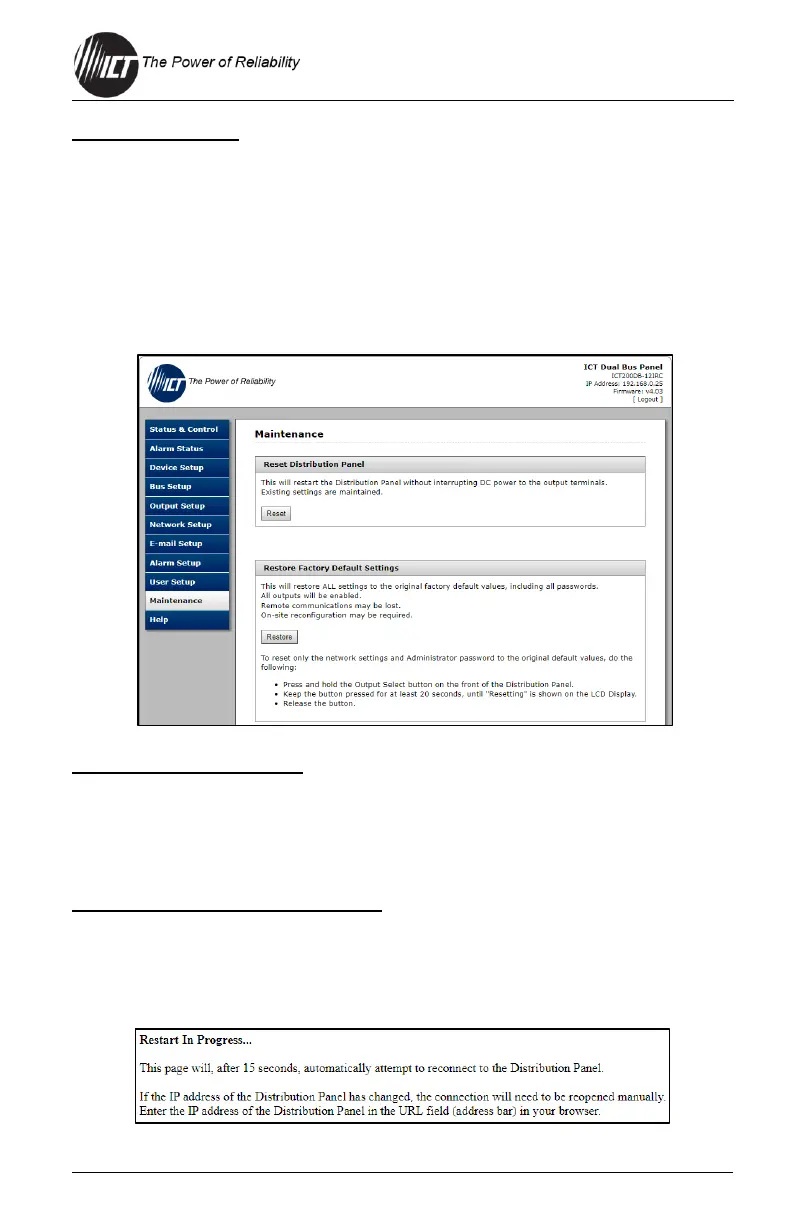
4.11 Maintenance
Use this tab to reset the unit (soft reset), restore the factory default settings,
or send a test e-mail to verify e-mail functionality.
Reset Distribution Panel
Select the "Reset" button to restart the unit. The channel output states will
be restored according to the "Output State after Panel Reset" setting for
each output on the "Output Setup" page. All other settings are maintained
during the reset. This will not affect the output power.
Restore Factory Default Settings
Select the "Restore" button to restore "ALL" settings to the original factory
default values, including the user passwords. To only restore the network
settings and passwords see the "Password Reset" section (this feature is
only available to the system Administrator).


 To Next Page
 Loading...