Model 252
Label Printer/Applicator
Operators/Technical Manual
8
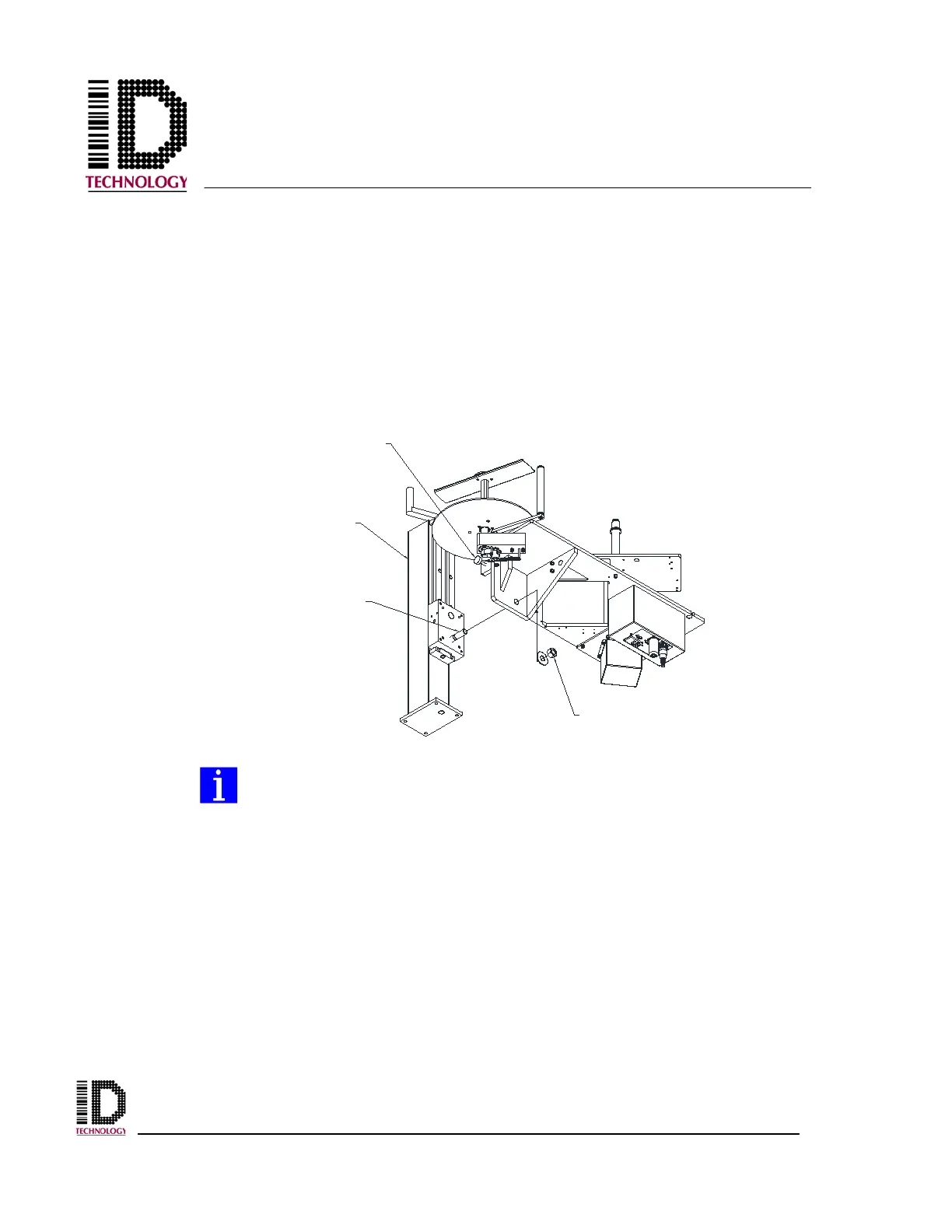
2.3 Mounting the 252N Applicator
The 252N applicator can only be mounted in a “reels up” position. A short or tall upright
must be used and provides height adjustment. An adjustment screw is used to make
small applicator leveling adjustments. Before installing the applicator on the stand,
retract the adjusting screw to minimum depth. Lift the applicator and place it on the
stand by inserting the mounting stud of the stand into the hole in the mounting plate.
Immediately install the washer and locking nut that came with the stand and tighten until
the applicator is secured but still movable. Readjust the leveling screw as needed to
position the applicator correctly and tighten the locking nut until secure.
When mounting, the applicator will suspend itself from the mounting stud
prior to the locking nut being installed. Do not leave the unit unattended or
attempt operation until the locking nut has been firmly secured.
UPRIGHT
STAND
MOUNTING
STUD
LEVELING
ADJUSTMENT
SCREW
FLAT WASHER
LOCK NUT



 To Next Page