Model 252
Label Printer/Applicator
Operators/Technical Manual
11
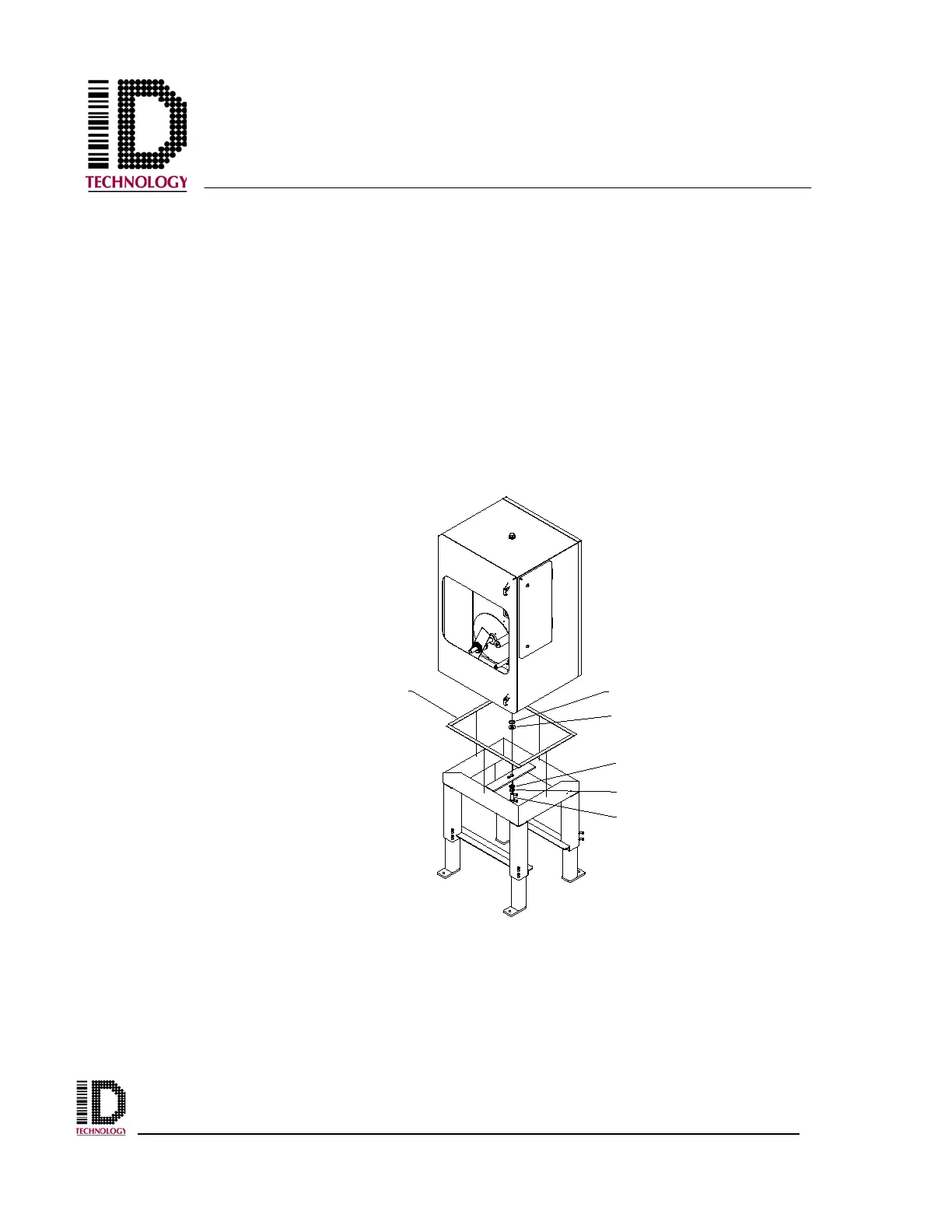
2.4.2 252E Pedestal Base Installation
The 252E Pedestal Base Mount option allows the applicator to be mounted in a fixed
position with adjustments to the vertical height of the application module. Two height
range versions are available to fill application specific requirements.
The 252E can be attached to the base in either a nose up, or nose down orientation. To
attach the cabinet to the base, orient the cabinet flush to the base rails and insert the bolt
and washers through the mounting plate. Care should be taken to install the washers and
bolt in the proper order to ensure the sealing of the cabinet is maintained. Notice that
there are two holes in the attachment plate in the center of the base. One hole is used
when orienting the cabinet in a nose down position. The other hole is used for a nose up
position. Installation in the proper mounting hole will result in the sides (non-door sides)
being flush with the pedestal base and the doors overhanging the base equally.
SEALING WASHER
3/4" FLAT WASHER
NEOPRENE FOAM STRIPS
M20 FLAT WASHER
M20 SPLIT WASHER
M20 HEX HEAD BOLT



 To Next Page