Model 252
Label Printer/Applicator
Operators/Technical Manual
15
3.8 Filter/Regulator
Be sure to mount the filter regulator with the bowl and drain pointing
straight down. Mounting at an angle or upside down will cause the
regulator to function incorrectly.
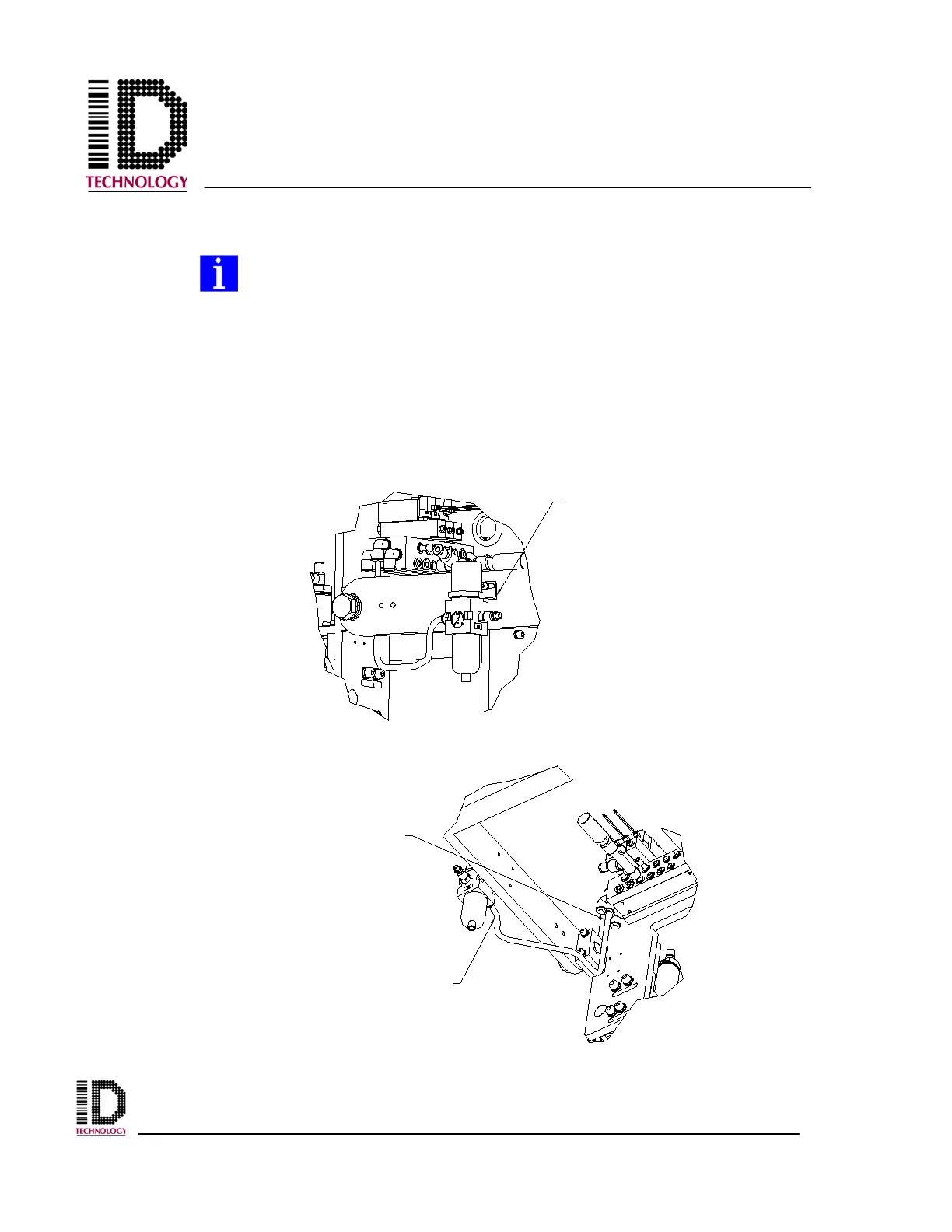
Mount the filter/regulator to the u-arm with the provided M5 socket head screws and
washers. If the bracket has been pre-installed, remove the mounting nut from the
filter/regulator. Insert the threaded portion of the filter/regulator into the bracket from
bottom to top, replacing the mounting nut on top. Tighten the nut, making sure the ports
are easily accessed. Install the black 5/16” tubing from the output port on the
filter/regulator to the “P” port fitting on the pneumatic assembly.
TO "P" PORT
FITTING
TO FILTER/REGULATOR
OUTPUT PORT FITTING



 To Next Page