Model 252
Label Printer/Applicator
Operators/Technical Manual
58
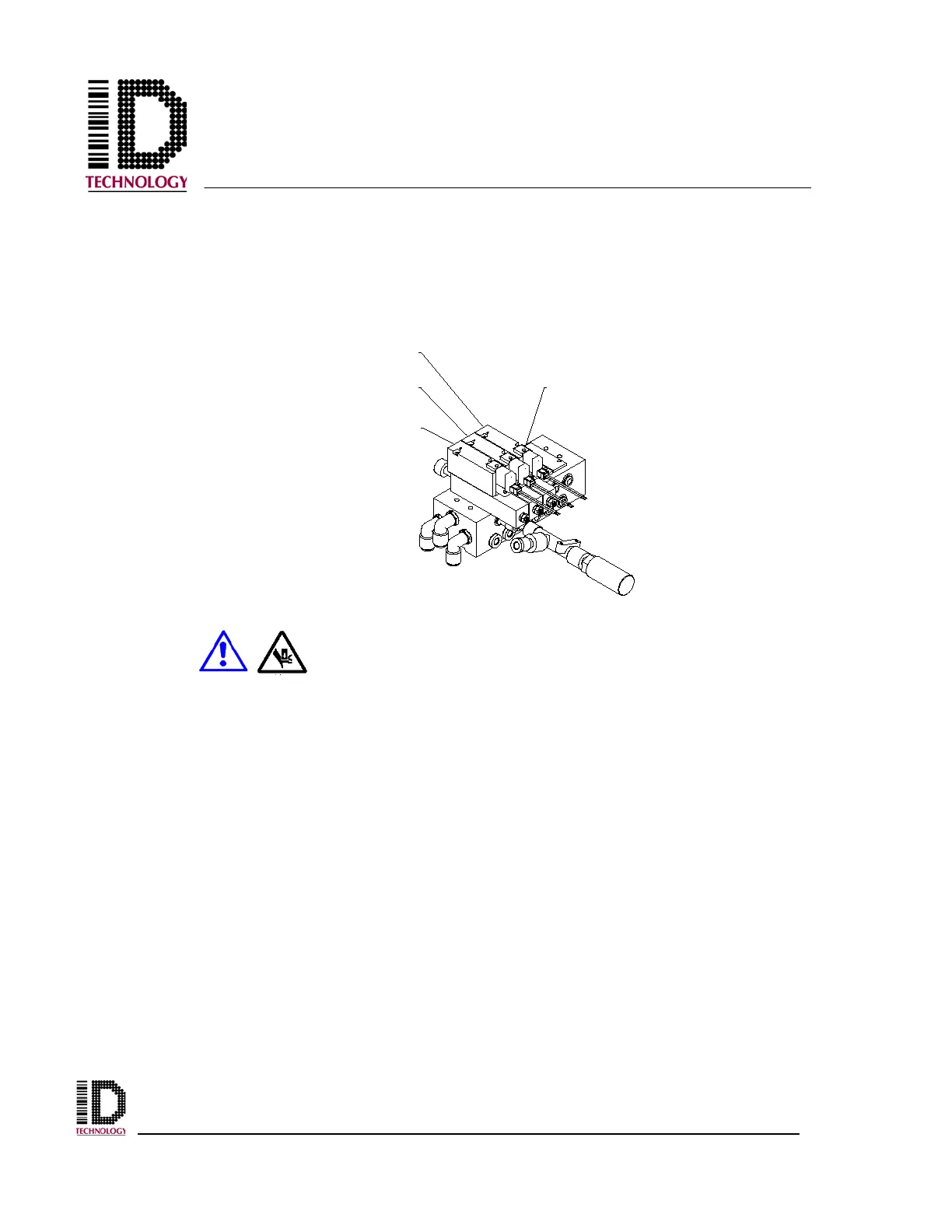
To check the speed of the cylinder, press the jog button on the user interface. It is also
possible to use the manual override button on the tamp valve to activate the cylinder.
The back cover must be removed to access the manual override button. Using a small
Phillips screwdriver or similar tool, press the override button (manual actuator) on the
valve.
Keep clear of the peel tip, tamp pad or tamp module as the
actuator will cycle when performing any of these steps.
AIR
ASSIST
VALVE
TAMP
VALVE
VACUUM
VALVE
MANUAL
ACTUATOR



 To Next Page