20
7 Operating and display elements
3
1 2
4
5
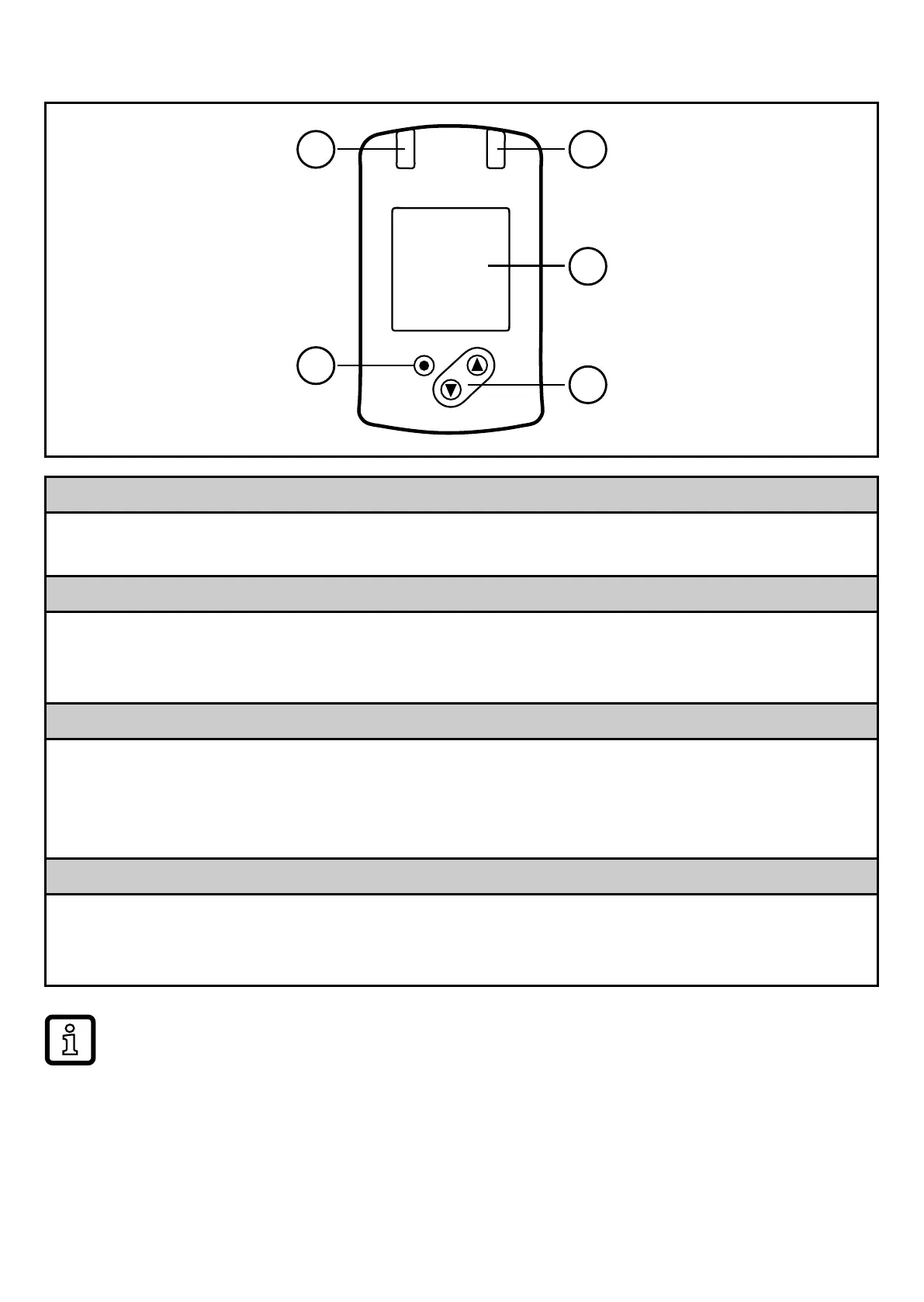
1 and 2: Switching status LEDs
• LED 1 = switching status OUT1 (on if output 1 is switched)
• LED 2 = switching status OUT2 (on if output 2 is switched)
3: TFT display
• Display of the current process values (volumetric flow quantity, temperature, pressure,
totaliser)
• Display of the parameters and parameter values
4: [▲] and [▼] buttons
• Select parameter
• Change parameter value (hold button pressed)
• Change of the display unit in the normal operating mode (RUN mode)
• Lock / Unlock (buttons pressed simultaneously > 10 seconds)
5: [
●
] = Enter button
• Change from the RUN mode to the main menu
• Change to the setting mode
• Acknowledge the set parameter value
Display illumination:
• unit temperature > 70°C: brightness automatically reduced�
•



 To Next Page