10
6.5.2 Settings
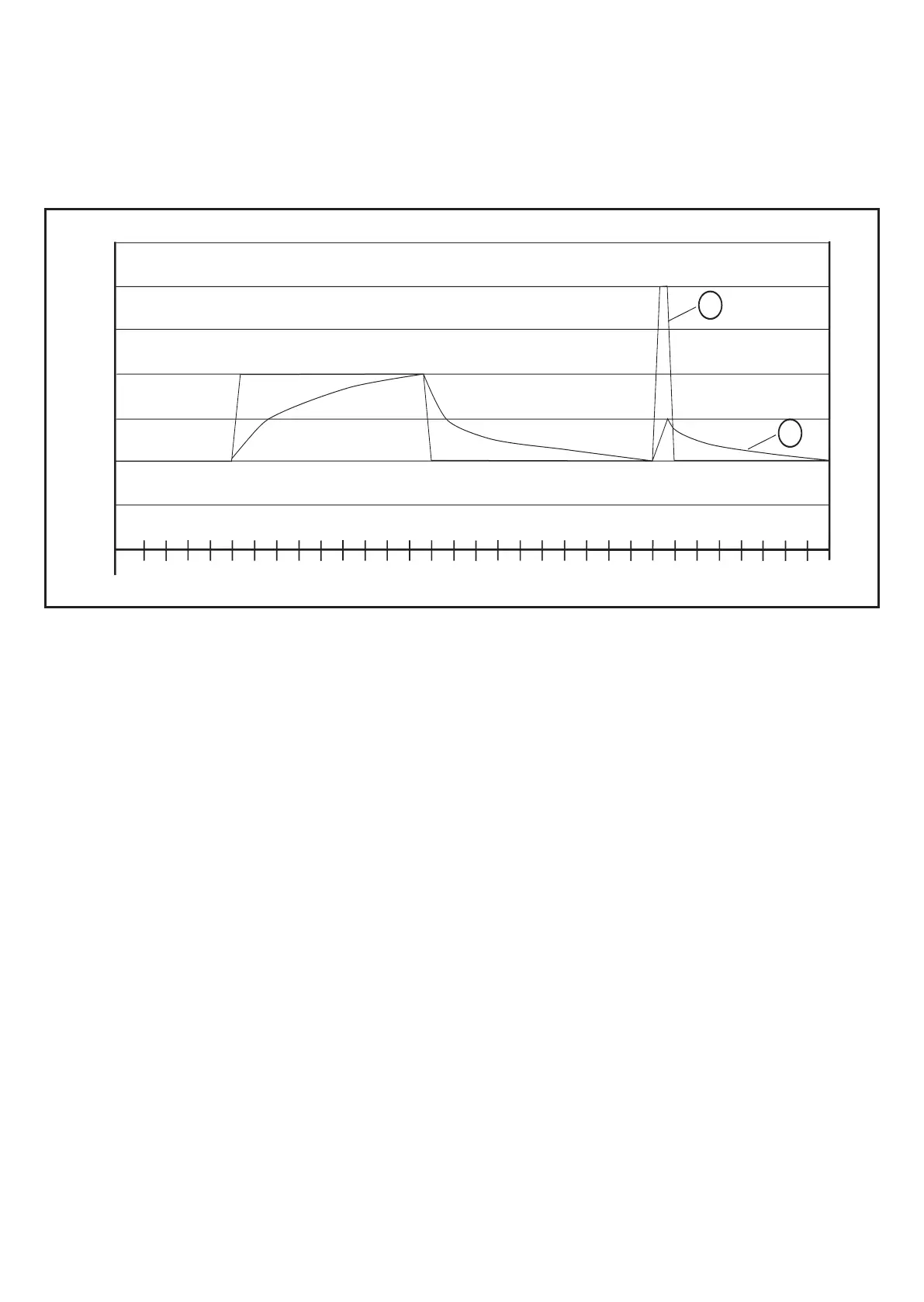
Averaging = 1: averaging deactivated
Averaging 0�01; strong averaging
6.5.3 Diagram averaging
1
1
0
10
15
20
25
30
35
5
4710 13 16 19 22 25 28 31 34 37 40 43 46 49 52 55 58 61 64 67 70 73 76 79 82 85 88 91 94 97
2
1: Measured value
2: Averaged diagnostic value (averaging = 0�125)
6.6 Measuring function
The device can be set to the measurement mode via the VES004 software� In this
mode, you have access to the raw data (time signal) of the acceleration or of the
external input (4���20 mA)� The data can be visualised, recorded, analysed and
processed in the software�
If the device remains connected to the software, the user has to actively (manual
-
ly) finish the time signal monitoring� If the device is separated from the software, it
automatically returns to the monitoring function�
If the unit is in the measurement mode, there is no monitoring� "rSc3" is displayed
on the unit�


 To Next Page