12
7.2 7-segment display
• Displays the damage level (green, yellow, red)
If the segment display changes the colour, the switch-on and switch-off delays or
the hysteresis are not considered�
• Display of the current measured value for the selected object
• Display of the configuration menu and its parameters
7.3 Operating mode
The user must know the objects configured in the vibration sensor and in the external
sensor� The display allows no indication of the unit if the external input is used for
process value monitoring�
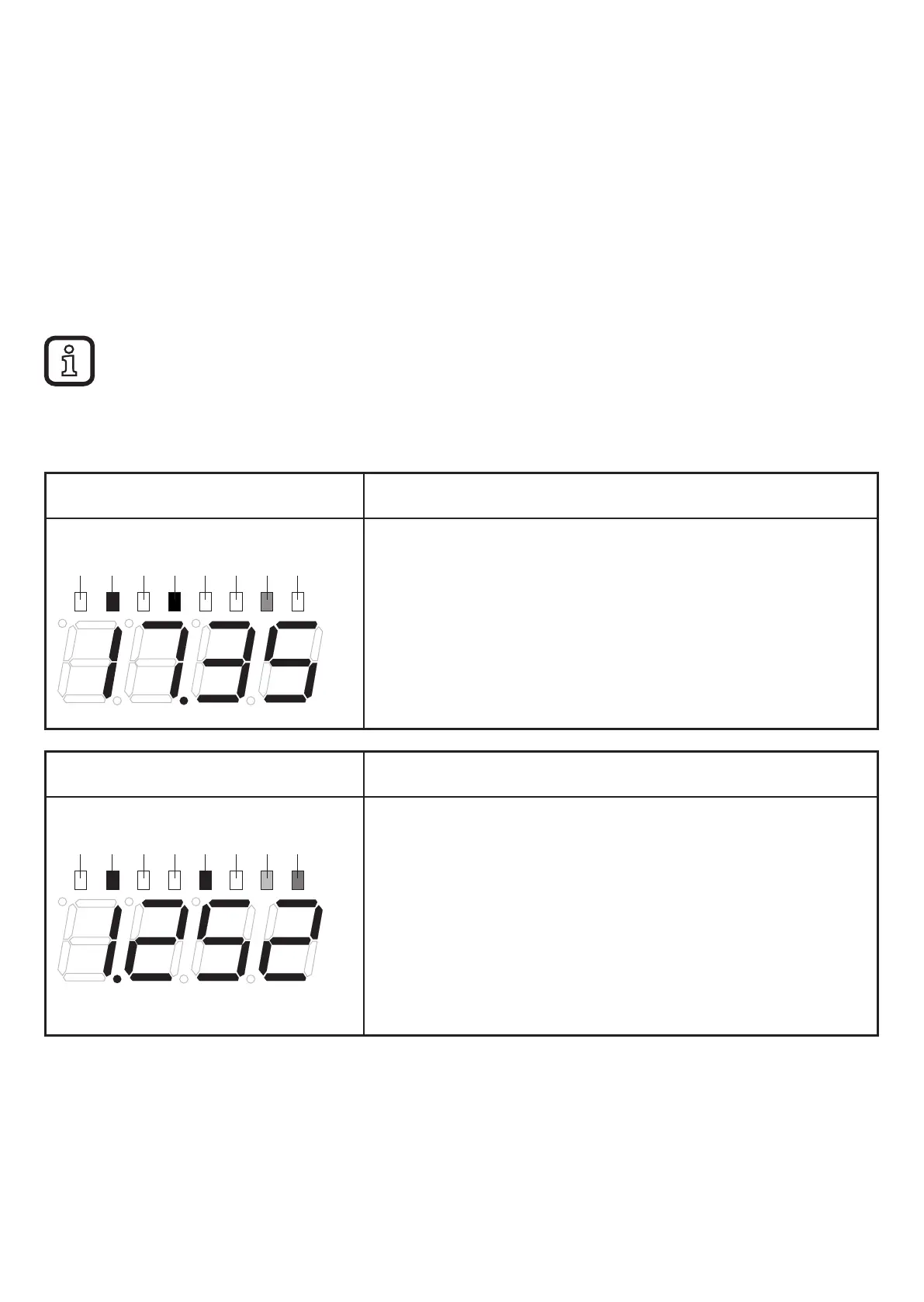
7.3.1 Examples in the operating mode
Colour segment display: yellow
a
v
d
RM
Pk
Ext
OU1
OU2
Current measured value of the 1st object,
e�g� vibration velocity v
rms
= 17�35 mm/s�
Parameters
- Pre-alarm SP1 = 10 mm/s
- Main alarm SP2 = 20 mm/s
> Output OU1 is active
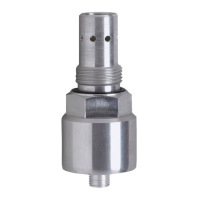
Colour segment display: red
a
v
d
RM
Pk
Ext
OU1
OU2
Current measured value of the 2nd object,
e�g� imbalance (v
peak
) = 1�252 in/s
Parameters
- Unit uni = in/s
- Early warning SP1 = 0�5 in/s
- Main alarm SP2 = 1 in/s
> Outputs OU1 and OU2 are active


 To Next Page