22
ASP1 Scaling current output with respective configuration
(OU1 = analogue), value at 4 mA
AEP1 Scaling current output with respective configuration
(OU1 = analogue), value at 20 mA
ou2 Switching logic OU2
NO, NC (normally open, normally closed)
dS1 Switch-on delay for OU1 (0���60 s)
dr1 Switch-off delay for OU1 (0���60 s)
dS2 Switch-on delay for OU2 (0���60 s)
dr2 Switch-off delay for OU2 (0���60 s)
Error message
Err1 The value to be displayed is less than -999 or greater than 9999�
► Check the scaling of the current output (ASP1, AEP1) and set again�
10 Parameter setting via the pushbuttons on the unit
During the parameter setting process the monitoring function of the unit is
maintained� It continues to monitor with the existing parameters until the parameter
setting has been completed�
10.1 Parameter setting in general
3 steps must be taken for each parameter setting:
1
Select parameter
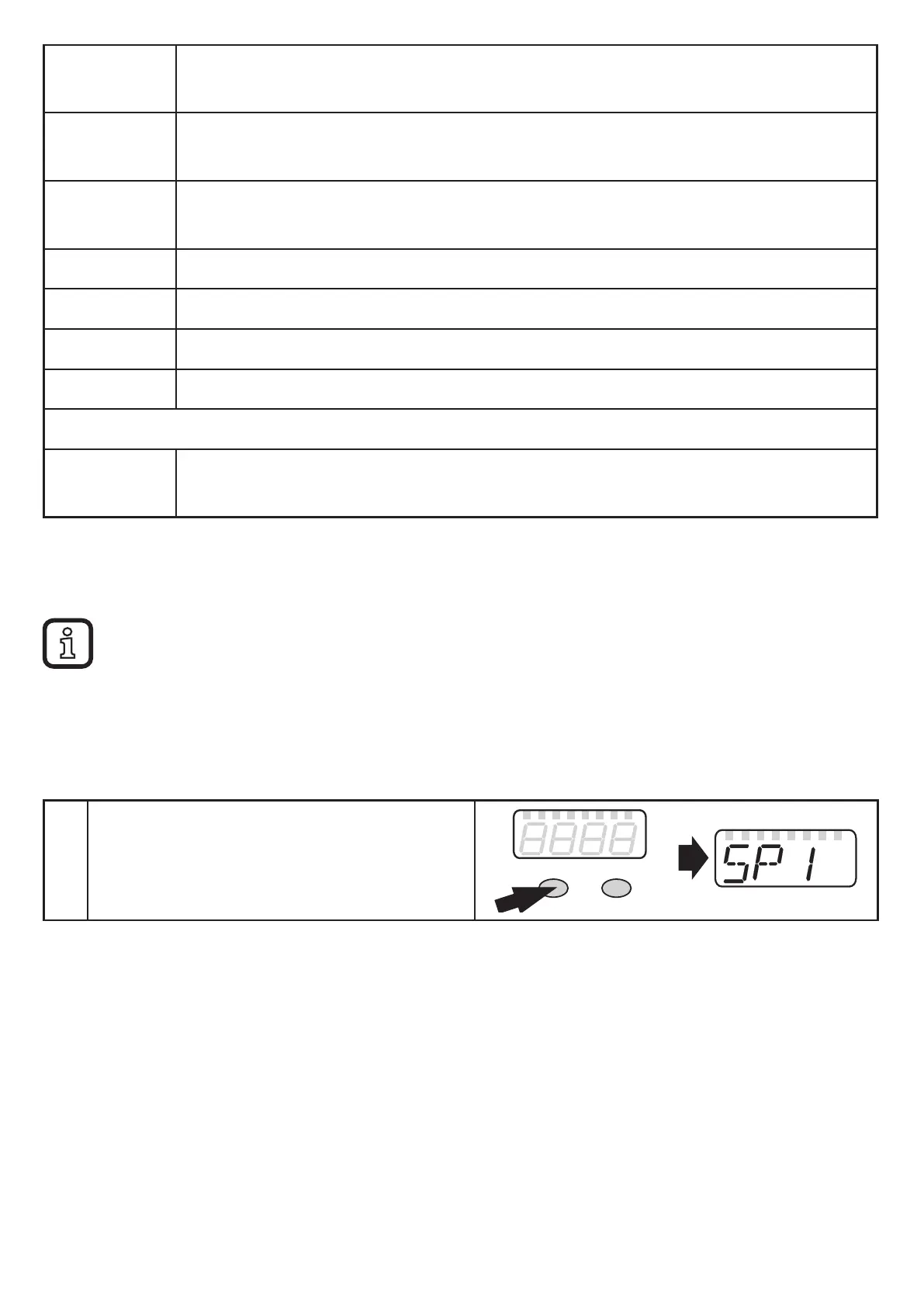
► Press [Mode/Enter] until the reque-
sted parameter is displayed.
Mode/Enter Set


 To Next Page