24
10.1.2 Locking / unlocking
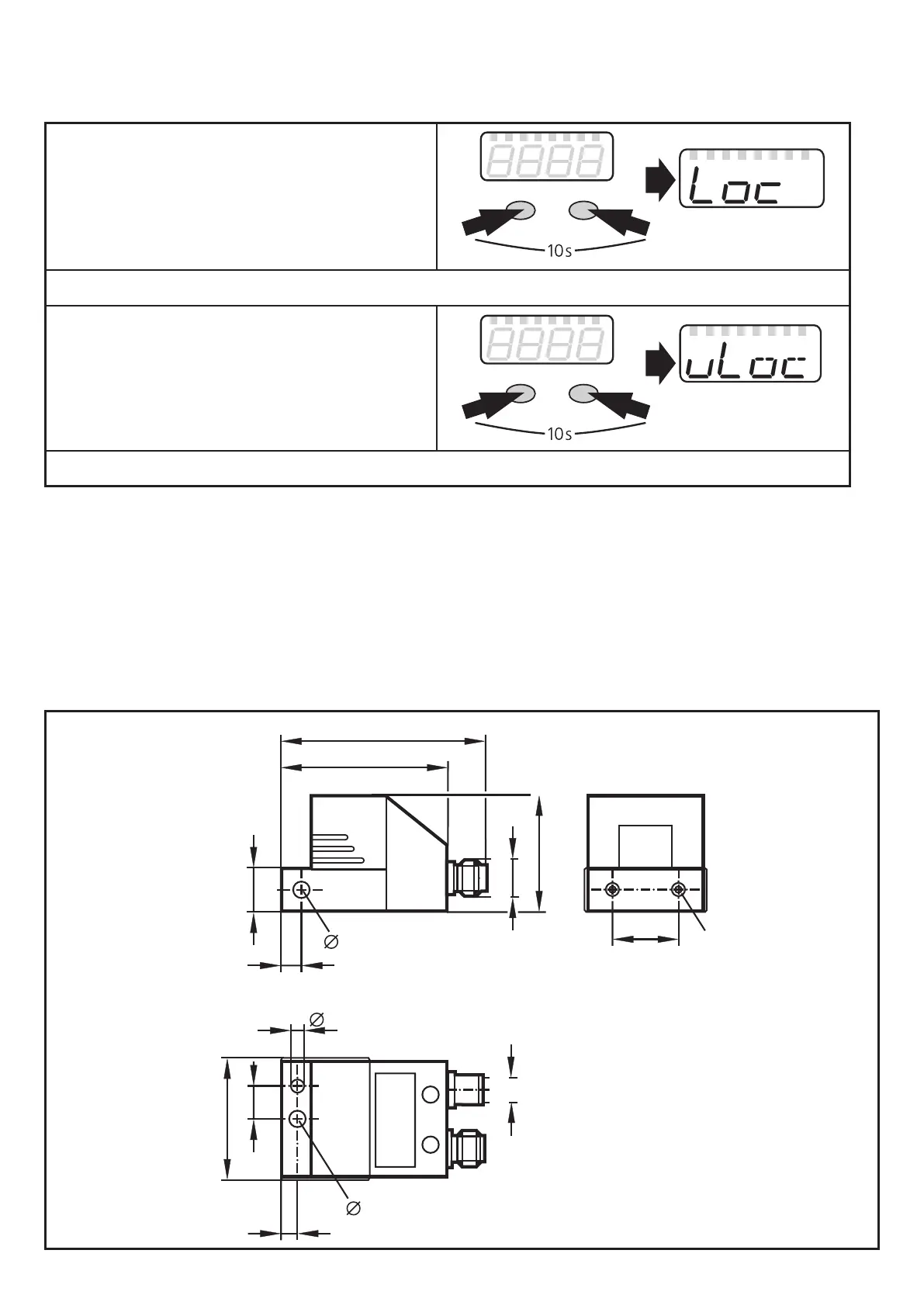
The unit can be locked electronically to prevent unintentional settings�
► Make sure that the unit is in the
normal operating mode�
► Press [Mode/Enter] + [Set] for 10 s.
> [Loc] is displayed.
Mode/Enter Set
During operation: [Loc] is briefly displayed if you try to change parameter values.
For unlocking:
► Press [Mode/Enter] + [Set] for 10 s.
> [uLoc] is displayed.
Mode/Enter Set
On delivery: not locked�
11 Maintenance, repair and disposal
► Dispose of the device in accordance with the national environmental
regulations�
12 Scale drawing
M12x1
51
62,4
14
6
5,3
36
20
M5
37,6
5
10
4
5,3
M8x1


 To Next Page