Chapter 2 Hardware
Top LCD Display
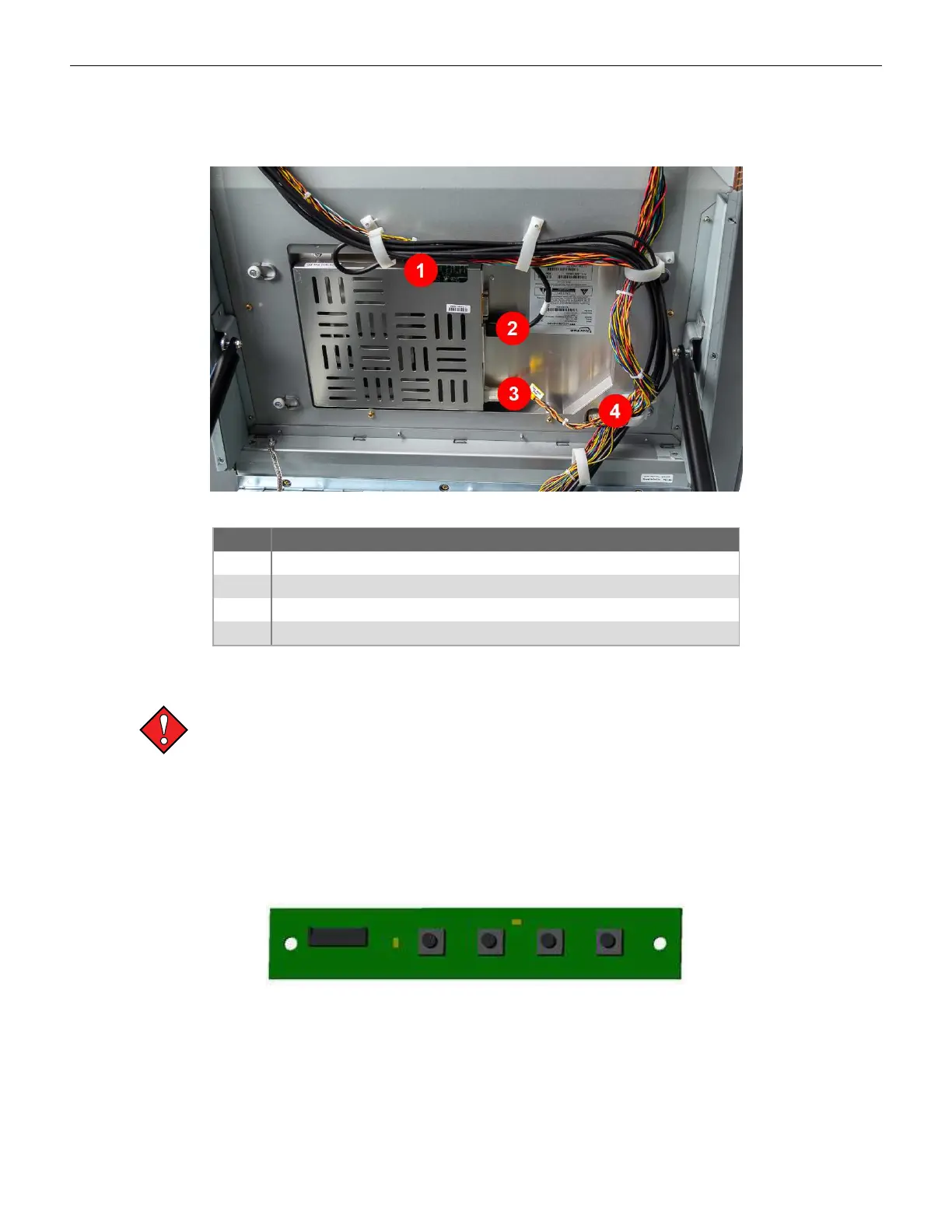
The top display is a 27" LCD with protective glass. The display requires +24VDC power, and receives
video through the DP (Display Port) cable from the Brain Box.
Figure 2-3 Top LCD Display Connectors
Label Description
1 OSD
2 DP Video
3 Power
4 LED Lighting Connection
On Screen Display (OSD)
The LCD Settings have been calibrated at the factory; IGT does not recommend
changing these settings.
The display picture can be adjusted via the OSD control board on the back of the displays.
The On Screen Display Menu can be accessed by using the OSD control board switches. From left to
right the adjustment buttons are: MODE, SEL, DOWN, UP.
1. Press the MODE button to enter the OSD menu.
2. Use the other three buttons to navigate, enable, and disable features.
Figure 2-4 OSD Board
30 Cobalt™ 27



 To Next Page