Chapter 4 Installing Software & Clearing Memory
Software Installation Steps
1. Open the Brain Box door and insert the Master Reset Dongle into the Secure USB port.
2. Insert the Payload USB (example label: CMVLTx.x.x) stick into an available USB port on the
Cabinet Controller Board.
3. Insert the CFInit USB stick into an available USB port on the Cabinet Controller Board.
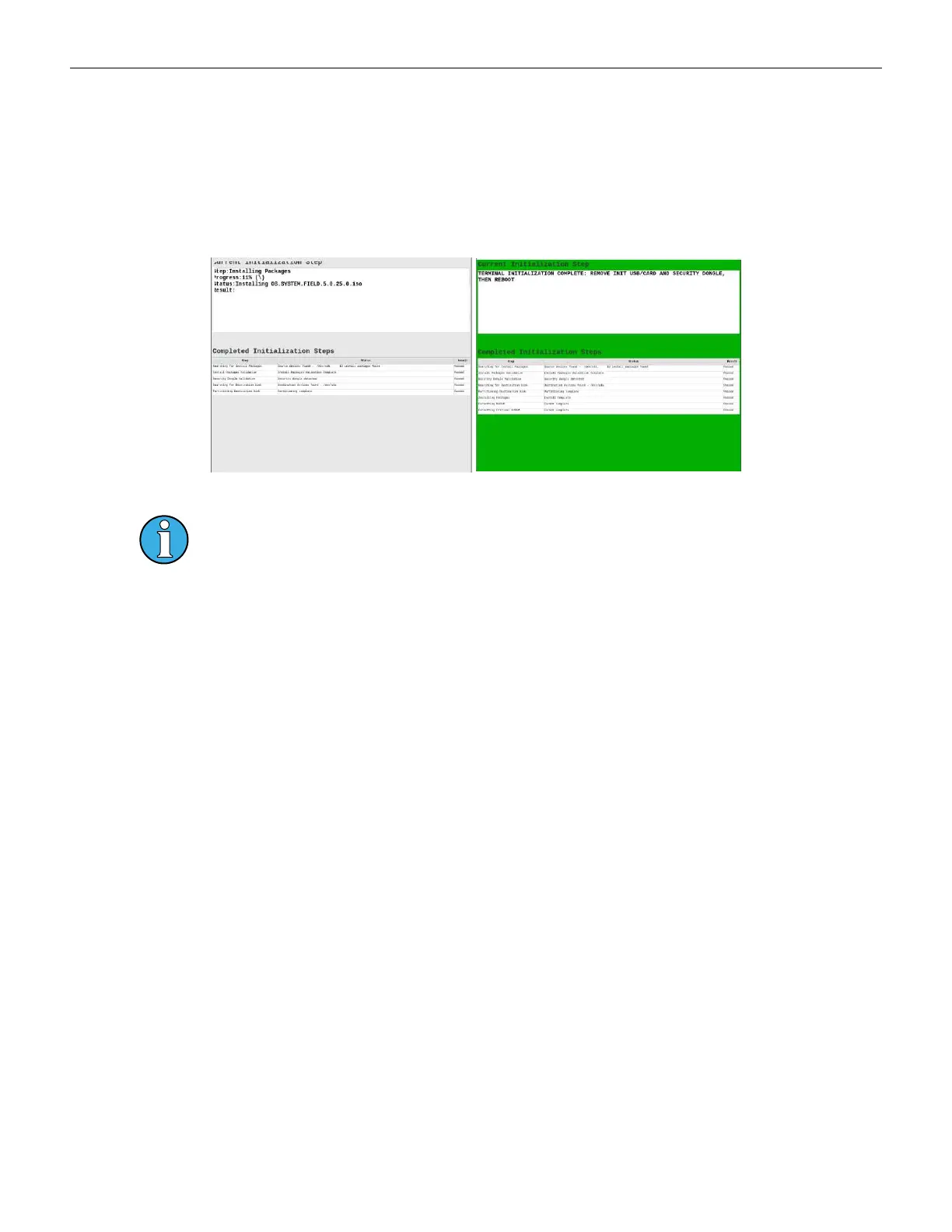
4. Power ON the gaming machine. Two screens indicate status during the download process.
Figure 4-4 Download Progress Figure 4-5 Download Complete
A red screen indicates a download failure and provides details of the failure.
5. Remove USB sticks from the Cabinet Controller Board and the Master Reset Dongle from the
Secure USB port on the Brain Box.
6. Reboot the terminal.
Cobalt™ 27 83



 To Next Page