Chapter 2 Hardware
Nanoptix PayCheck 4 Printer Status Codes
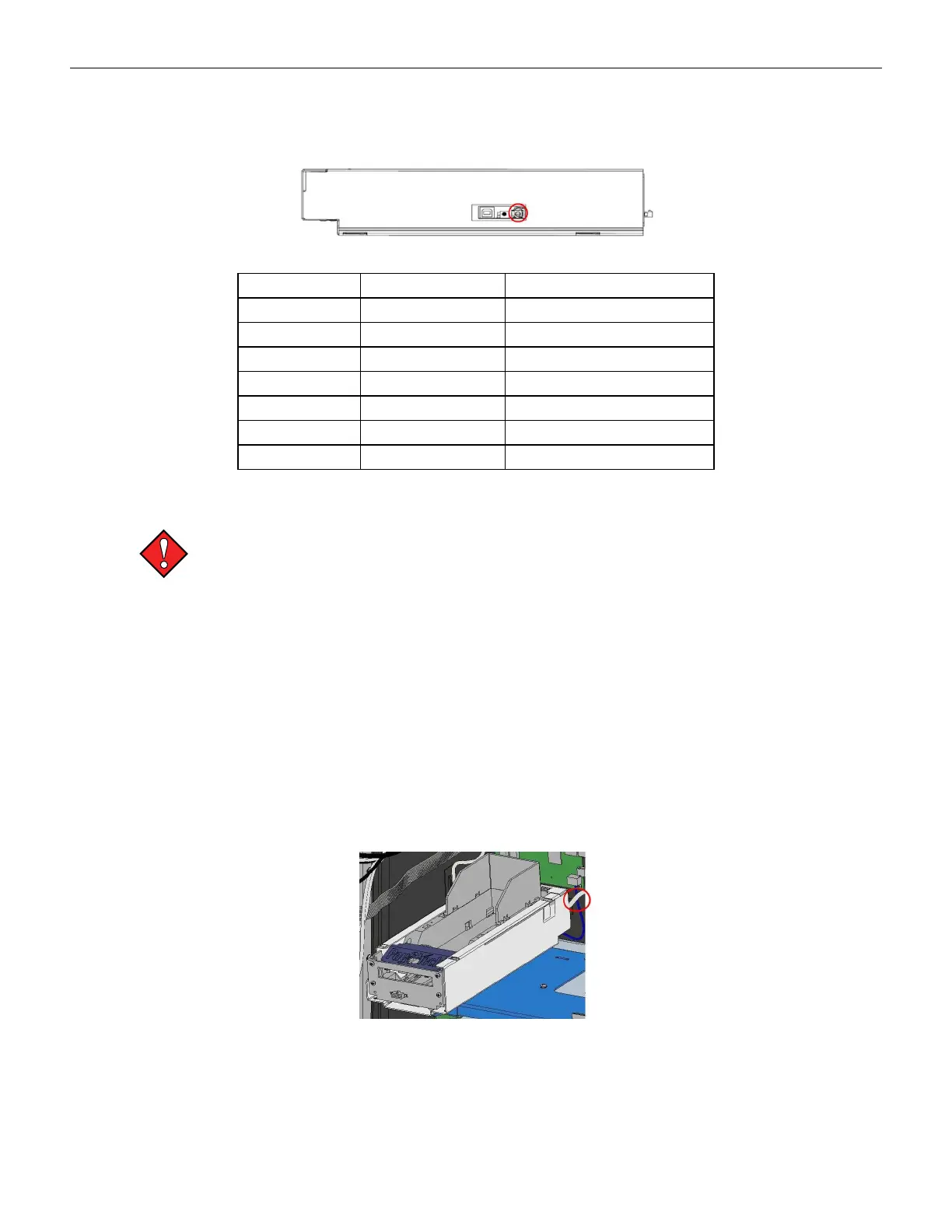
To view the LED status of the printer, slide it forward and out of the gaming machine. The status
LEDs are on the left side of the printer.
Figure 2-65 Nanoptix PayCheck 4 Status LED
Error LED (Red) Status LED (Green) Condition
OFF ON Printer Ready
ON OFF Paper Out
Med Blink OFF Temperature Error
Slow Blink OFF Voltage Error (Over 26.2 VDC)
Fast Blink ON Print Head Error
Fast Blink ON Missing Black Index Mark
Fast Blink ON Paper Jam
Nanoptix PayCheck 4 Printer Removal
To avoid damaging the printer, do not disconnect or remove the printer while the
gaming machine is powered on.
Tools Required:
#1 Phillips screwdriver
1. Unlock and open the main door of the gaming machine.
2. Pull the printer forward.
3. Disconnect the communication cable from the back of the printer.
4. Slide the printer mechanism out of the chassis.
5. Disconnect the communications and power cable from the printer.
6. Remove the printer bracket screw.
7. Remove the four #2 Phillips screws below the printer.
Figure 2-66 Nanoptix PayCheck 4 Removal
Cobalt™ 27 75



 To Next Page