Chapter 2 Hardware
Nanoptix PayCheck 4 Printer, Clearing Paper Jams
1. Loosen the thumbscrew on the metal printer stopper and swing downward. Pull tray forward
inside the gaming machine to provide better access to the printer.
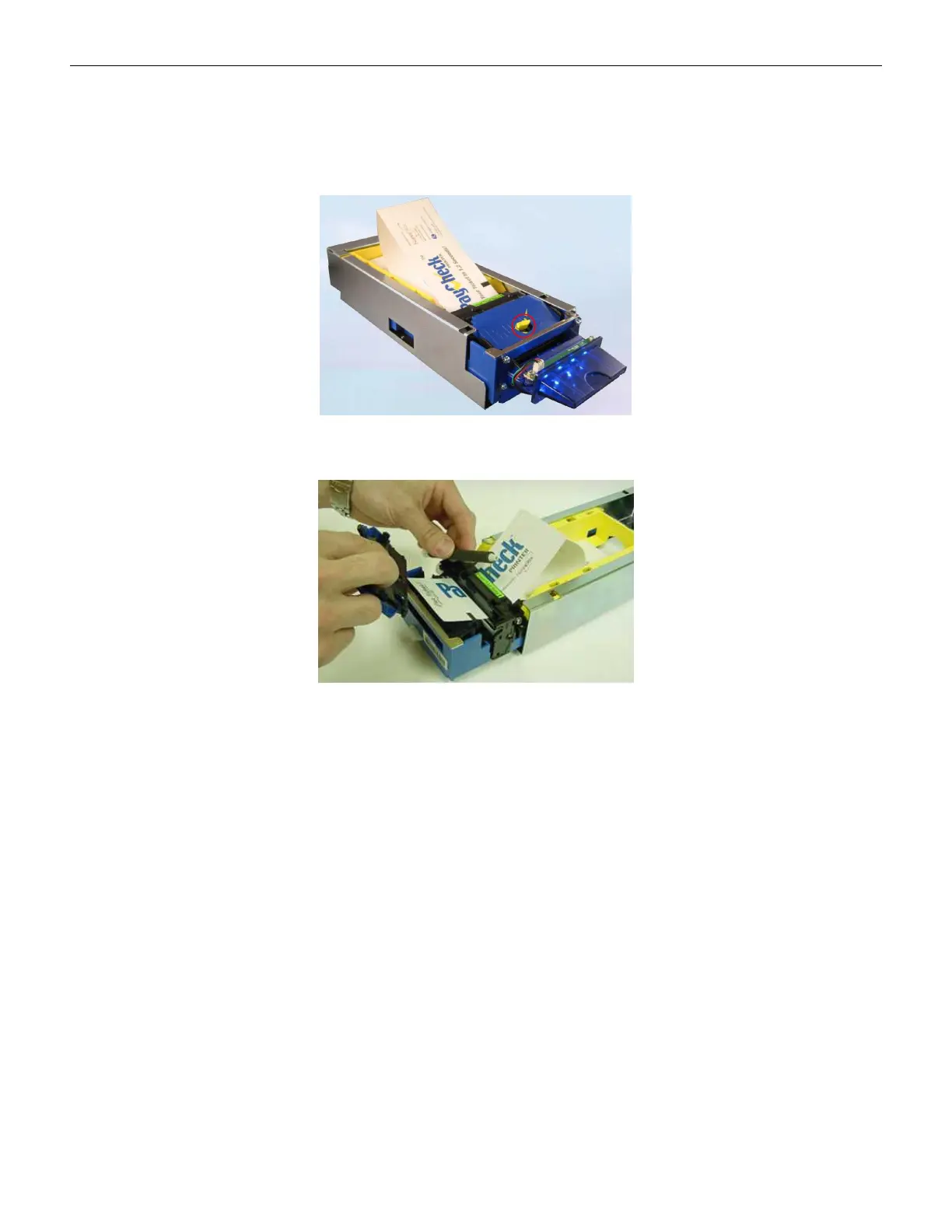
2. Push the yellow release lever to remove the printer’s paper guide.
Figure 2-63 Nanoptix PayCheck 4 Release Lever
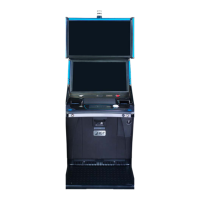
3. Lift the printing mechanism roller to remove paper.
Figure 2-64 Nanoptix PayCheck 4 Printer Mechanism Roller
4. Clear the printer error from the terminal. In the event the error will not clear, cycle power on
the terminal.
74 Cobalt™ 27



 To Next Page