Chapter 2 Hardware
Player Panel Removal
Always observe proper ESD precautions and use an ESD wrist strap when working on
components inside the terminal.
To remove the player panel:
1. Open the main door and power off the cabinet.
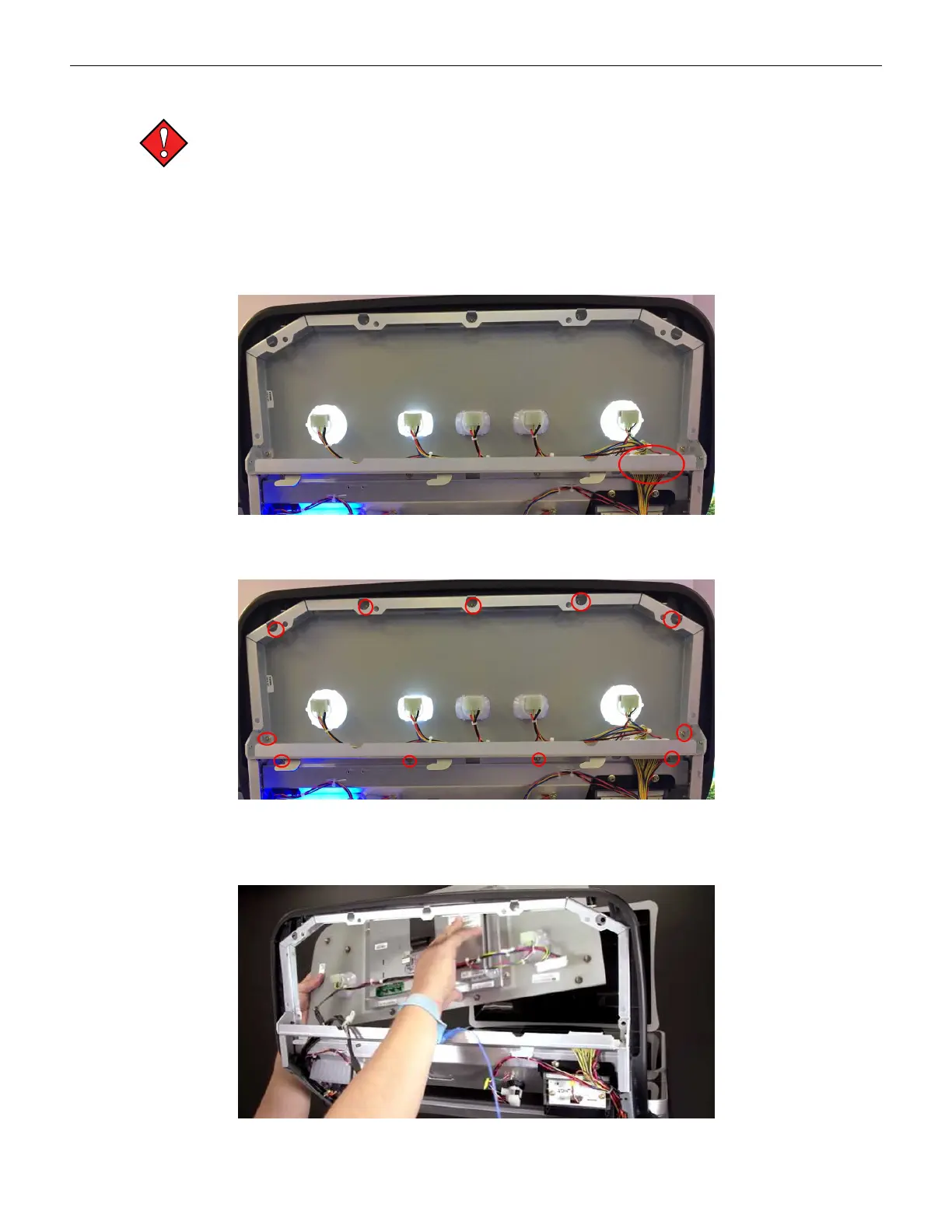
2. Disconnect the Button harness.
3. Remove the M4 nut securing the USB-B and Mini DP to the panel.
Figure 2-27 Player Panel Connections
4. Remove the eleven nuts using a 7mm nutdriver or socket on a ratchet.
Figure 2-28 Player Panel Mounting Hardware
5. Remove the panel assembly from the cabinet (out the front of the door). Place the panel
assembly on a safe and secure surface.
Figure 2-29 Player Panel Removal
48 Cobalt™ 27



 To Next Page