Chapter 2 Hardware
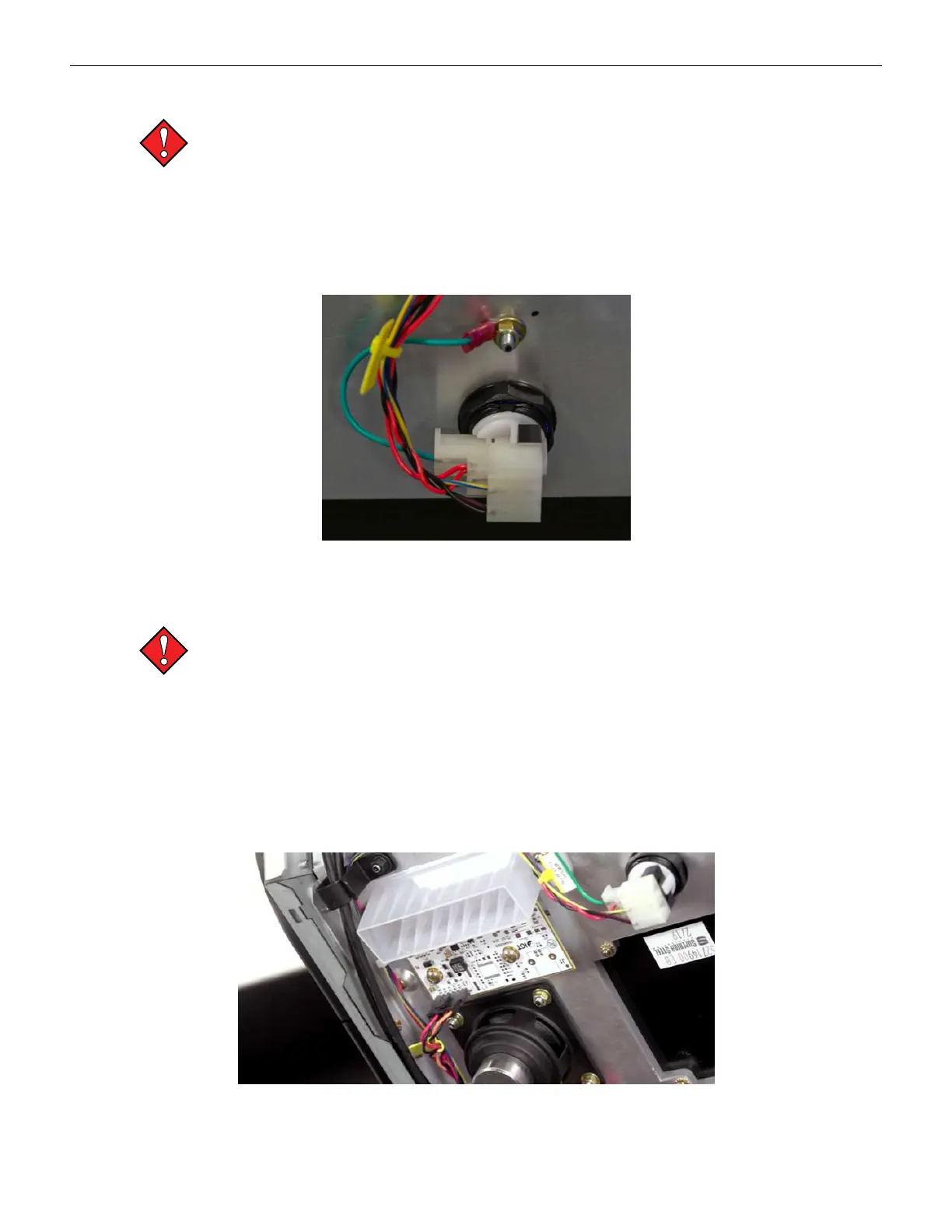
Cashout Button Removal
Always observe proper ESD precautions and use an ESD wrist strap when working on
components inside the terminal.
To remove the Cashout button:
1. Open the main door and power off the cabinet.
2. Unplug the connection for the button to be removed.
3. Remove the plastic nut from the rear, and remove the button from the front of the door.
Figure 2-32 Cashout Button Removal
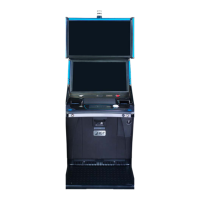
Bezel LED Board Removal
Always observe proper ESD precautions and use an ESD wrist strap when working on
components inside the terminal.
To remove the left side (Printer Bezel LED Board & USB Charging Port) or the right side (BV Bezel
LED Board):
1. Open the main door and power off the cabinet.
2. Disconnect the single connection on the back of the board being removed.
3. Remove the 2 Phillips head screws.
4. Remove the board from the cabinet.
Figure 2-33 Bezel LED Board Removal
50 Cobalt™ 27



 To Next Page