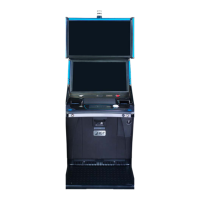
Chapter 4 Installing Software & Clearing Memory
Program Installation
Installing SGF software into an AVP 4.0+ Brain Box requires the appropriate tools and programs.
This section describes the program requirements and installation steps.
If the terminal has already been running SGF software, existing programs should be
verified for compatibility prior to theme changes or program version updates.
Requirements
Tools:
l Market-specific Security Key (Master Reset Dongle)
o
Allows AVP-SGF software installation into AVP Brain Box
o
Allows Level-3 menu access
o
Clears NVRAM data, excluding communication settings and Bonus
Pots/Progressives
l CFInit USB Stick / Payload USB Stick (if applicable)
o
Clears all NVRAM data
Program examples:
P/N Description
AVP4P_SGF_1_00 BIOS, AVP 4+ SGF, VERSION 1.00
APR00000X SECURE AVP 4.0 AUTHENTICATION PROCESSOR
CMVLTx.x.x Core Market X.X SGFHD (or similar)
80 Cobalt™ 27



 To Next Page