Chapter 2 Hardware
LED Status
Error Causes and Solutions
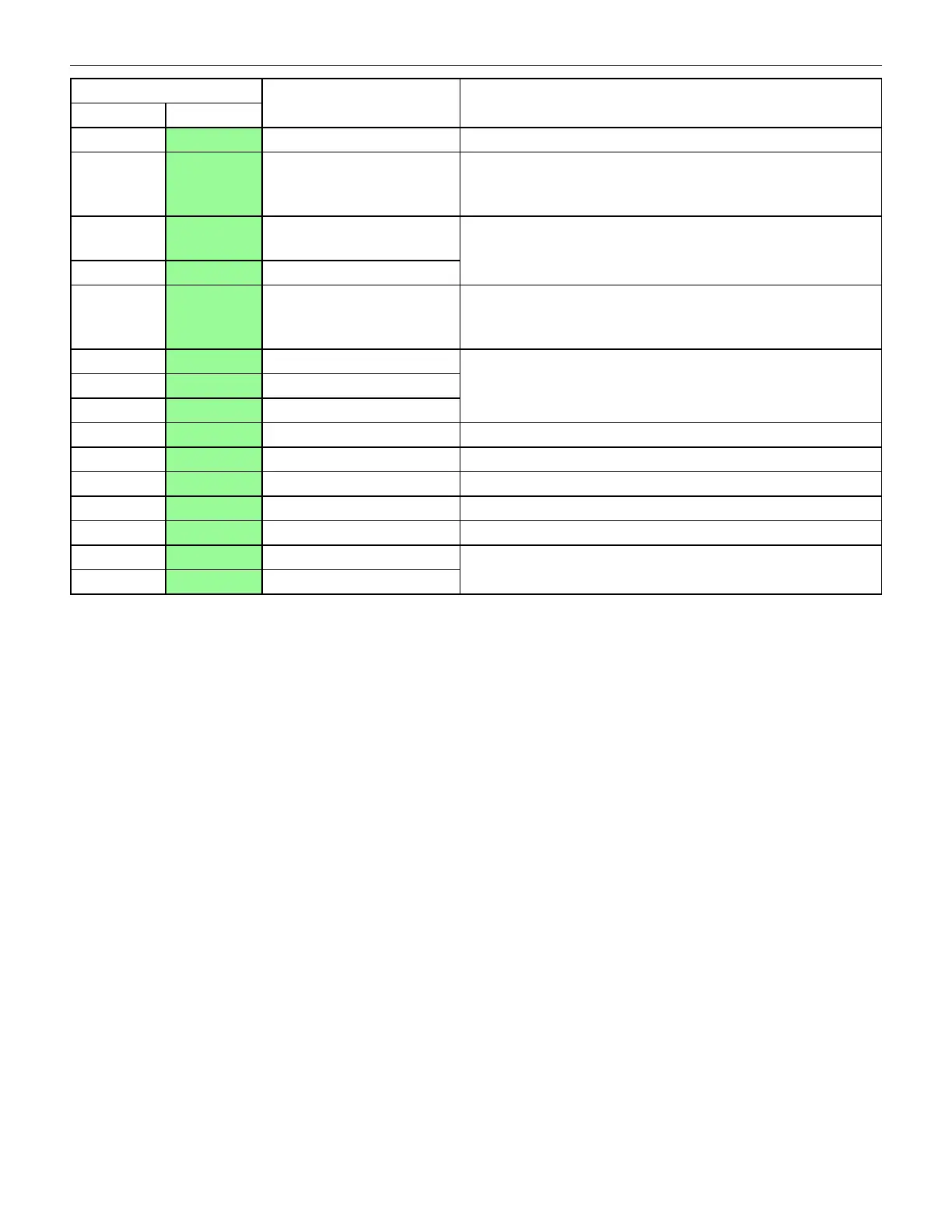
Red LED Green LED
OFF Flashes 1x Slanted Bill Insertion Re-insert the bill straight
OFF Flashes 2x
Magnetic Sensor pattern
error
Check all lenses for dirt or scratches. An Upper Sensor Board
failure may have occurred. Check all harnesses and
connectors.
OFF Flashes 3x
Paper detected inside the
Validator in standby mode
Remove the paper jam from the Validator path and clean the
lenses. An Upper and/or Lower Sensor Board failure may have
occurred. Check all harnesses and connectors.
OFF Flashes 4x Optical Sensor error Type 1
OFF Flashes 5x Bill feed error Type 1
Check all lenses for dirt or scratches. An Upper Sensor Board
failure may have occurred. Check all harnesses and
connectors.
OFF Flashes 6x Bill identification error
Remove the bill from the Validator and clean the lenses. An
Upper and/or Lower Sensor Board failure may have occurred.
Check all harnesses and connectors.
OFF Flashes 7x Optical Sensor error Type 2
OFF Flashes 8x Optical Sensor error Type 3
OFF Flashes 9x Inhibited bill Check and set DIP switches properly.
OFF Flashes 10x Return bill Bill inhibited by host machine
OFF Flashes 11x Reserved N/A
OFF Flashes 12x Bill feed error Type 2 Check all bill path sensors
OFF Flashes 13x Bill length error Check all belts and rollers in the transport path.
OFF Flashes 14x Optical Sensor error Type 4
Remove the bill from the Validator and clean the lenses.
OFF Flashes 15x Optical Sensor error Type 5
70 Cobalt™ 27


 To Next Page
 Loading...