38
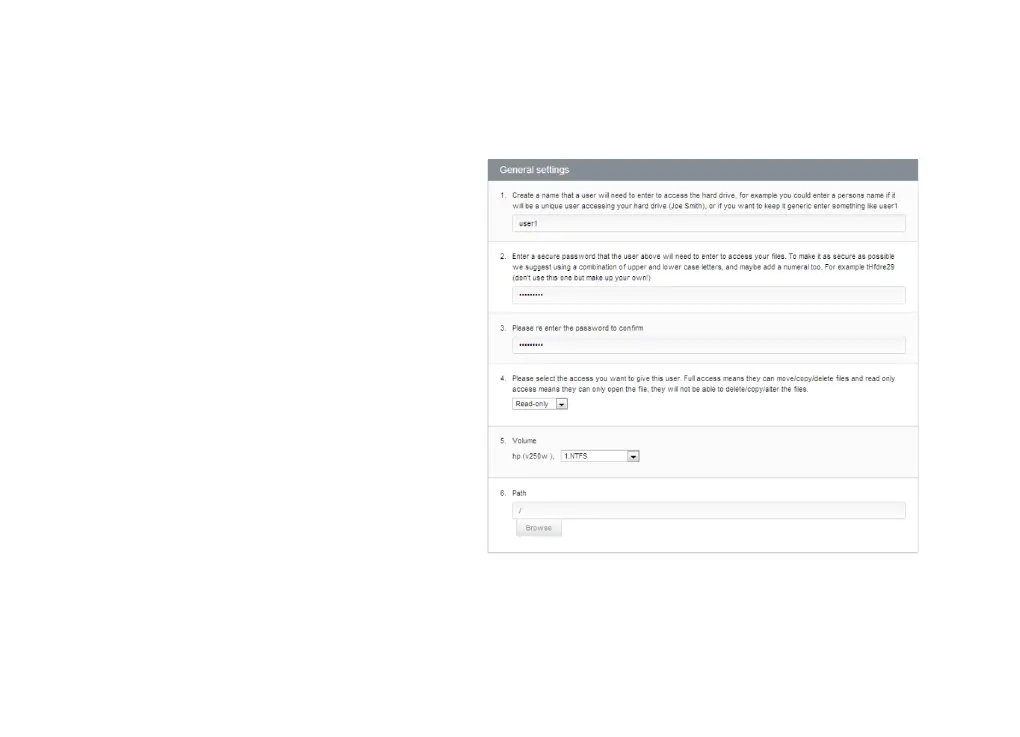
To add an FTP user:
1. In the first box, type a username.
2. In the second box, type a password. See
About Passwords for help in choosing a
secure password.
3. In the third box, re-type the same
password.
4. From the dropdown box, choose whether
this FTP account will have full access or
read-only access.
5. At Select Volume, choose a file system to
use as the FTP server.
6. At Path, click Browse and choose a folder.
7. Click Save Settings.
See the example to the side.



 To Next Page