AMAZON SERIES Operation Manual
Pioneer i n D i g i t al V is io n Technol og y
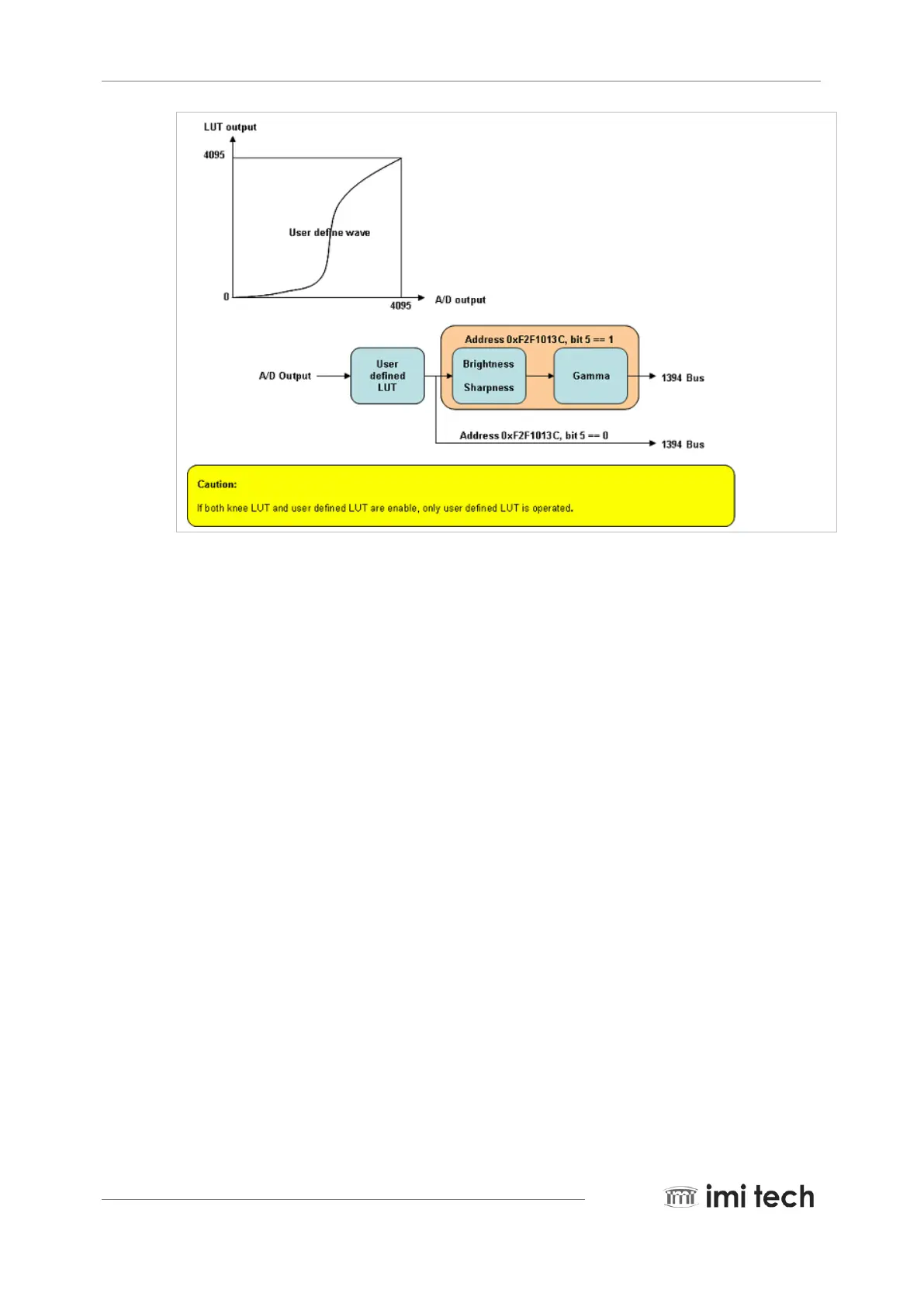
The user defined LUT save procedure is as follows:
1. Check the save ready bit (bit1) status of the LUT save control register (0xF2F10140). If bit 1 is 0, wait.
2. Write 1 at the LUT buffer address init bit (bit7) of the LUT save
control register (0xF2F10140): 0xF2F10140 (<= 0x01000000).
3. Then write 4096 LUT data at the LUT data register (0xF2F10144).
4. Finally, write save command (bit0), LUT index (N: bit8~bit11) at the LUT save control
register (0xF2F10140): 0xF2F10140 (<= 0x80N00000).
5.7. User defined AE
The user can get the interested area image by controlling the AE X-axis value and the AE Y-axis value for the
specific area of any image that they want.



 To Next Page