En
56
Language
English
5 sErvicEability
Service Manual
Yate Production Dryers
Edition
2006.09.21
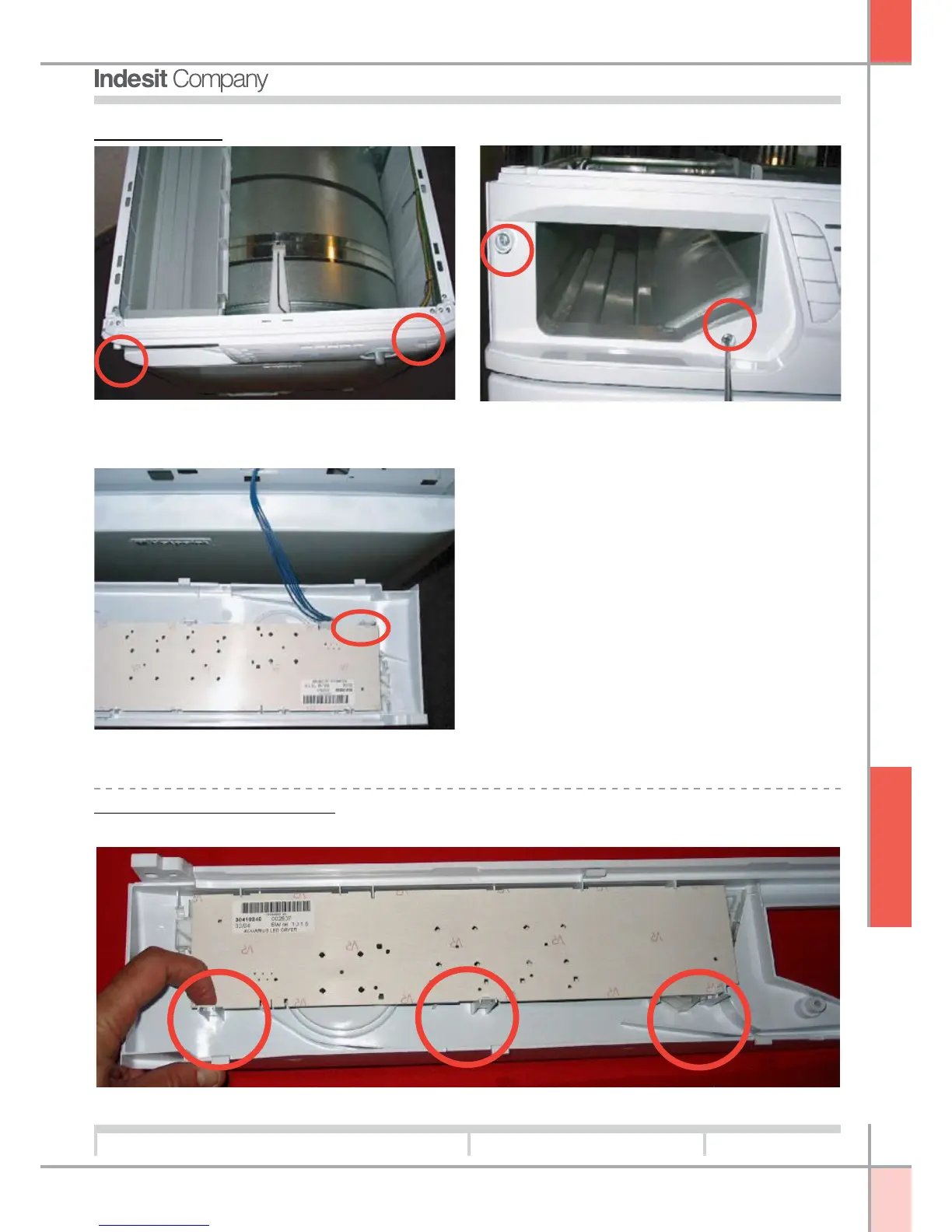
Control panel:
1. Remove the top. Remove 2 screws securing the
control panel to the side panels
2. Remove the water tray.
Remove 2 screws on the left of the control panel,
securing it to the tray holder
Remove 1 screw on the right, securing the control
panel to the side restraint
3. Ease the control panel out, releasing the three
clips
Led PCB and display PCB:
1. Remove the top and control panel, and disconnect the PCB. Remove the PCB from the control panel



 To Next Page