X1 Service Guide 49
Remove and Replace the Rear Bezel
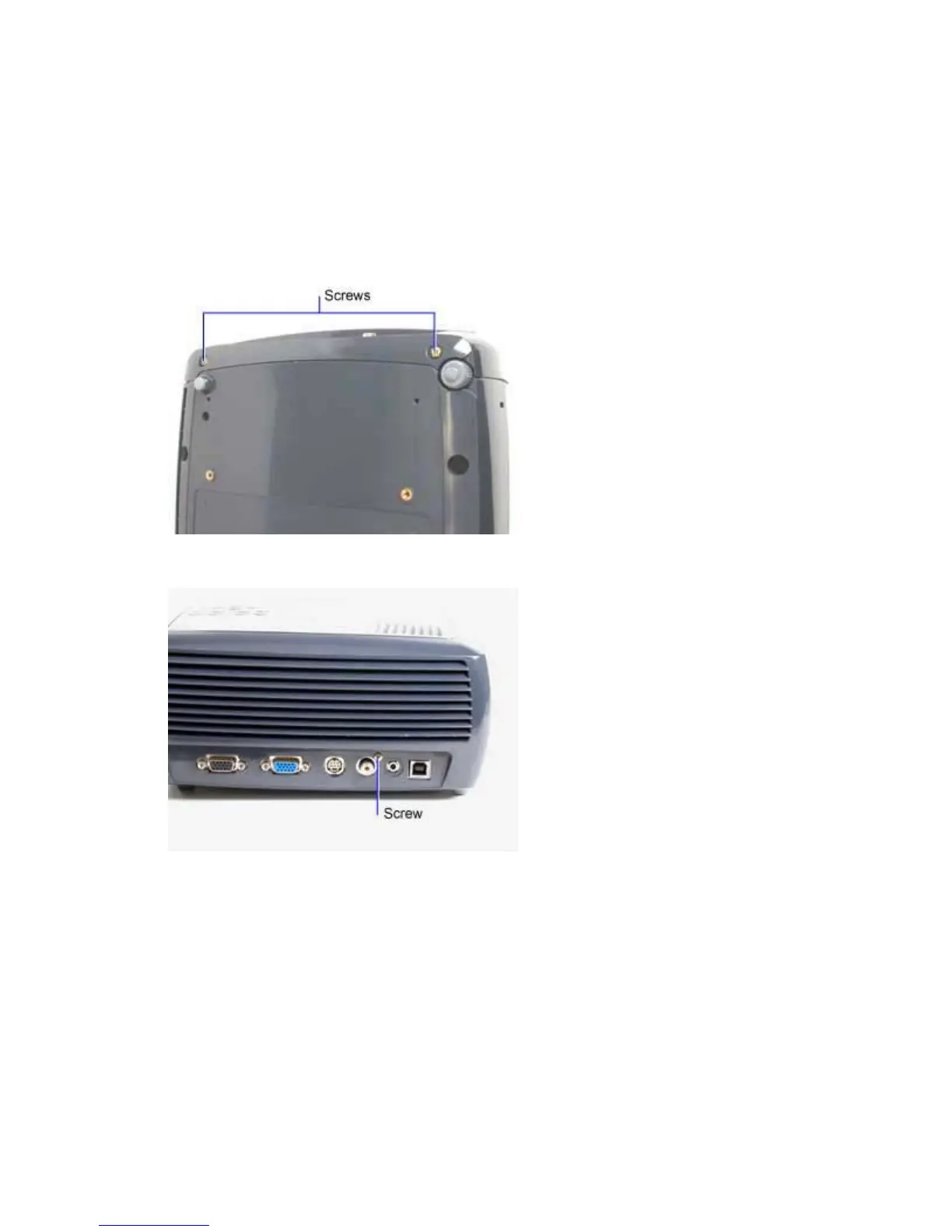
The rear bezel (505-1510-xx) fastens to the rear of the projector and surrounds the I/O ports. The I/O
panel label (020-1775-xx) adheres to the outside of the rear bezel.
If you replace the rear bezel, you need a replacement I/O panel label. You cannot remove the label from
the rear bezel.
1. Place the projector upside down on a soft work surface.
2. Remove the two M3x10 Plastite Phillips screws that fasten the rear bezel to the bottom case.
3. Remove the M2.6x10 Plastite Phillips screw that fastens the rear bezel to the chassis.



 To Next Page