INFOSEC UPS SYSTEM - 4, rue de la Rigotière - 44700 Orvault - FRANCE - www.infosec-ups.com
Hot Line – Tel + 33 (0)2 40 76 15 82 - Fax + 33 (0)2 40 94 29 51 - hotline@infosec.fr – 05 13 AA 59 208 13
3 . O P E R A T I O N S
3-1. Operating Mode/Status Description
When UPS is powered on, it will enter into this mode for a few seconds for initializing the CPU and
system.
When the input voltage is within acceptable range, and the UPS is turned on (the inverter is running),
the UPS will provide pure and stable sine wave AC voltage. The UPS will also charge the battery in AC
mode.
When the input voltage is within voltage regulation range and ECO mode is enabled, the UPS will
bypass voltage to output for energy saving. If the input voltage is out of the regulation range but it is
still within acceptable range of AC mode, the UPS will transfer to inverter supplying the power to load
(similar as AC mode).
When input frequency is within 46 to 64Hz, the UPS can be set with a constant output frequency (50
Hz or 60 Hz) through the inverter. The UPS will still charge battery at this mode. There is no bypass at
this mode.
When the input voltage is out of the acceptable range or power failure, and the UPS is turned on (the
inverter is running), the UPS will backup power from battery.
When input voltage is within acceptable range and bypass is enabled, and the UPS (inverter) is not
turned on or the inverter can’t support the load, the UPS will supply power to the load through bypass.
When the UPS is in AC mode or Converter mode, and the battery test command is enabled through
LCD or monitoring software, the UPS will start Battery Test. This operation is used to check the battery
status.
If some errors occur in the UPS (but it is still running normally), buzzer will alarm and warning code will
appear in the LCD for trouble shooting.
When fatal error occurs in the UPS, it will beep continuously and go to fault mode. It will display fault
codes in LCD.
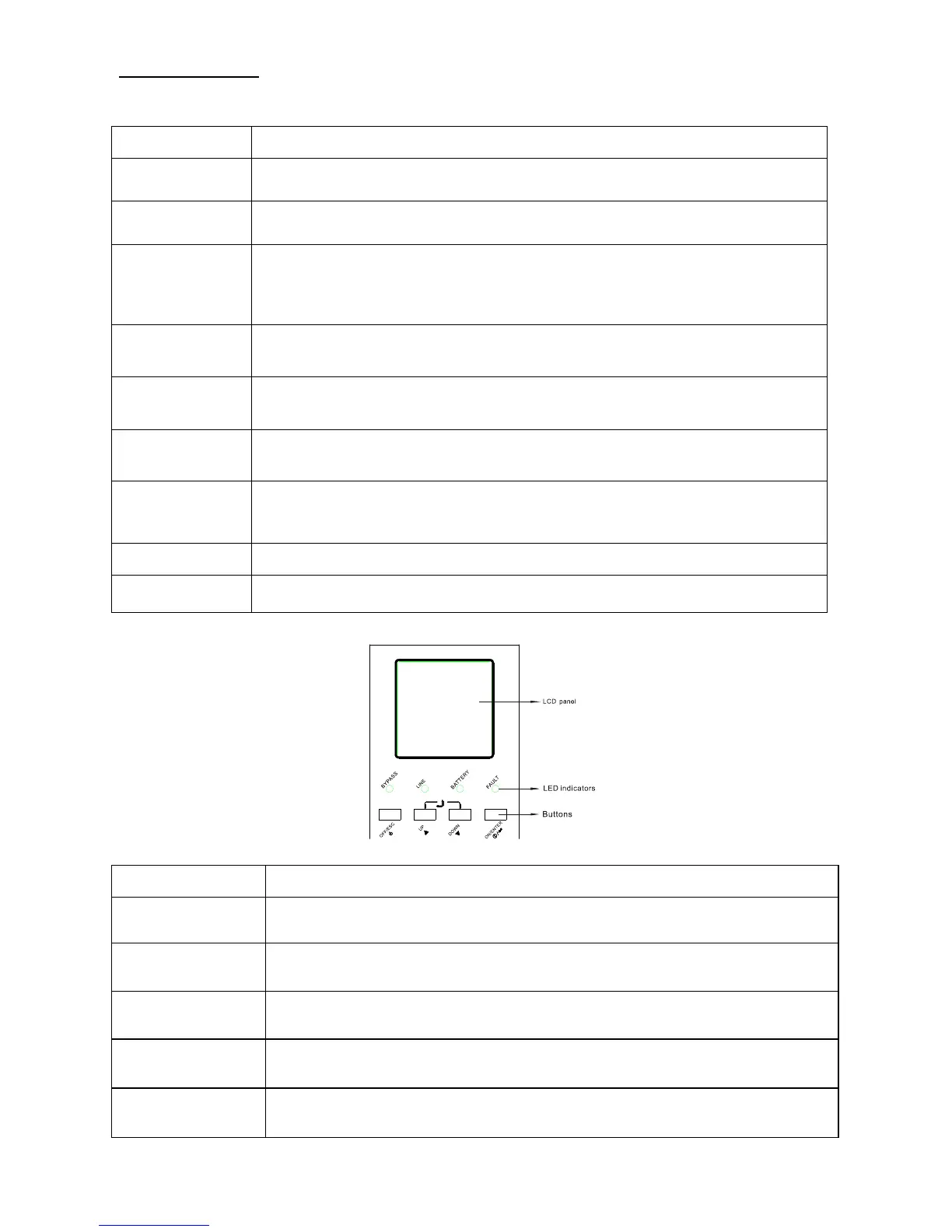
3-2. Button Operation
There are 4 buttons on front panel.
Press this button to turn on the UPS.
Or press it to confirm the selection in the menu.
Press this button to turn off the UPS.
Or press it to return to last menu.
Press this button to select the previous item in the menu.
Or press this button to jump to previous page in the screen.
Or press this button to increase the number in the setting.
Press this button to select the next item in the menu.
Or press this button to jump to next page in the screen.
Or press this button to decrease the number in the setting.
To allow LCD display to rotate 90ºautomatically, press these two buttons at the same time. This
operation is used to configure the UPS in rack or tower display.















 To Next Page