INFOSEC UPS SYSTEM - 4, rue de la Rigotière - 44700 Orvault - FRANCE - www.infosec-ups.com
Hot Line – Tel + 33 (0)2 40 76 15 82 - Fax + 33 (0)2 40 94 29 51 - hotline@infosec.fr – 05 13 AA 59 208 13
2) Turn on the parallel system with utility power supply (in AC mode)
a) Turn on breaker of every battery pack and then power on UPS one by one.
NOTE: The parallel UPSs can not use only the same one battery pack. Each UPS should be connected to
one battery pack.
At this moment, the fan is running and the UPS start to initialize. Several seconds later, UPSs operates in Bypass mode.
After a while, UPSs’ output relays are closed. Then, parallel system supplies power to the loads via the bypass.
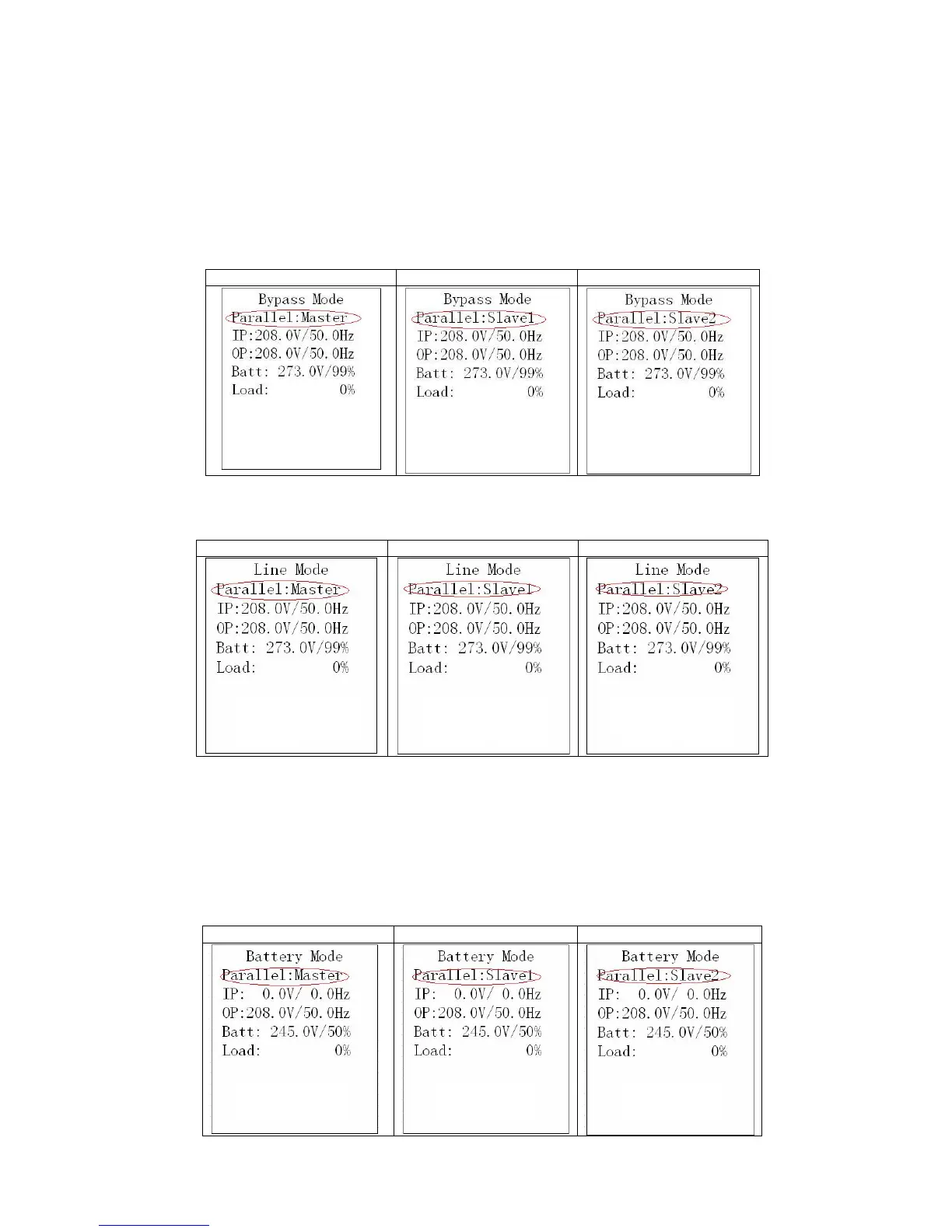
b) Check if the parallel information in LCD display is shown as below pictures. If parallel UPS systems are
successfully set up, it will show “Parallel: Master”, “Parallel: Slave1” or “Parallel: Slave2”. If not, please do not go
to next step and check if the parallel cables have been connected well.
c) Press and hold the “ON” button for 0.5s and turn on the UPS one by one. More details about how to start UPS,
please refer to related part of USER MANUAL.
3) Turn on the parallel system without utility power supply (in Battery mode)
a) Turn on the battery breaker.
b) Press the “ON” button of one UPS to set up the power supply. UPS will enter to power on mode. After initialization,
UPS will enter to No Output mode. Then, press “ON” button again to turn on UPS.
c) A few seconds later, after UPS is on, the UPS will enter to Battery mode.
d) Then, do the same procedure for other UPSs as step c).
e) Then, the parallel system has been installed and starts to supply power to the load.















 To Next Page