INFOSEC UPS SYSTEM - 4, rue de la Rigotière - 44700 Orvault - FRANCE - www.infosec-ups.com
Hot Line – Tel + 33 (0)2 40 76 15 82 - Fax + 33 (0)2 40 94 29 51 - hotline@infosec.fr – 05 13 AA 59 208 13
3-7-2-3. Measurement
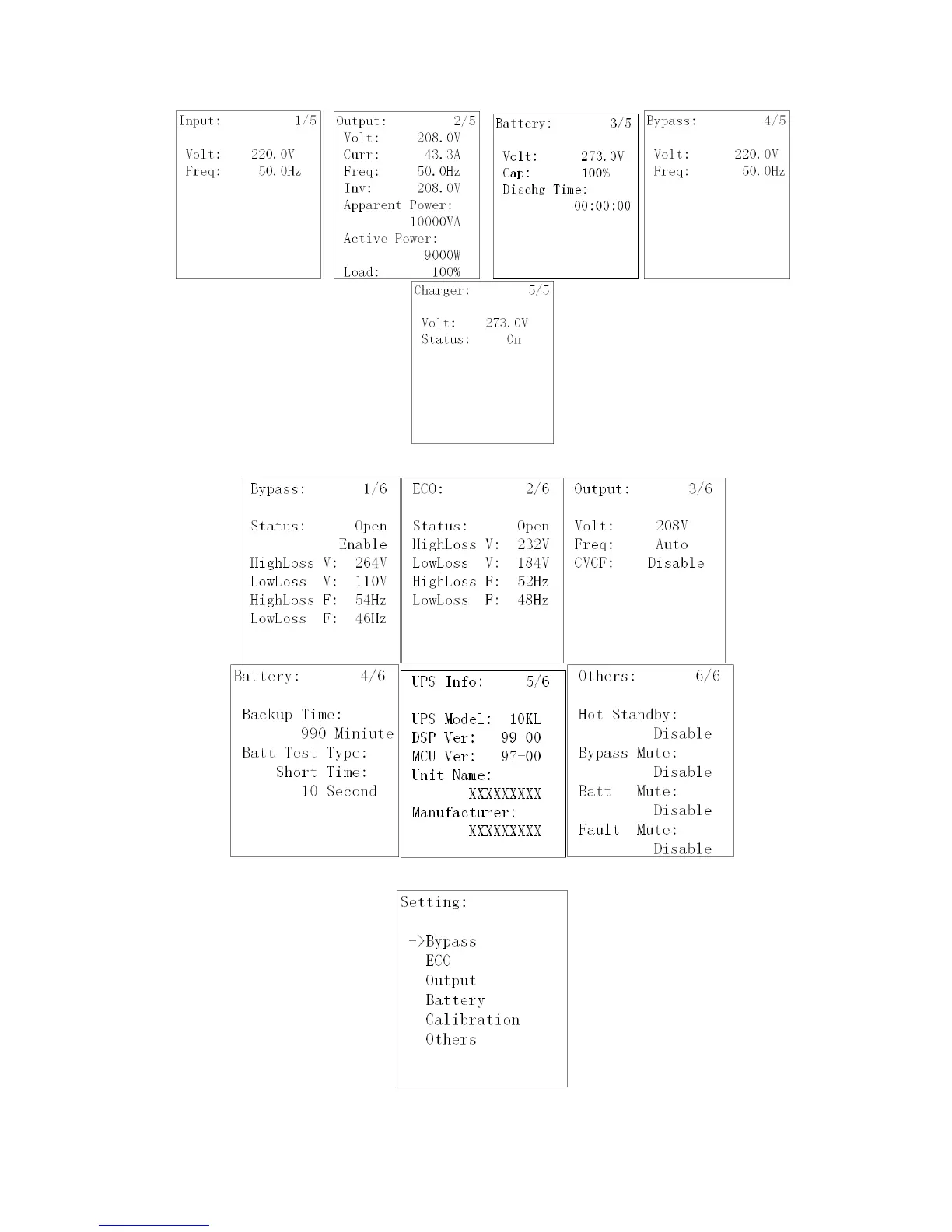
Measurement displays the measurement value of the parameters such as voltage / current / frequency / power / capacity /
time etc. Press “UP” or “DOWN” to explore the pages.
3-7-2-4. Information
Information displays all parameter setting value and status. Press “UP” or “DOWN” to explore the pages.
3-7-2-5. Setting
This menu is used to configure the parameter settings or do the calibrations.
NOTE: Not all settings could be available in every operation mode. If the setting is not available in present mode, the LCD
will show prompt message with “Item can not be set in this mode”. Press any button or just wait for several seconds then
this message will disappear.















 To Next Page