INFOSEC UPS SYSTEM - 4, rue de la Rigotière - 44700 Orvault - FRANCE - www.infosec-ups.com
Hot Line – Tel + 33 (0)2 40 76 15 82 - Fax + 33 (0)2 40 94 29 51 - hotline@infosec.fr – 05 13 AA 59 208 13
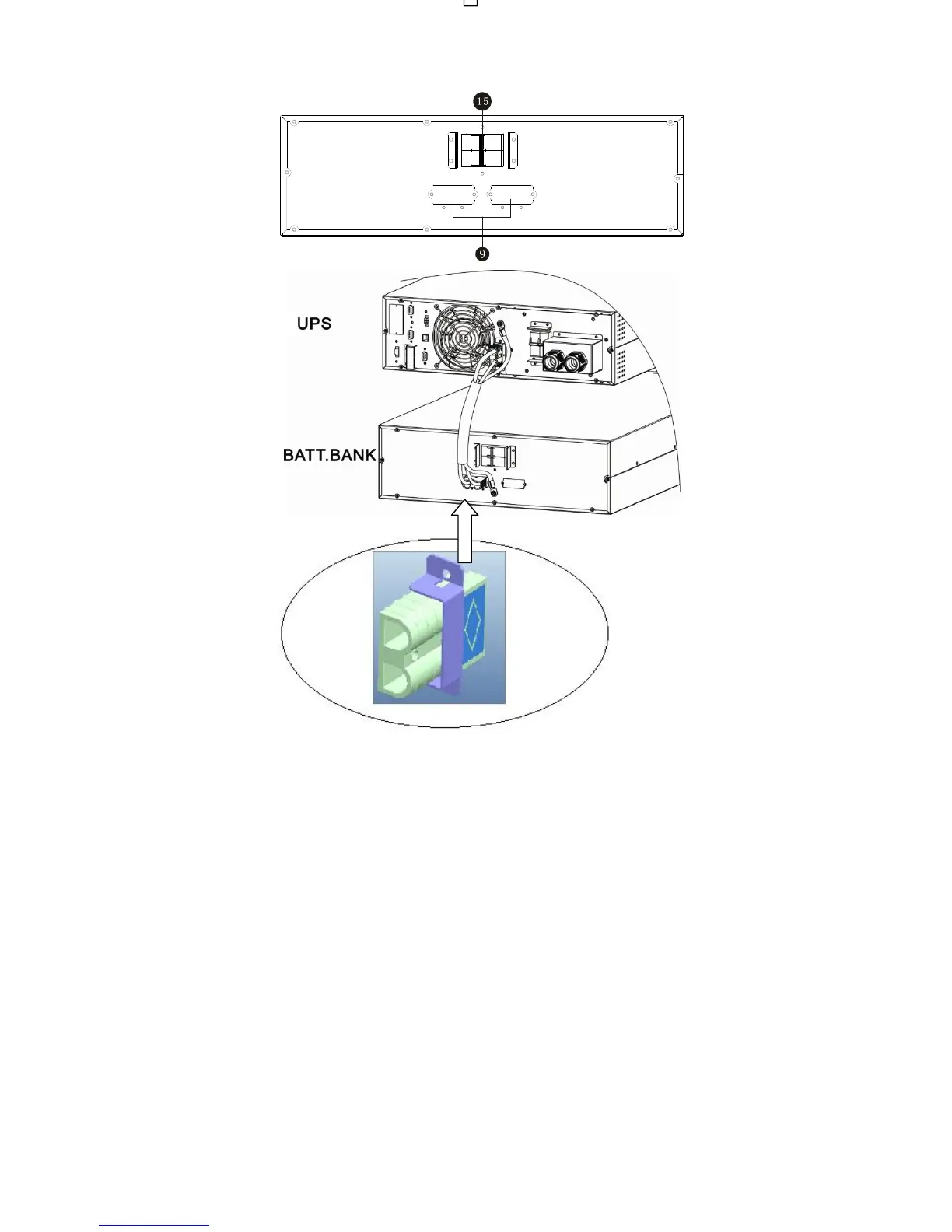
Diagram 4: Connection between Battery Pack and UPS
1 - RS-232 communication port
2 - USB communication port
3 - EPO (Emergency Power Off) connector
4 - Share current port (for parallel function)
5 - Parallel port (for parallel function)
6 - Intelligent slot
7 - EMBS (External Maintain Bypass Switch) port
8 - Cooling fan
9 - External battery connector
10 - Input circuit breaker
11 - Input/Output terminal
12 - Input terminal
13 - Ground
14 - Output terminal
15 - Battery pack output circuit breaker
Note: Keep the EPO connector closed for UPS normal operation. To activate EPO function, please remove the jumper.















 To Next Page