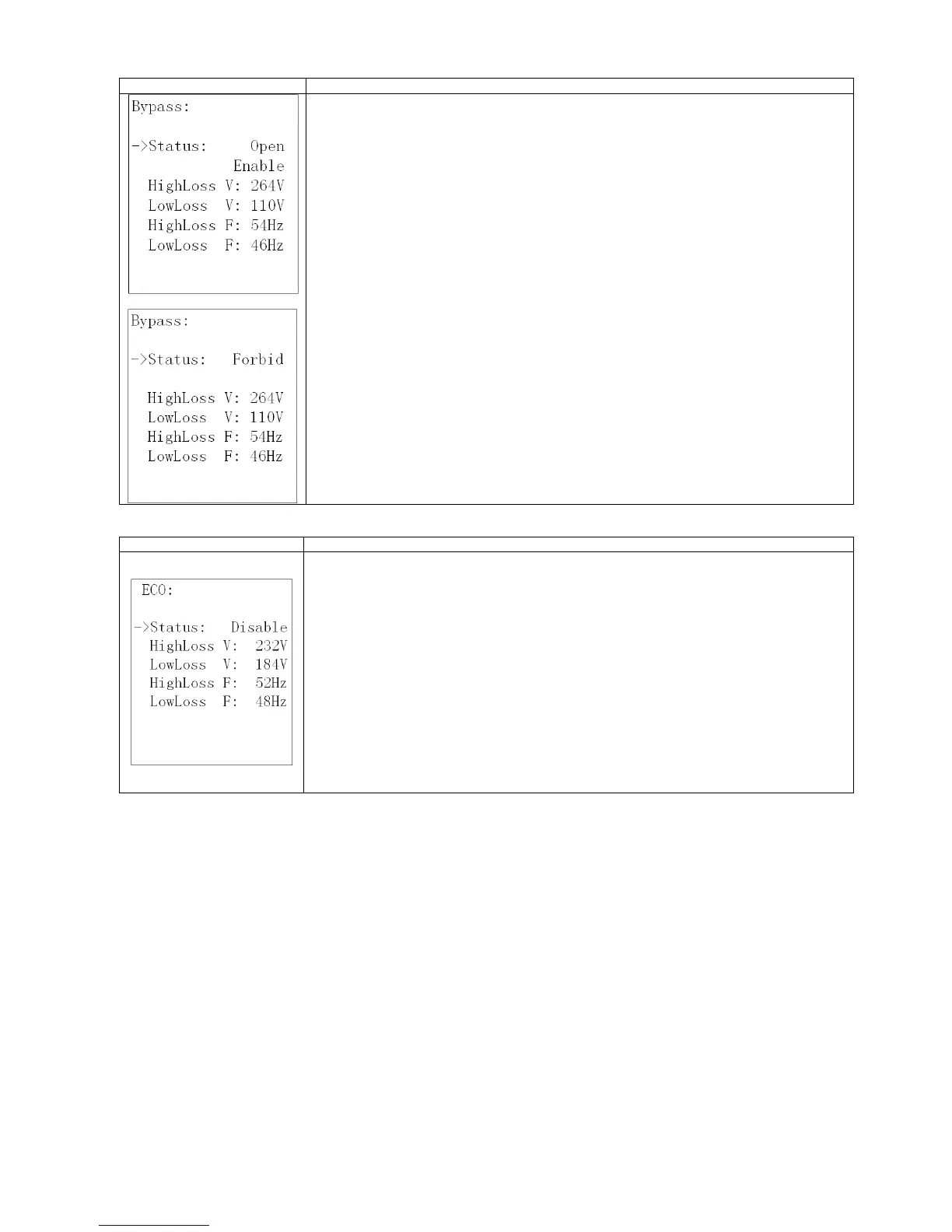
1. Status (only available in bypass / AC mode)
1.1 Open/Forbid:
Open: Bypass allowed. When selected, UPS will run at Bypass mode depending on bypass
enabled/disabled setting.
Forbid: Bypass not allowed. When selected, it’s not allowed for running in Bypass mode under
any situations.
1.2 Enable/Disable
This option appears only when Bypass status is set to “Open”.
Enable: Bypass enabled. When selected, Bypass mode is activated.
Disable: Bypass disabled. When selected, automatic bypass is acceptable, but “manual bypass”
is not available. “Manual bypass” means users manually operate UPS to Bypass mode (for
example, in AC mode turning off the UPS to Bypass mode). Then, the UPS will go to bypass
mode but without output if it is turned off in AC mode.
NOTE: The following items are only available in bypass mode:
2. HighLoss V: Set the acceptable high voltage for bypass. Setting range is from (Rated Output Volt
+11V) to 276V and the default value is 264V.
3. LowLoss V: Set the acceptable low voltage for bypass. Setting range is from 110V to (Rated
Output Volt - 11V) and the default value is 110V.
4. HighLoss F: Set the acceptable high frequency for bypass.
50 Hz: Setting range is from 51Hz to 54 Hz.
60 Hz: Setting range is from 61Hz to 64Hz.
The default value is 54.0Hz/64.0Hz.
5. LowLoss F: Set the acceptable high frequency for bypass.
50 Hz system: Setting range is from 46.0Hz to 49.0Hz.
60 Hz system: Setting range is from 56.0Hz to 59.0Hz.
The default value is 46Hz/56Hz.
1. Status
Enable: Enable ECO Function
Disable: Disable ECO Function
If ECO function is disabled, voltage range and frequency range for ECO mode still can be set, but
it is meaningless unless the ECO function is enabled.
2. HighLoss V: High voltage point in ECO mode. The setting range
is from +5% to +10% of the nominal voltage.
3. LowLoss V: Low voltage point in ECO mode. The setting range is
from -5% to -10% of the nominal voltage.
4. HighLoss F: Set low frequency point for ECO mode.
50 Hz system: Setting range is from 46Hz to 48Hz.
60 Hz system: Setting range is from 56Hz to 58Hz.
The default value is 48Hz/58Hz.
5. LowLoss F: Set high frequency point for ECO mode.
50 Hz: Setting range is from 52.0Hz to 54.0 Hz.
60 Hz: Setting range is from 62.0Hz to 64.0Hz.
The default value is 52.0Hz/62.0Hz.















 To Next Page