Page 28 Manual IP110 Release 6.0
The combined call list contains the following information:
• Type of call (incoming/outgoing)
Incoming calls are indicated with ">" and outgoing calls with "<".
• Consecutive numbering of the entries, beginning with 01 for the last entry
• Date and time of the calls.
• Success (connected / not connected)
Successful connections are indicated by the symbol, unlike unsuccessful
connections.
• Name of the caller / conversation partner (if entered in the directory) and
call number of the caller / conversation partner (if transmitted). The initial
number of the caller is transmitted, and not that of the diverted device, if
the call is an incoming call from a diverted call number.
3.3.2 Calls (inbound) (call list)
This function shows all inbound calls by pressing the Refer-back key .
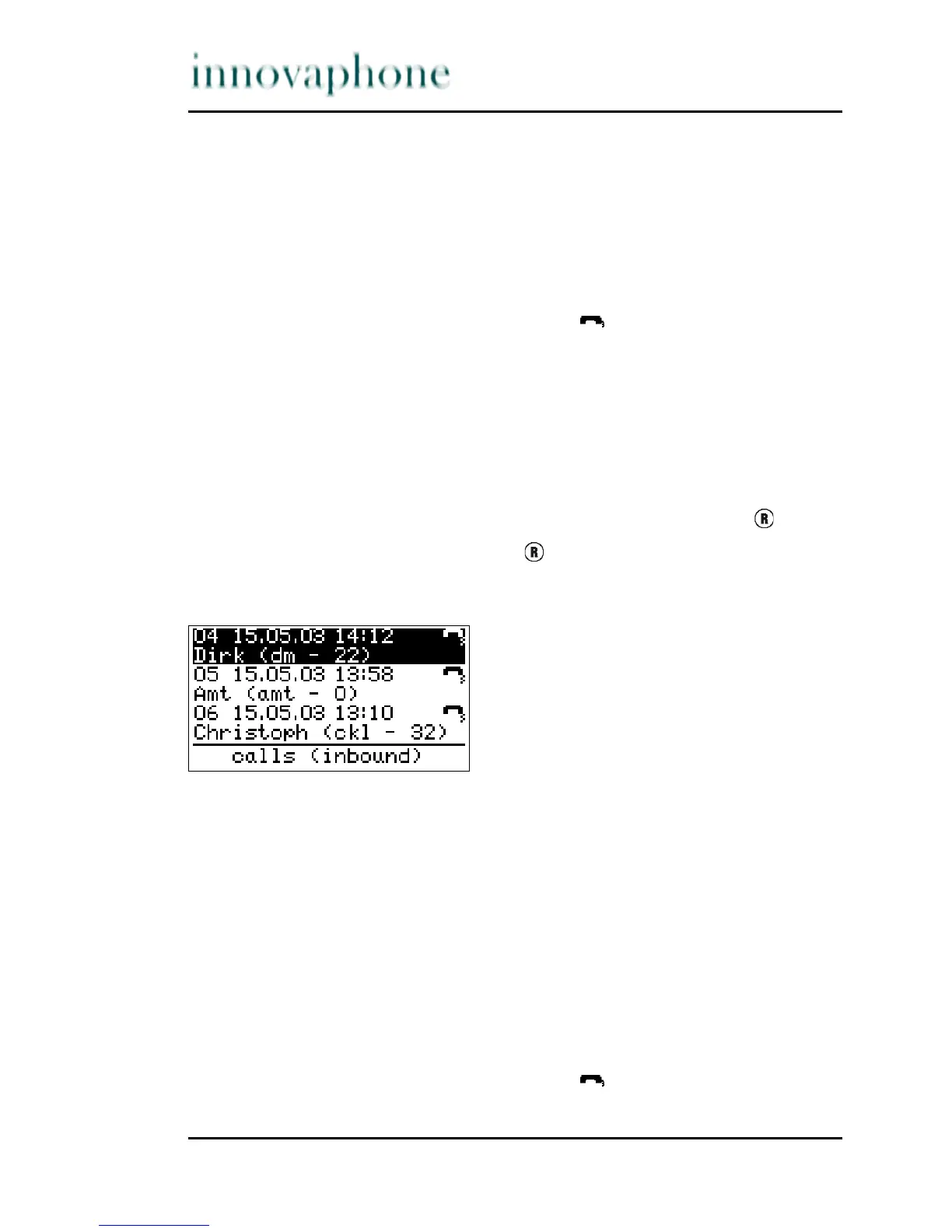
In the initial condition, press the key . The display appears in Fig. 19.
The following is displayed if entries are available:
Fig. 19 Inbound call list menu
You can also call up this function via the menu > Call lists > Calls (inbound)
callup.
You can find further information in Section 3.3.2, "Calls (inbound) (call list)",
beginning on page 28.
The calls (inbound) list contains, among others, the following information:
• Consecutive numbering of the entries, beginning with 01 for the last
incoming call
• Date and time of the calls.
• Success (connected / not connected)
Successful connections are indicated by the symbol, unlike unsuccessful
connections.





 To Next Page