Page 12 Manual IP110 Release 6.0
3 Operating manual
3.1 Operating basics
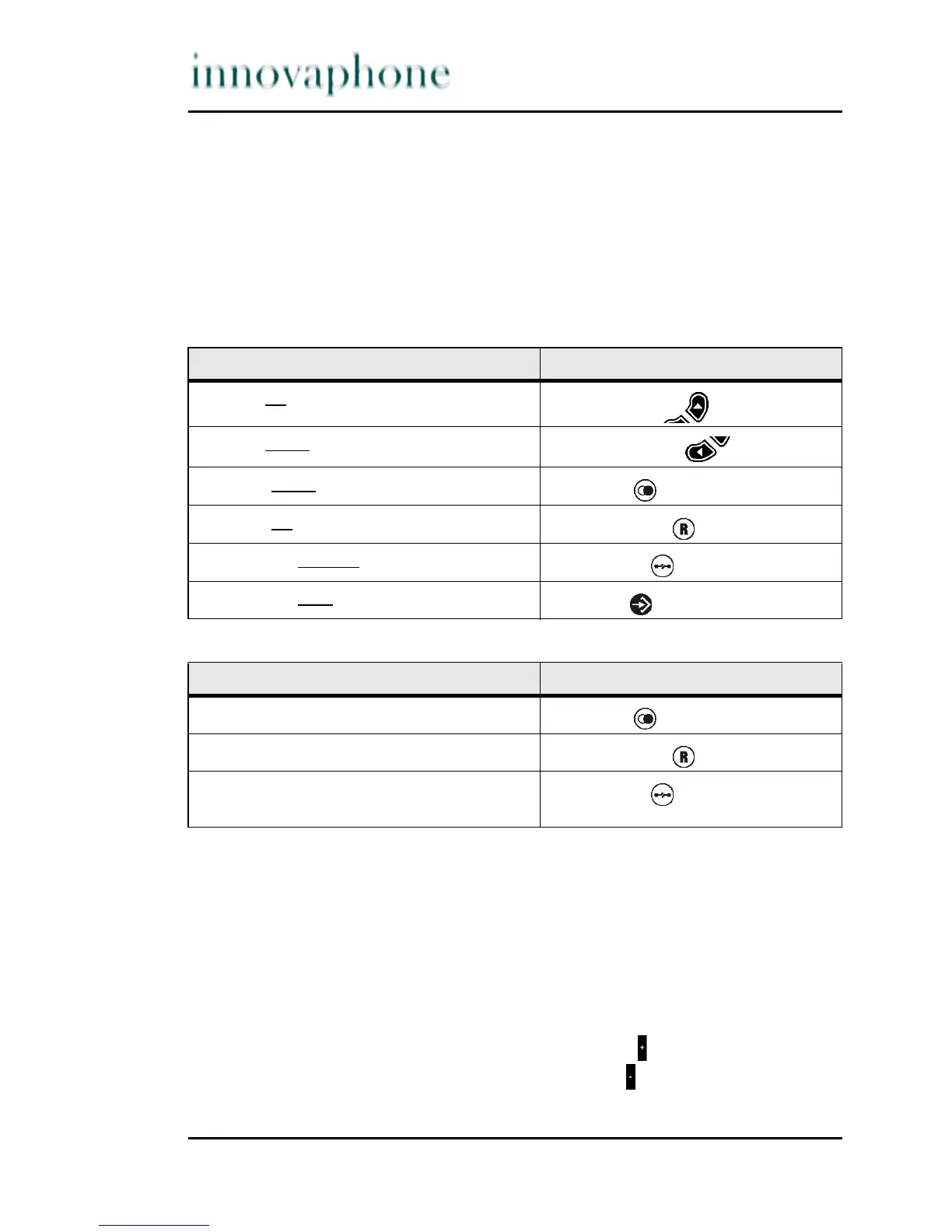
The keys below the display of the VoIP telephone IP110 serve menu navigation
and, for edit field input purposes, are assigned an additional function on top of
their actual function, as explained below.
Key assignment in menu:
Key assignment in edit field:
The letter mode is activated by pressing the key pad for an extended moment
of time. Also see Section 3.1.4, "Input of characters and special characters",
beginning on page 14.
3.1.1 Adjusting the volume
You can adjust the volume while establishing connections as well as during calls.
The volume remains on this level after the call. The "vol." indicator shows the
current value (see Fig. 3).
You can increase the volume level by pressing the key.
You can reduce the volume level by pressing the key.
The function ... ... is performed by ...
scrolling upwards
Arrow key up
scrolling down
wards
Arrow key down
one level down
Redial key
one level up
(back)
Refer-back key
one level up without
saving
Clearing key
one level up with saving
Menu key
The function ... ... is performed by ...
scrolling right
Redial key
scrolling left
Refer-back key
Delete character in front of cursor
(backspace)
Clearing key




 To Next Page