Page 40 Manual IP110 Release 6.0
9. To save the selection, leave the menu by pressing the key three
times.
The call diversion is now active and shown in the display of the IP110.
3.5.5 Changing users
The menu Change user is component of the Multiple registration and
described in detail in Section 3.4.4, "Multiple registration", beginning on page 35.
3.5.6 Ring tone
In the Ringtone menu the melody, volume and speed of the internal and
external ringtone can be set up and listened to.
1. In the initial condition, press the key .
2. With the Arrow keys, select the menu Switches.
3. Press the key . The display appears in Fig. 25.
4. With the Arrow keys, select the menu Ringtone.
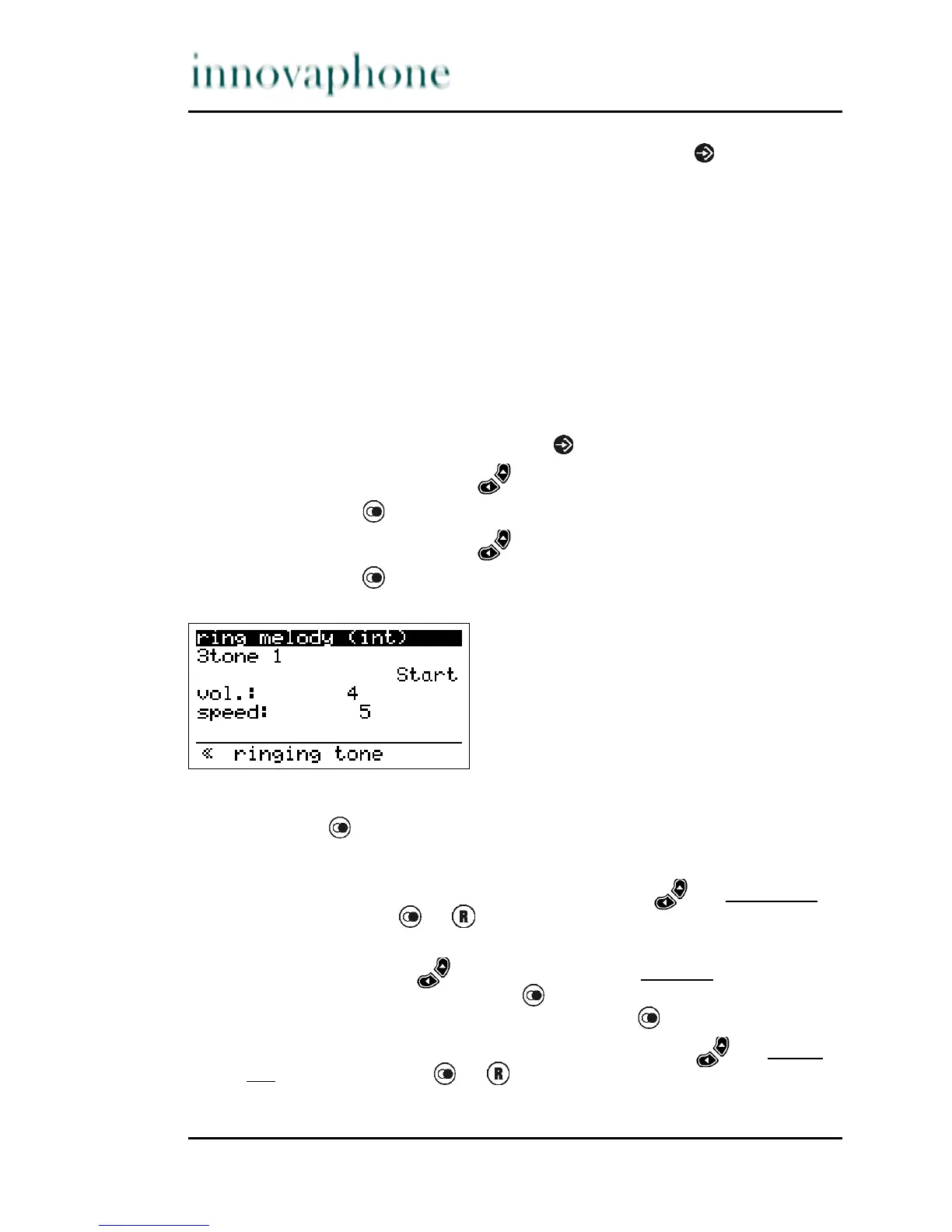
5. Press the key . The display appears in Fig. 28.
Fig. 28 Ring melody menu
6. Press the key to select Internal ringtone or External ringtone.
All other changes only refer to the internal or external ringtone variation.
7. Setting a melody: Using the arrow keys, select the second line
and press the key or. to set the melody.
8. Prelisten: In order to prelisten to the currently set ringtone, use the
arrow keys to select the entry Start in the third line and activate
the playback by pressing the key . The entry switches to Stop.
Playback can be stopped by again pressing the
button.
9. Adjusting the volume: Using the arrow keys, select the fourth
line and press the key or. to set the volume.





 To Next Page