Manual IP110 Release 6.0 Page 45
3.6.4 Reset configuration
The reset configuration menu offers the possibility of restoring the default
settings for the device. All settings made in the meantime will be lost in the
process.
1. In the initial condition, press the key .
2. With the Arrow keys, select the menu Administration.
3. Press the key . The display appears in Fig. 29.
4. With the Arrow keys, select the menu Reset configuration.
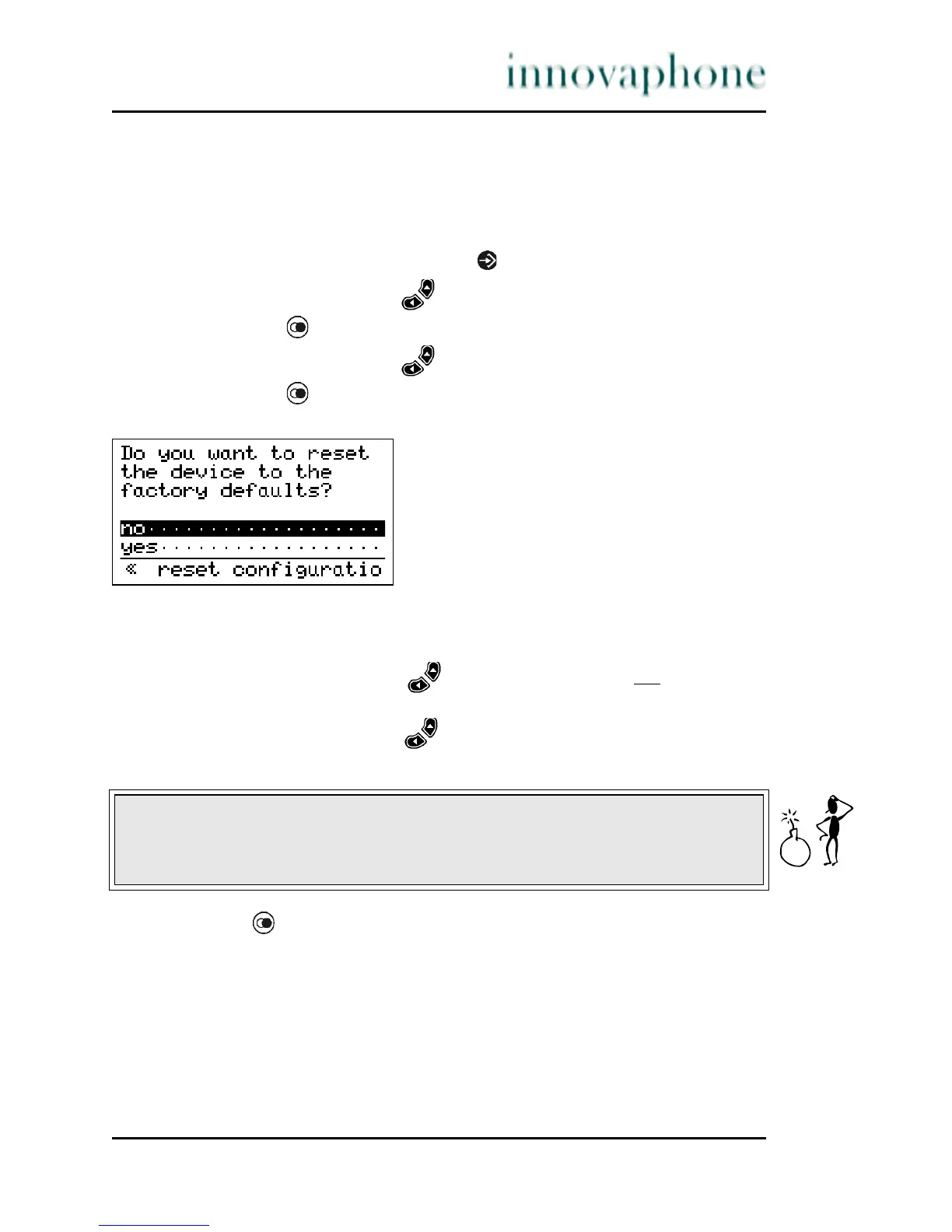
5. Press the key . The display appears in Fig. 33.
Fig. 33 Administration Reset Configuration menu
You are then asked whether the device is to be reset to its initial condition.
6. Using the arrow keys, select the entry no if you do not
wish to
restore the default settings.
7. Using the arrow keys, select the entry yes if you wish to restore the
default settings. All changes will be lost in the process.
8. Press the key to confirm your selection.
If no is selected, you are returned to the previous menu, if yes is selected, the
device is rebooted, which can be recognised, among other things, by a short
flickering of the F1 function key.
Caution
All data in the phone will be deleted and the phone will be reset to its initial
condition if you carry out this function.





 To Next Page