Chapter: Preparing the System
2-12 M10-16245-EN
is also supplied in the ancillary parts kit. If you need to remove and re-install the base
adapter, for example to change the orientation, use one of the following procedures.
To remove the base adapter:
1. Remove the compression spring located inside the adapter.
2. Insert a 5mm hex key into the base adapter, ensuring that it fits into the screw at the base
of the adapter.
3. Using a torque wrench, loosen and remove the screw inside the adapter.
4. Lift the base adapter away from the base beam.
To re-install the base adapter:
1. Insert the adapter into the base beam, noting the orientation of the locating pin on the
bottom of the adapter. The locating pin fits into any of the three locating pin holes on the
base beam.
2. Insert a 5mm hex key into the base adapter, ensuring that it fits into the screw at the base
of the adapter.
3. Using a torque wrench, tighten the screw to 7 Nm (5.2 ftlb)
4. Remove the hex key and insert the compression spring.
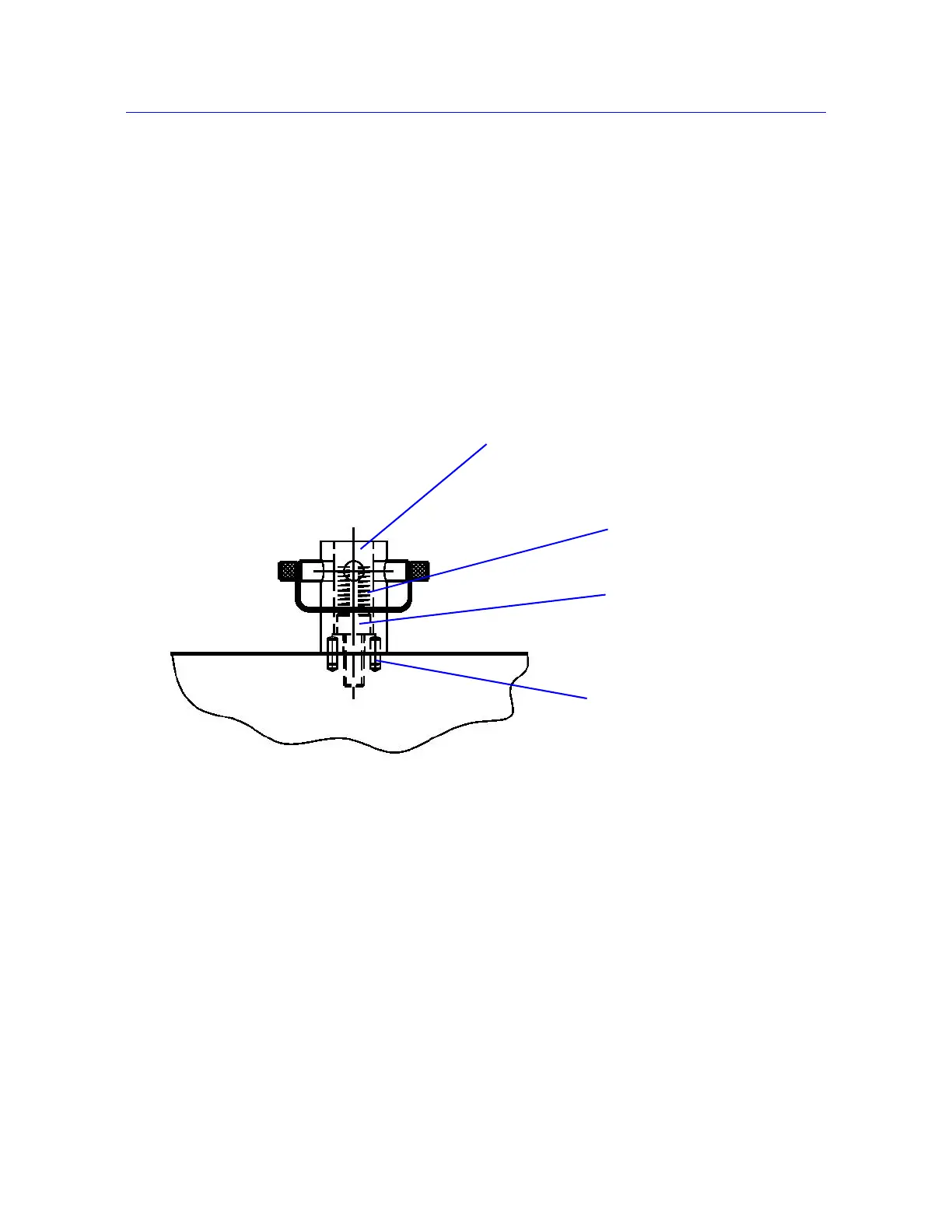
Figure 2-5. Type O Base Adapter
Locating pins
Base adapter
M6 bolt
Compression spring



 To Next Page