3-11
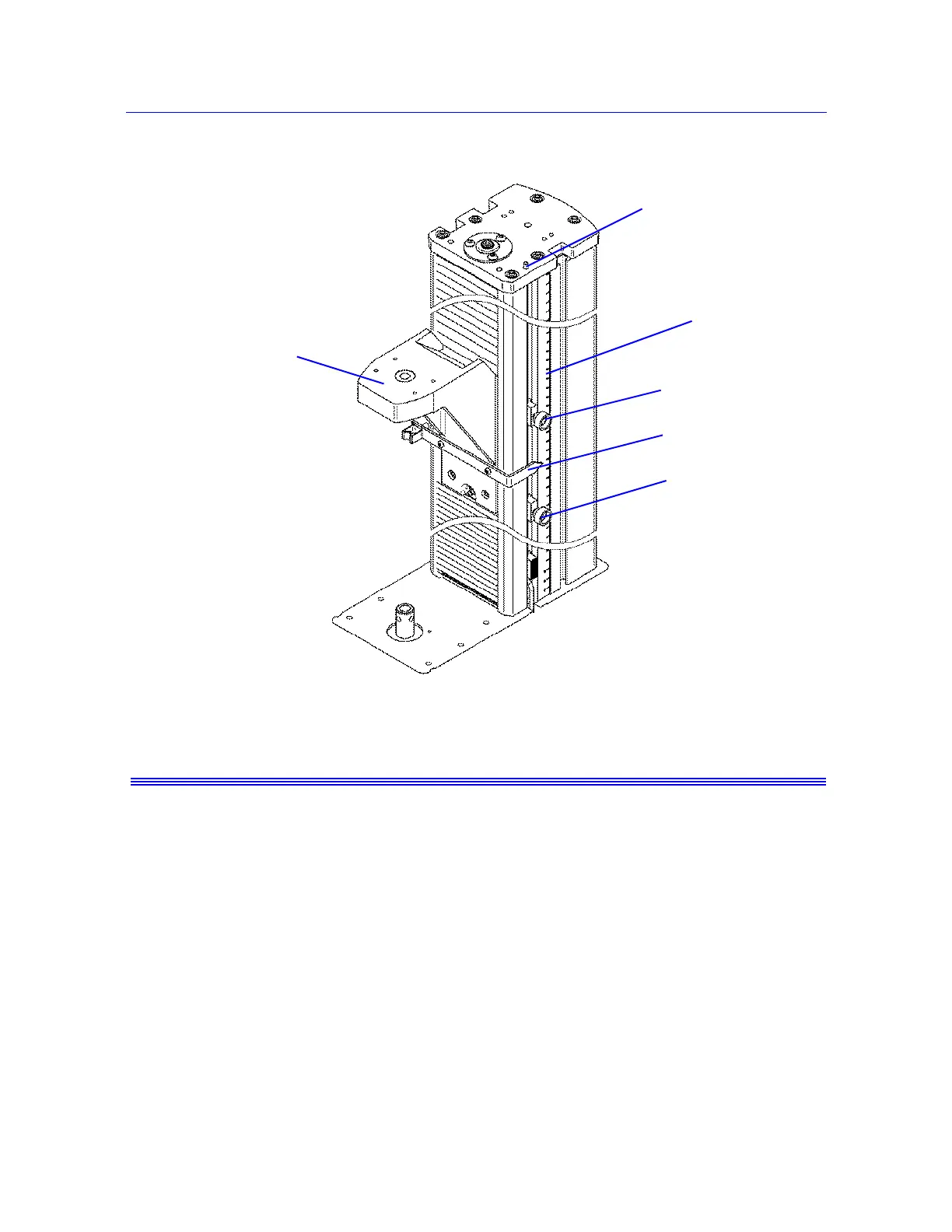
Set the crosshead limit stops
Product Support: www.instron.com
Do not use limit stops to end a test.
The limit stops are not intended to be an end of test condition to end every test. Repeated use
of the limit stops in this way may cause excessive wear, which can result in the limit stop
failing to stop the crosshead. Proper end of test conditions can be set from the software.
Refer to the online help system for further assistance.
Move Off a Crosshead Limit Stop
When the crosshead contacts either the upper or lower limit stop, the test stops. If this
happens, use the jog buttons to move the crosshead off the limit stop. Press the button to
move the crosshead off the upper limit stop. Press the button to move the crosshead off
the lower limit stop. The
TEST IN PROGRESS indicator light illuminates when you move
the crosshead.
Figure 3-1. Setting Limit Stops
Limit switch rod
Upper limit stop
Measurement
scale
Crosshead
Limit switch
actuator
Lower limit
stop



 To Next Page