62
Listening to the Radio
—Continued
■
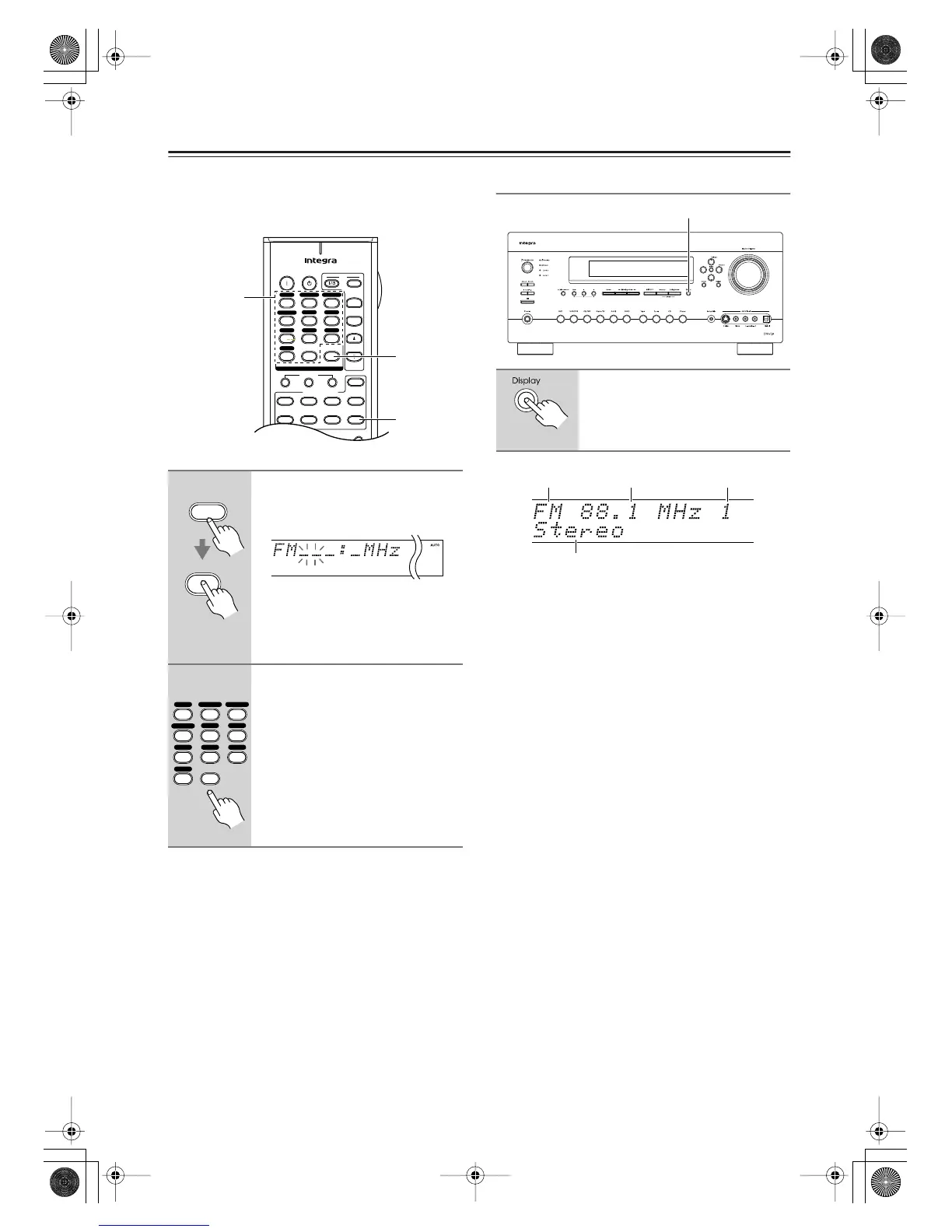
Tuning into Stations by Frequency
You can tune into AM and FM stations directly by enter-
ing the appropriate frequency.
Displaying AM/FM Radio Information
Note:
• When you select a preset with a custom name (see
page 104), its name is displayed instead of the band
and frequency.
1
Press the [Receiver] button, fol-
lowed by the [D.TUN] button.
The [Receiver] button flashes.
(Actual display depends on country.)
2
Within 8 seconds, use the num-
ber buttons to enter the fre-
quency of the radio station.
For example, to tune to 87.5 (FM),
press 8, 7, 5.
Note:
While the [Receiver] button is flashing,
you cannot select another input source
with the remote controller.
+
-
On Standby
TV
Input
TV CH
TV VOL
--
/
---
10 11 12
D.TUN
+10
0
Clear
123
456
789
Input Selector
VCR
/
DVR CBL
/
SAT
DVD
Tape
Tuner
CD
Phono
Game
/
TV
Macro
12
3
VCRDVD
CDR/MD
CD
Zone
2
Remote Mode
Dimmer
Tape/AMP
Sleep
Receiver
TV Dock
Cable
SAT
Zone
3
AUX 1 AUX 2
D.TUN
Receiver
Number
buttons
Receiver
D.TUN
Clear
+10
0
123
456
789
VCR
/
DVR CBL
/
SAT
DVD
Tape
Tuner
CD
Phono
Game
/
TV
AUX 1 AUX 2
Press the [Display] button to dis-
play the available information.
Display
Band
Listening mode
Frequency Preset #
DTR-7.8En.book Page 62 Friday, April 27, 2007 2:18 PM



 To Next Page