D-0120578-C – 2019/11
Eclipse – Instructions for Use - US
Page 11
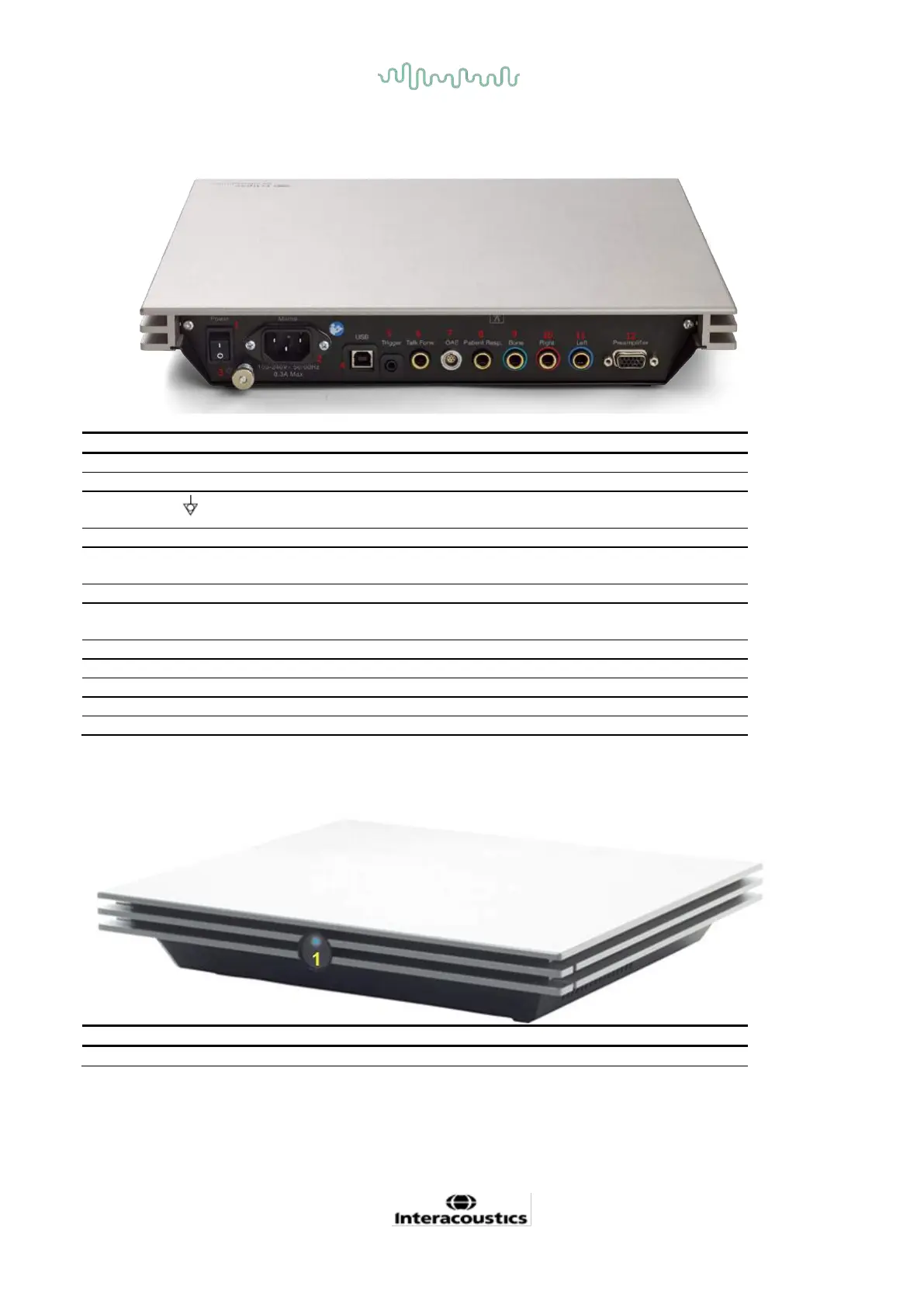
2.3.2 Eclipse back panel
Plug for mains cable, 100-240V~ 50-60 Hz
Connection for equipotentiality, please refer to the chapter
markings.
Plug for USB cable to connect to PC
Connector for trigger input/output
E.g. eABR (cochlear implant) testing etc.
Connector for talk forward microphone
Plug for the OAE probe. Note the OAE probe is dedicated
to one Eclipse only! Calibration is stored on the Eclipse.
Plug for patient response button
Plug for right headphone/insert earphone
Plug for left headphone/ insert earphone
2.3.3 Eclipse front panel
Power on – blue light. Power off - no light.














 To Next Page